

Run a conflict check before the client signs. See Run a conflict check. Your firm may require one before a matter can open.
Set the hired status in CRM
Open the CRM matter, select Edit and set the status to your firm's hired status. This counts as a conversion in reports and stops the prospect's engagement reminders.
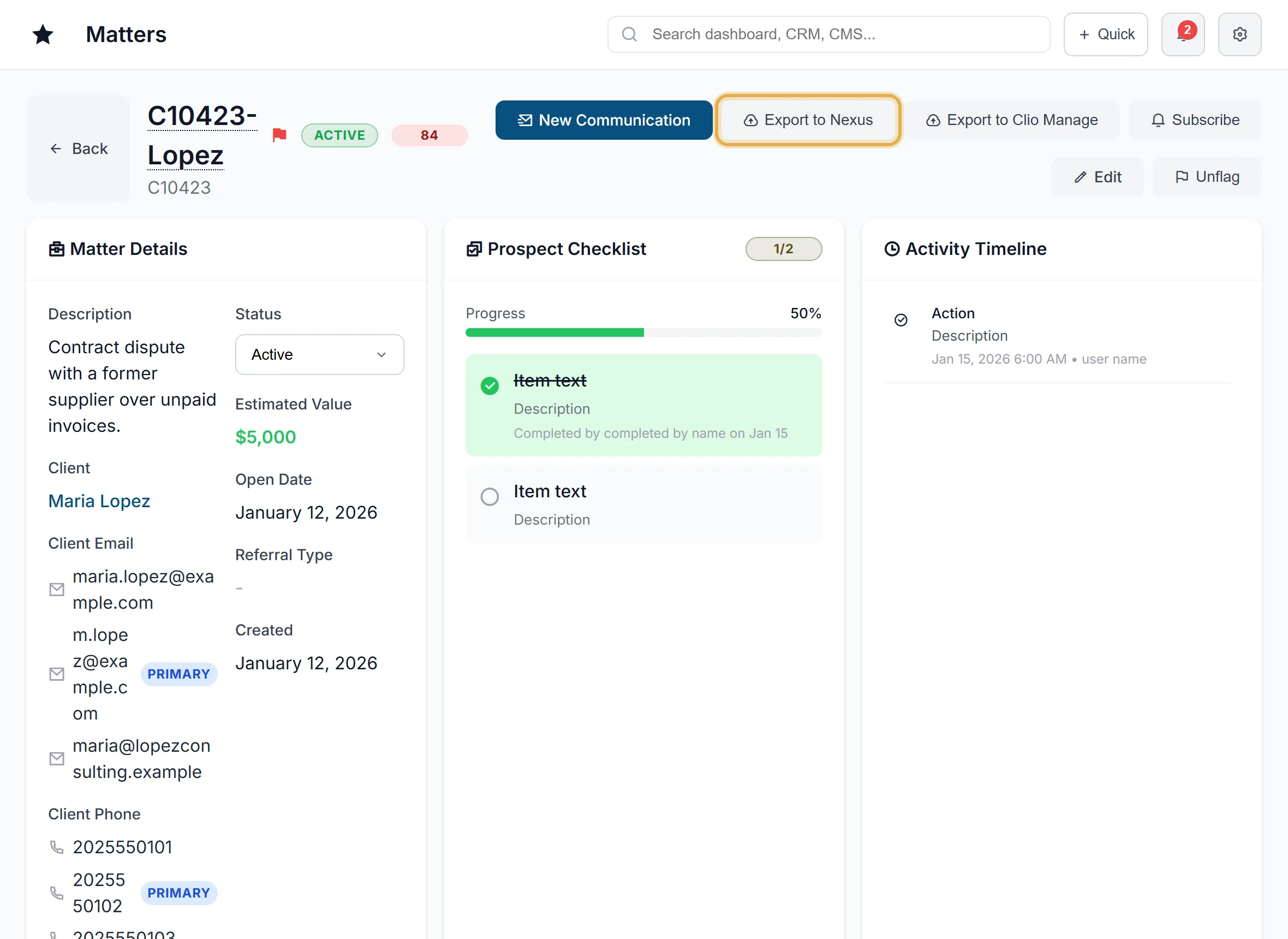
Select Export to Nexus
At the top of the CRM matter, select Export to Nexus. (If your firm still uses Clio Manage, you may also see Export to Clio Manage.)
Check the new CMS matter form
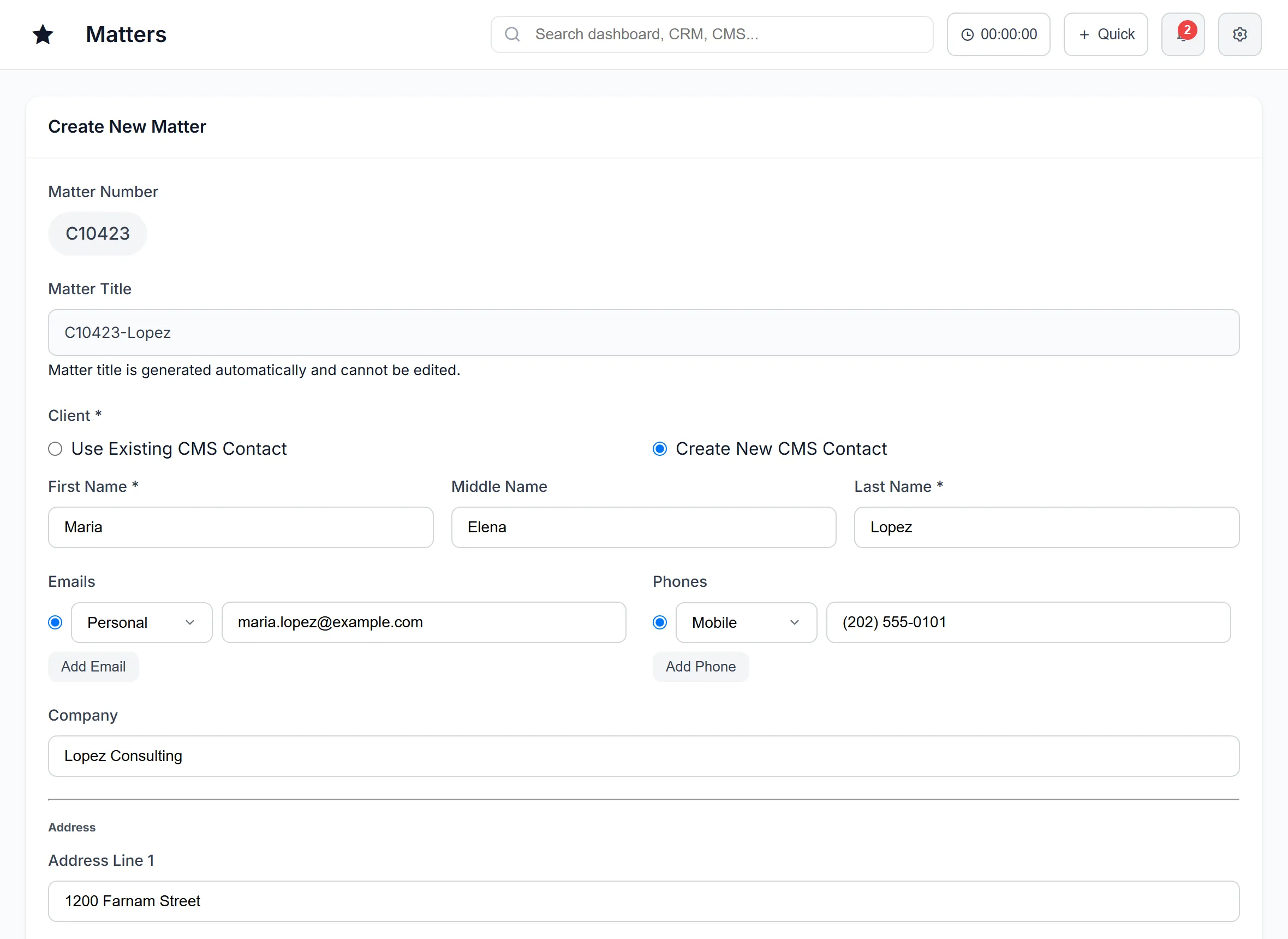
The Nexus matter form opens filled in from CRM, and the top reads Creating a CMS matter from CRM matter with the CRM matter number. That confirms the two are linked. The client, intake answers and consult notes come across.
Complete the matter details
Review the matter title, client, practice area and stage, and add related contacts such as a spouse or opposing party.
Set the team and billing
Assign the responsible attorney and paralegal, and choose the billing arrangement: hourly, flat fee or contingency, with rates. These set the defaults for every time entry on the matter.
Save, then set up the work
Save the matter. Then apply a task list so the first steps are assigned (Create and assign tasks), and send the welcome letter from Dockets (Draft a document).
Frequently asked questions
I created the Nexus matter by hand and it isn't linked.
Ask your admin. Matters can be merged or relinked. Don't create a second matter to fix it.
Does the CRM matter go away?
No. It stays in CRM as the record of the intake, linked to the Nexus matter.
Last reviewed 2026-11-25