

Create the invoice
In CRM, open Billing and create an invoice, or choose Invoice from the Quick menu. Create Consult Invoice asks for:
- Contact and Matter: start typing and pick from the list
- Amount (USD): your firm may set a maximum for consult invoices
- Due Date and Description
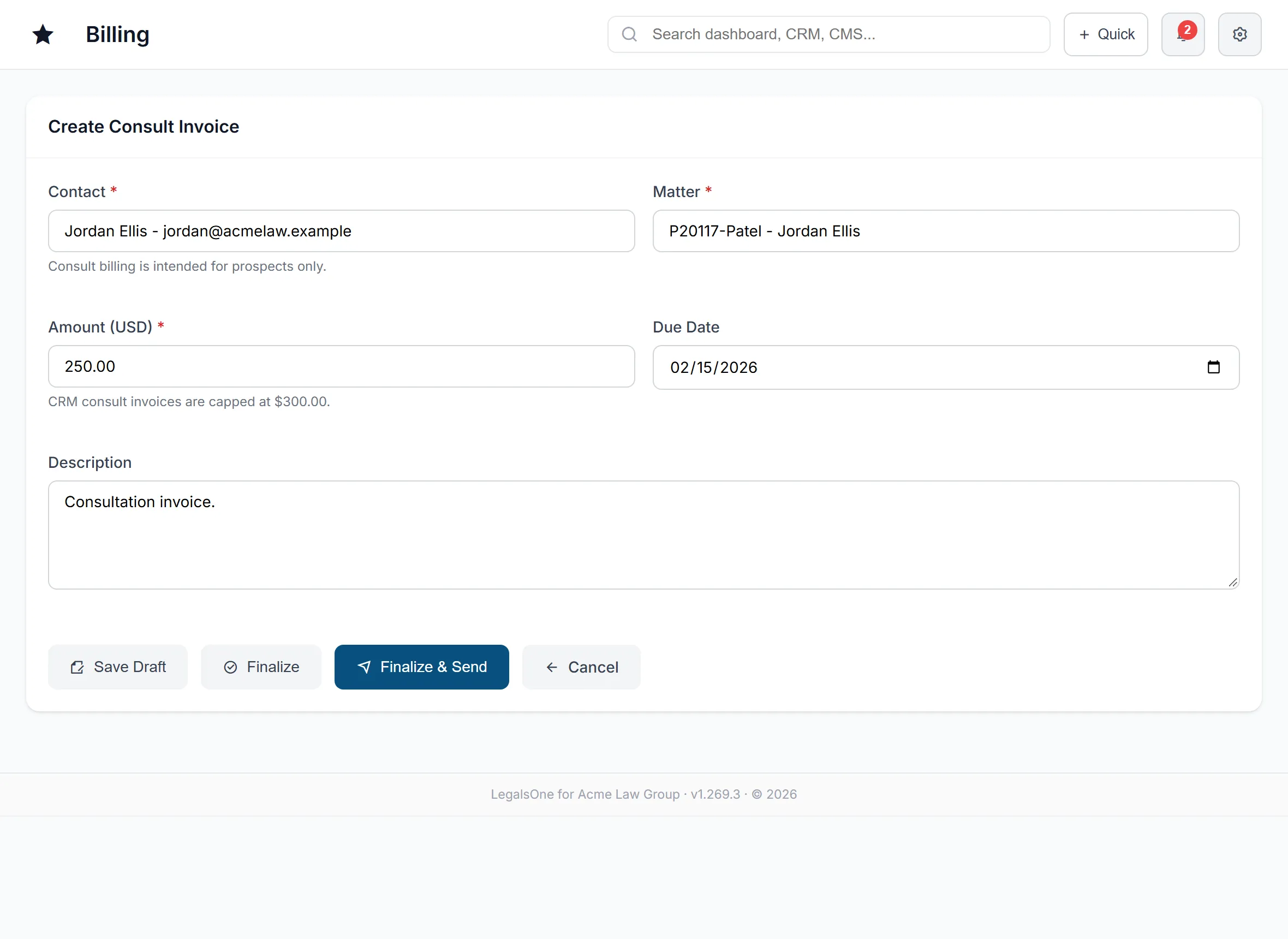
Consult billing in CRM is for prospects. If the contact is already a client, you will see a warning. Bill clients from their Nexus matter instead.
Choose how it's delivered
Under Delivery, tick the Email Recipients and Text Recipients (the prospect and any related contacts with an email or phone on file), and pick the Email Template and SMS Template.
Save, finalize or send
- Save Draft keeps it editable.
- Finalize locks the amount and creates the invoice PDF and payment link.
- Finalize & Send does both, then emails and texts the selected recipients.
Send the invoice before the consultation. Firms that collect the consult fee up front see fewer no-shows.
Protect the link and watch activity
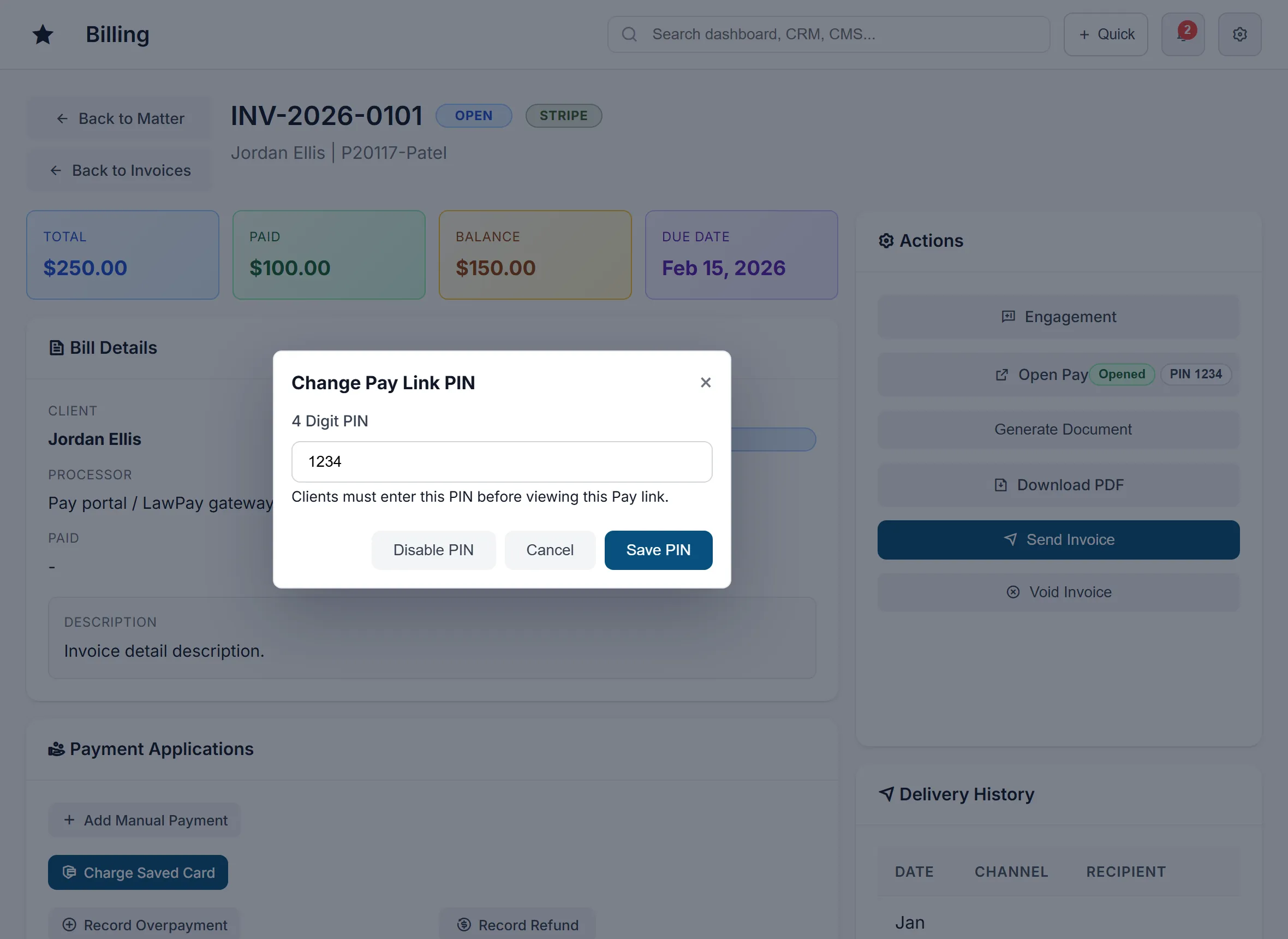
Open the invoice to see Total, Paid and Balance. You can add a PIN to the payment link and share it separately. Pay link activity shows when the client opened the link and paid.
Record money that arrived another way
Under Payment Applications:
- Add Manual Payment: enter Amount, Payment Date, Payment Type (Cash, Check, ACH, Wire, Credit / Debit Card, Money Order…) and a Reference Number, then Record Manual Payment.
- Charge Saved Card: if the client saved a card, choose it and Charge Payment Method. Only do this with the client's authorization.
- Record Overpayment: if they paid too much, with a reason.
Refund or void
Record Refund lets you refund a whole payment, part of a payment or an overpayment, with the date, method and reason. Void reverses a payment recorded in error. Both keep an audit trail. Never delete and re-enter.
Frequently asked questions
Can I turn off a payment link?
Yes. Revoke it from the invoice and the client can no longer use it.
Where do consult payments show up in reports?
CRM → Reports includes consult payments, revenue and conversion.
Last reviewed 2026-11-25