

Open the Task Queue
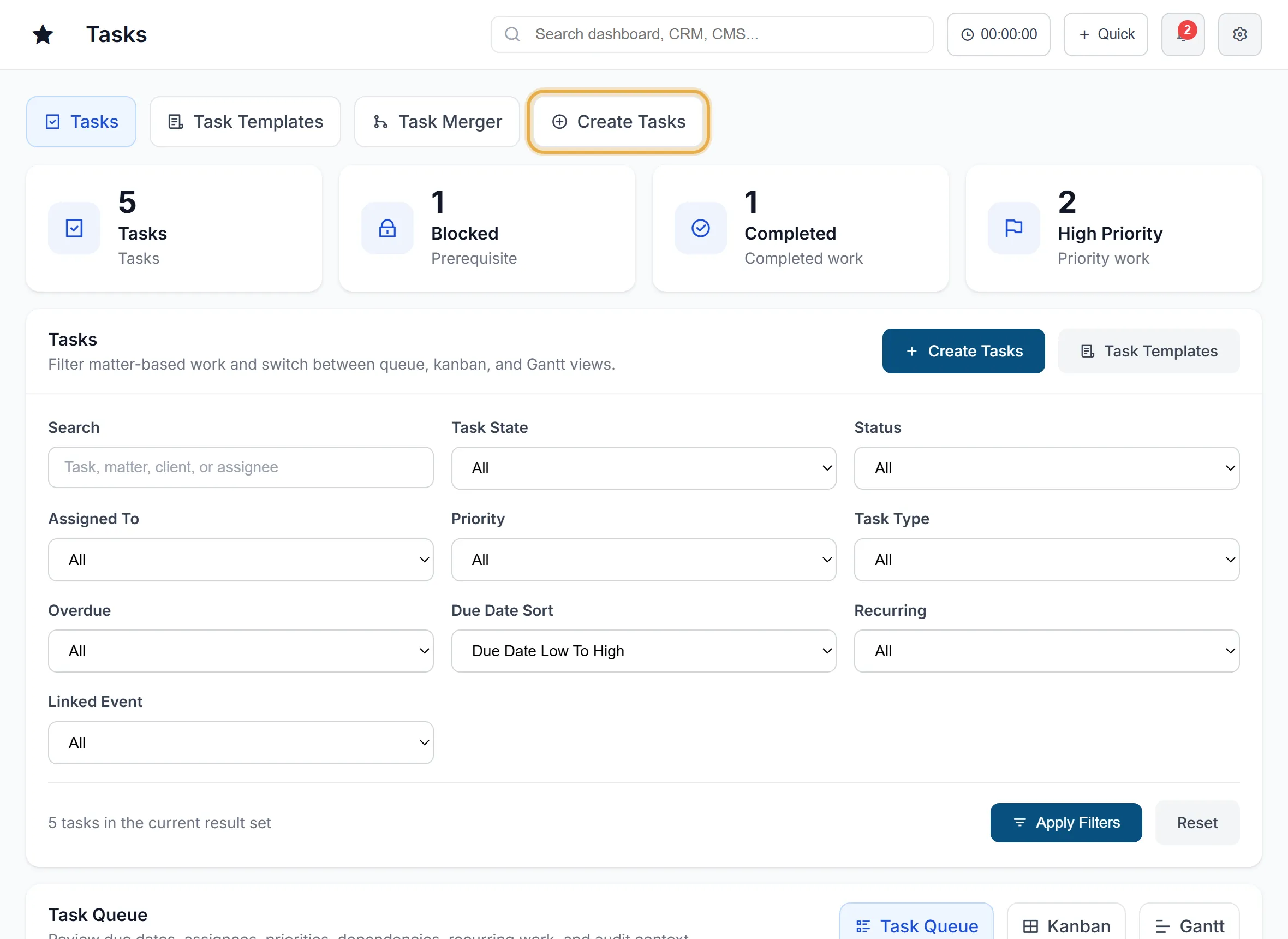
In CMS, select Tasks. The cards at the top count your Tasks, Blocked tasks (waiting on another task), Completed and High Priority ones. The Task Queue below lists them. Switch it to Task Queue, Kanban or Gantt, whichever suits how you plan.
Filter to what matters now
Narrow the list by Search, Task State, Status, Assigned To, Priority, Task Type, Overdue, Recurring or Linked Event. Sort with Due Date Low To High to see what's due first, then select Apply Filters. Reset clears them.
Choose how to create
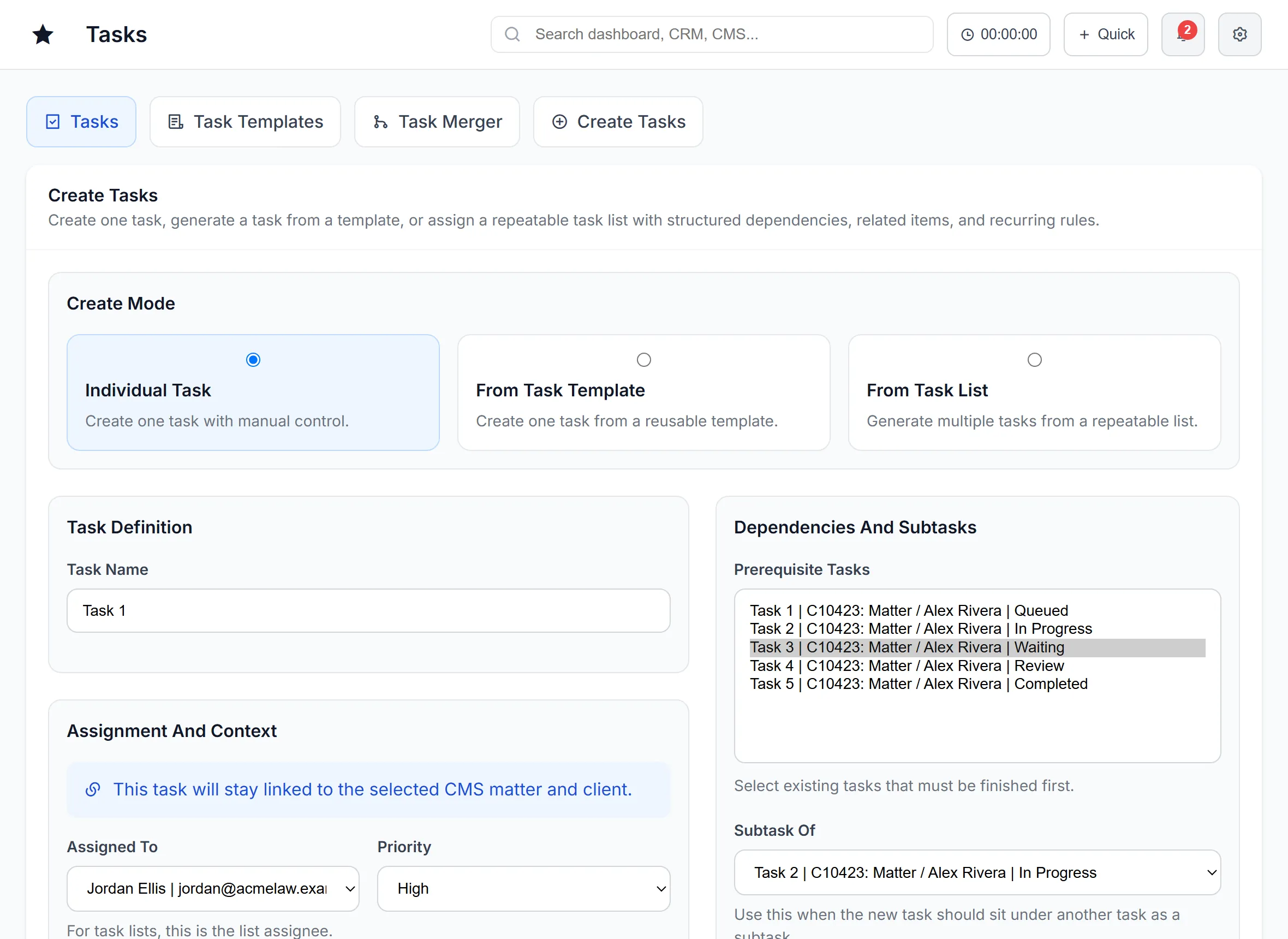
Select Create Tasks and pick a Create Mode:
- Individual Task: one task with full control
- From Task Template: one task from a reusable template
- From Task List: a whole set of tasks at once from a list
Fill in the task
Under Task Definition, give it a Task Name and Description. Under Assignment And Context, link the Matter and choose who it's Assigned To, plus the Priority and due date. A task can only be linked to a matter its assignee can access.
Link it to other work
Under Dependencies And Subtasks, pick Prerequisite Tasks that must finish first, or make it a Subtask Of a bigger task. A task waiting on others shows as Blocked. For repeating work, set a Recurrence, such as weekly on a set day, with an end date if needed.
Use task lists for repeatable work
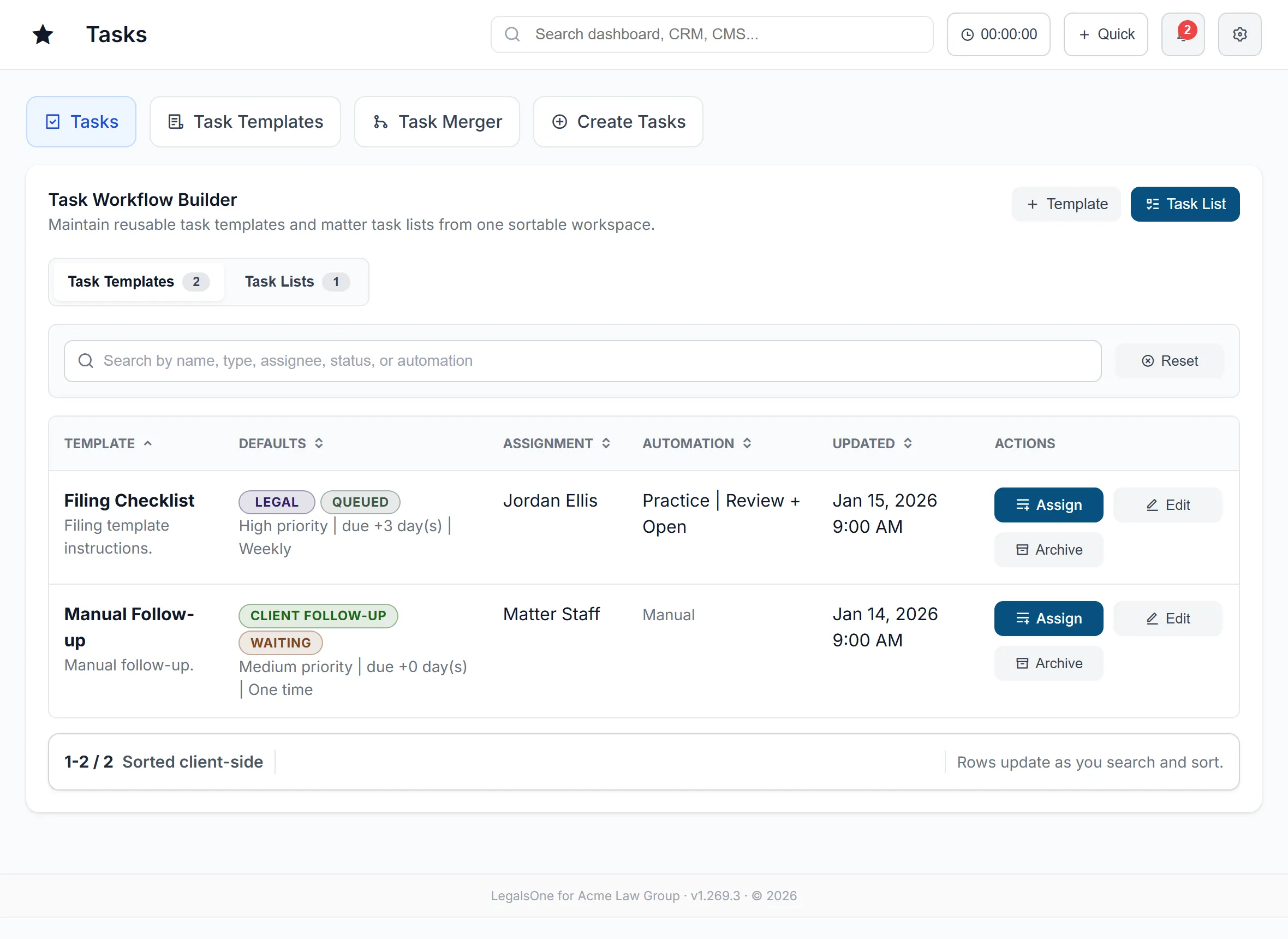
Open Task Templates to see the firm's templates and task lists. Admins build them in the Task Workflow Builder, with default assignee rules (for example "the matter's paralegal"), due offsets in days and dependencies. Apply a list to a new matter and every opening step is created and assigned.
If you create the same five tasks on every new matter, ask your admin to turn them into a task list.
Update and complete
Open a task to edit, reassign or mark it Complete. Tick several in the queue to update them in bulk, or use Task Merger to combine duplicates.
Frequently asked questions
Why is my task Blocked?
A prerequisite task isn't complete yet. Finish it, or remove the dependency.
Will I get reminders?
Yes. Task notifications follow your My Notifications settings. A task can also have a custom reminder.
Last reviewed 2026-11-25