

You need access to Triage in CRM. The red number next to Triage in the sidebar is how many leads are waiting.
Open Lead Triage
In CRM, select Triage. Lead Triage holds every intake that arrived from a form, mailbox or ad platform and hasn't entered the CRM workflow yet.
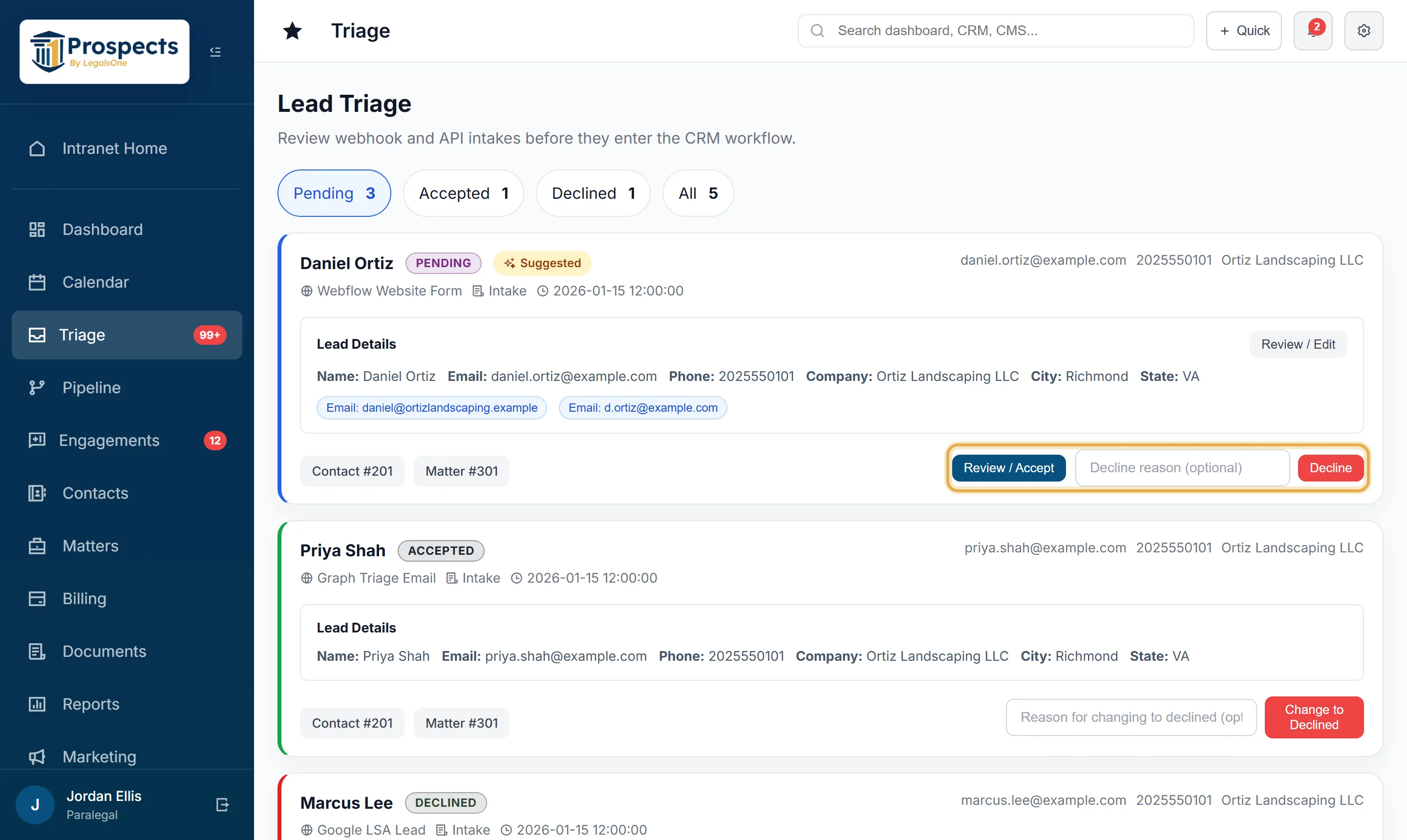
The tabs across the top filter the queue: Pending (waiting for you), Accepted, Declined and All, each with a count.
Read the lead card
Each card shows:
- the person's name and a status pill: Pending, Accepted or Declined
- where it came from, such as Webflow Website Form, Graph Triage Email (the intake mailbox), Google LSA Lead or Meta Lead Ad, with the date and time it arrived
- Lead Details: name, email, phone, company, city and state, plus any extra emails or phone numbers found
Scan for urgency first: a hearing date, a detention or an approaching deadline goes to the top of your list.
Check the Suggested match
A Suggested pill means the lead may already be in the CRM. The card links the likely Contact and Matter. Open them to compare.
Don't merge into a suggested contact on the name alone. Confirm the email or phone too. Two different people with the same name is common.
Review and accept
Select Review / Accept to open Review and Accept Lead. Review / Edit opens the same form to fix details first. Check:
- Contact: Full Name, First Name, Last Name, Email (pick the right one if several were found), Phone, Company, City and State.
- Source: leave Use intake source (default), or choose Website, Referral, Advertising, Cold Call or Other. Add Source Details, such as the campaign or the referrer's name.
- Notes (appended to contact): anything the next person needs.
- Additional Contact Fields and matter fields: your firm's own questions. Required ones are marked with *.
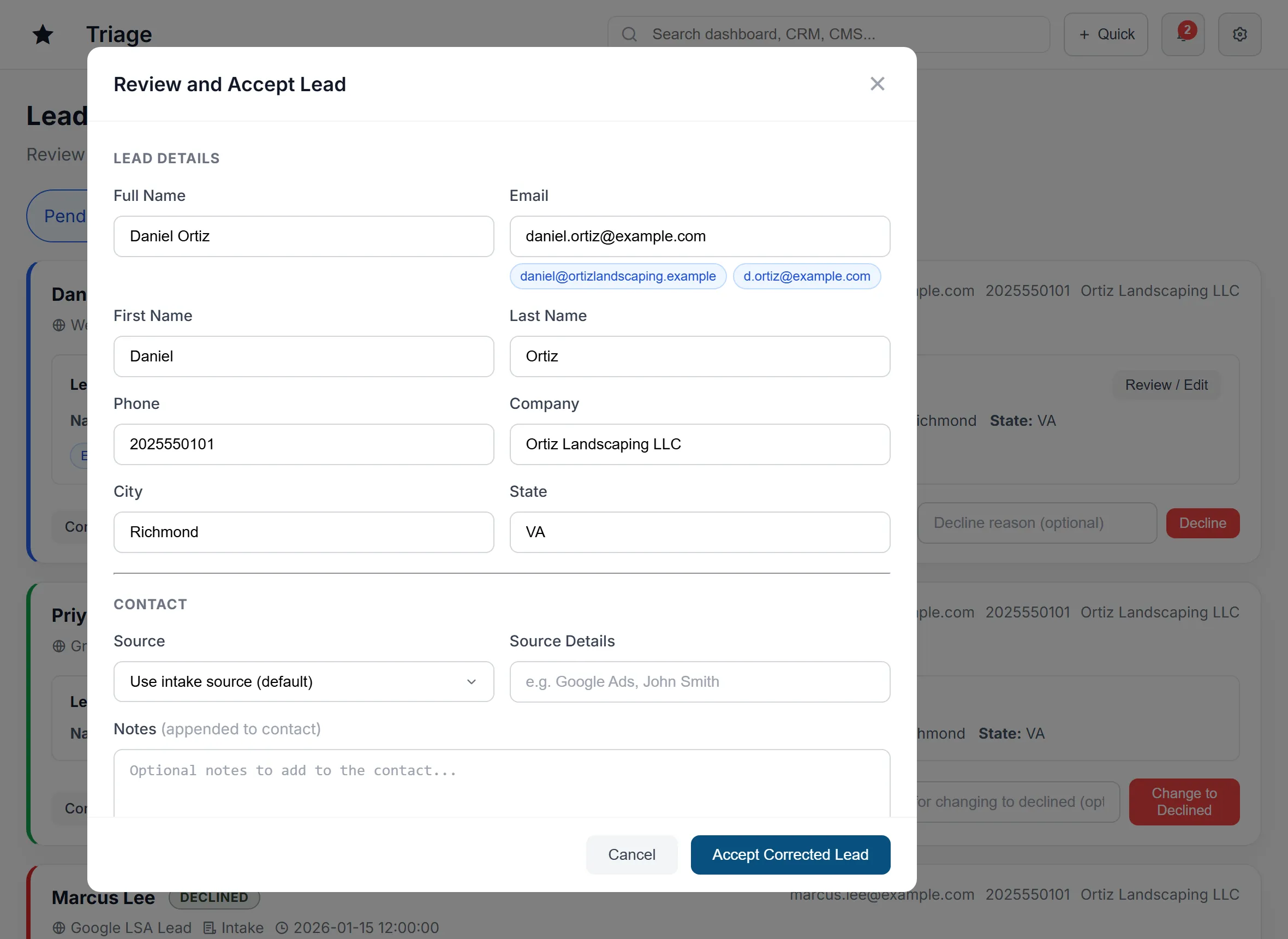
Accept to create or update the contact and open the matter in the pipeline.
Decline what isn't a lead
Spam, wrong numbers, job applicants and matters outside your practice areas get declined. Type a Decline reason (optional) and select Decline. Good reasons ("outside practice area", "spam") make marketing reports far more useful.
To decline a lead someone already accepted, use Change to Declined with a reason.
Clear the queue every day
Work Pending until it is empty, at least once a day. Leads answered within the hour are far more likely to book a consultation.
Frequently asked questions
A lead came in from a source that isn't listed.
Accept it with the closest Source and put the detail in Source Details. If it keeps happening, ask your admin to add the source.
I accepted a lead by mistake.
Use Change to Declined on the card with a reason. Ask your admin if the contact or matter also needs to be merged or removed.
Last reviewed 2026-11-25