

A conflict check searches CRM contacts, CMS matters, related parties and notes for anyone connected to the person you're about to represent.
Run a check on the contact
Open the contact and start a conflict check. Checks also run on their own when your firm's rules say so, for example when a contact is created or updated. The Trigger column shows Manual, System or Contact Update.
Find it in Conflict Checks
Open Conflict Checks from Contacts. Every check is listed with its Status (Queued, Running, Completed or Failed), Risk level, number of Results, who requested it and when.
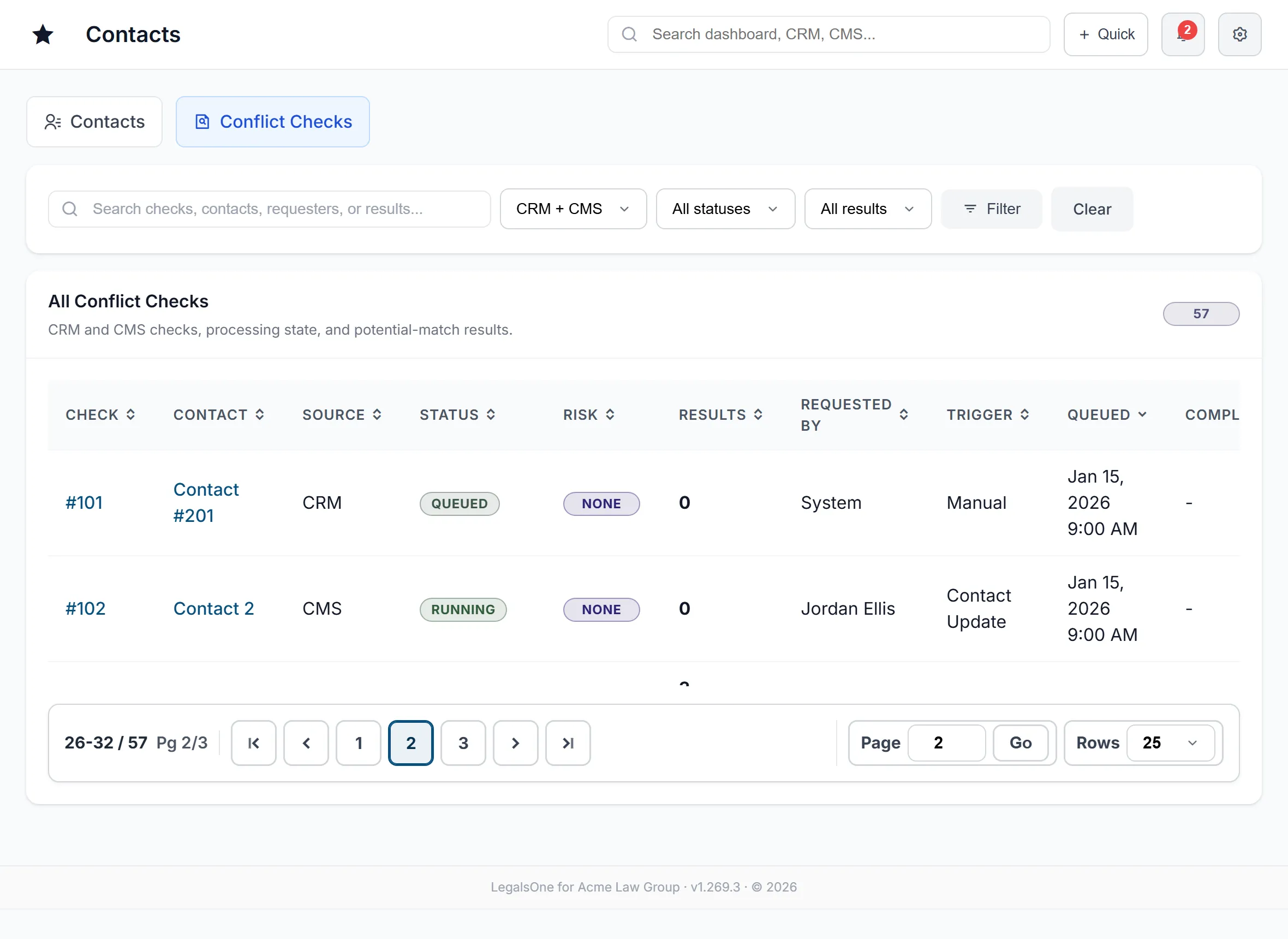
Filter by source (CRM + CMS, CRM or CMS), status or risk (None, Low, Medium or High).
Open the report
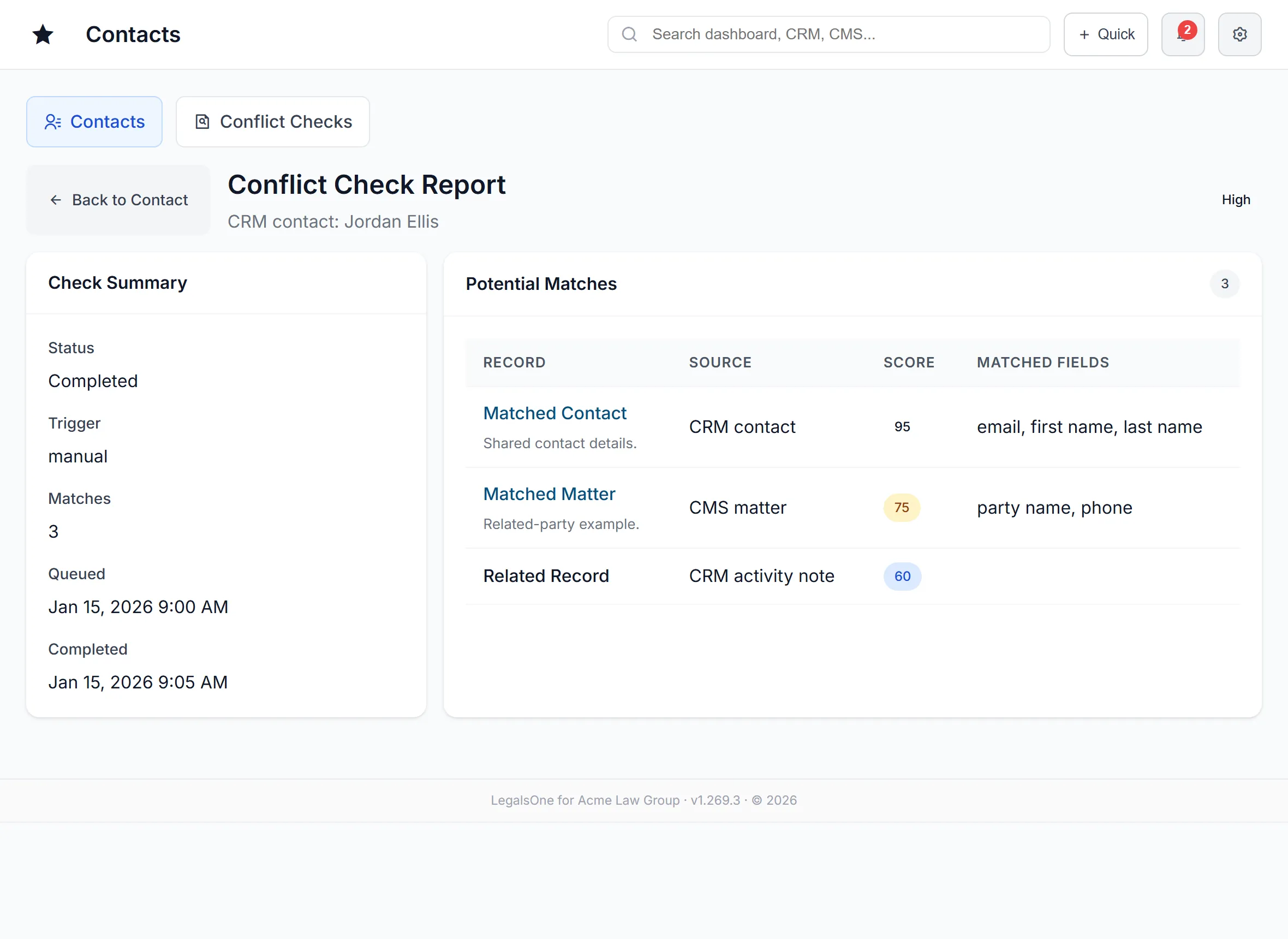
Select View. The Conflict Check Report shows the overall risk, the Check Summary, and each Potential Match with:
- Record: the matching contact, matter or note
- Source: CRM contact, CMS matter, CRM activity note…
- Score: how close the match is, out of 100
- Matched Fields: for example email, first name, last name, party name or phone
Decide what the matches mean
Open each match. Many are harmless: the same person returning, or a common name. A match where the person is an opposing party or related party on another matter needs an attorney's decision before you go further.
Never clear a High or Medium result yourself unless your firm's policy says you can. Send it to the responsible attorney and note the decision on the matter.
Retry a failed check
If a check says Failed, run it again. If it keeps failing, tell your admin.
Frequently asked questions
"No potential matches were found." Am I clear?
No records matched. Still mention any names the person gave you, such as an ex-spouse or the other driver, so those can be checked as well.
Last reviewed 2026-11-25