

Open the contact
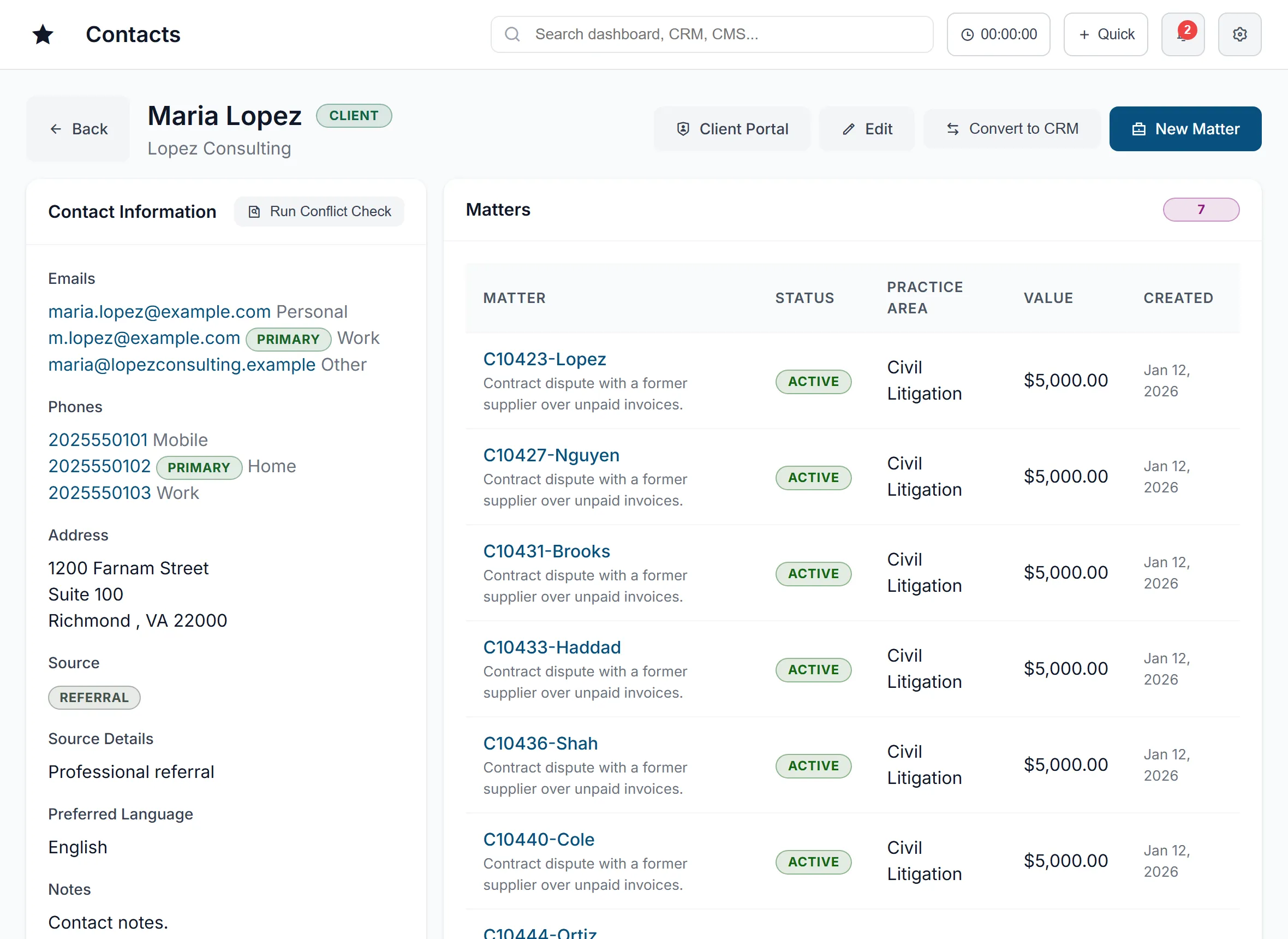
In CMS → Contacts, search and open a person. The contact page shows their type (Client or Prospect), company and the actions across the top: Client Portal, Edit, Convert to CRM and New Matter.
Check contact information
Contact Information lists every email (Personal, Work, Other) and phone (Mobile, Home, Work), with the Primary ones marked, plus address, Source, Source Details, Preferred Language and notes. Emails and texts from the matter use the primary values.
Review conflict checks
Conflict Checks shows each check on this person, its status and risk (None, Low, Medium, High). Select Run Conflict Check to start a new one. See Run a conflict check.
See their matters
Matters lists every matter this person is on, with status, practice area and value. New Matter starts another matter with them already selected as the client.
Add a new contact
Choose Contact from the Quick menu, or add one from Contacts. Enter the name, every email and phone with its label, company, address, source and preferred language. Watch for suggested existing contacts so you don't create a duplicate.
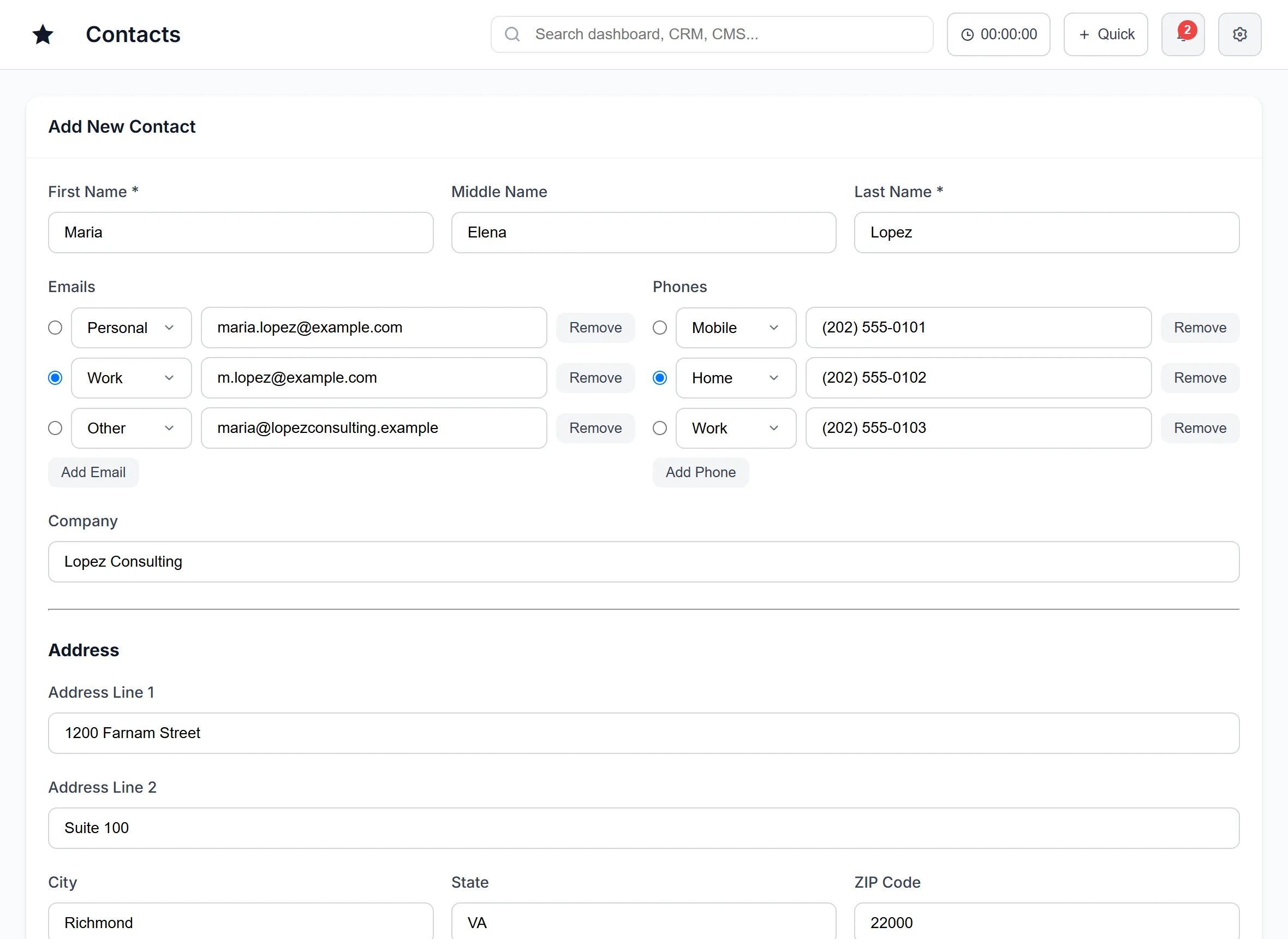
Set Preferred Language for every client who isn't comfortable in English. It tells the team which language to write in, and portal and questionnaire messages can follow it.
Frequently asked questions
What does Convert to CRM do?
It sends the contact to the CRM as a prospect, for example a former client coming back with a new legal issue that intake needs to evaluate first.
Last reviewed 2026-11-25