

Open the matter's portal
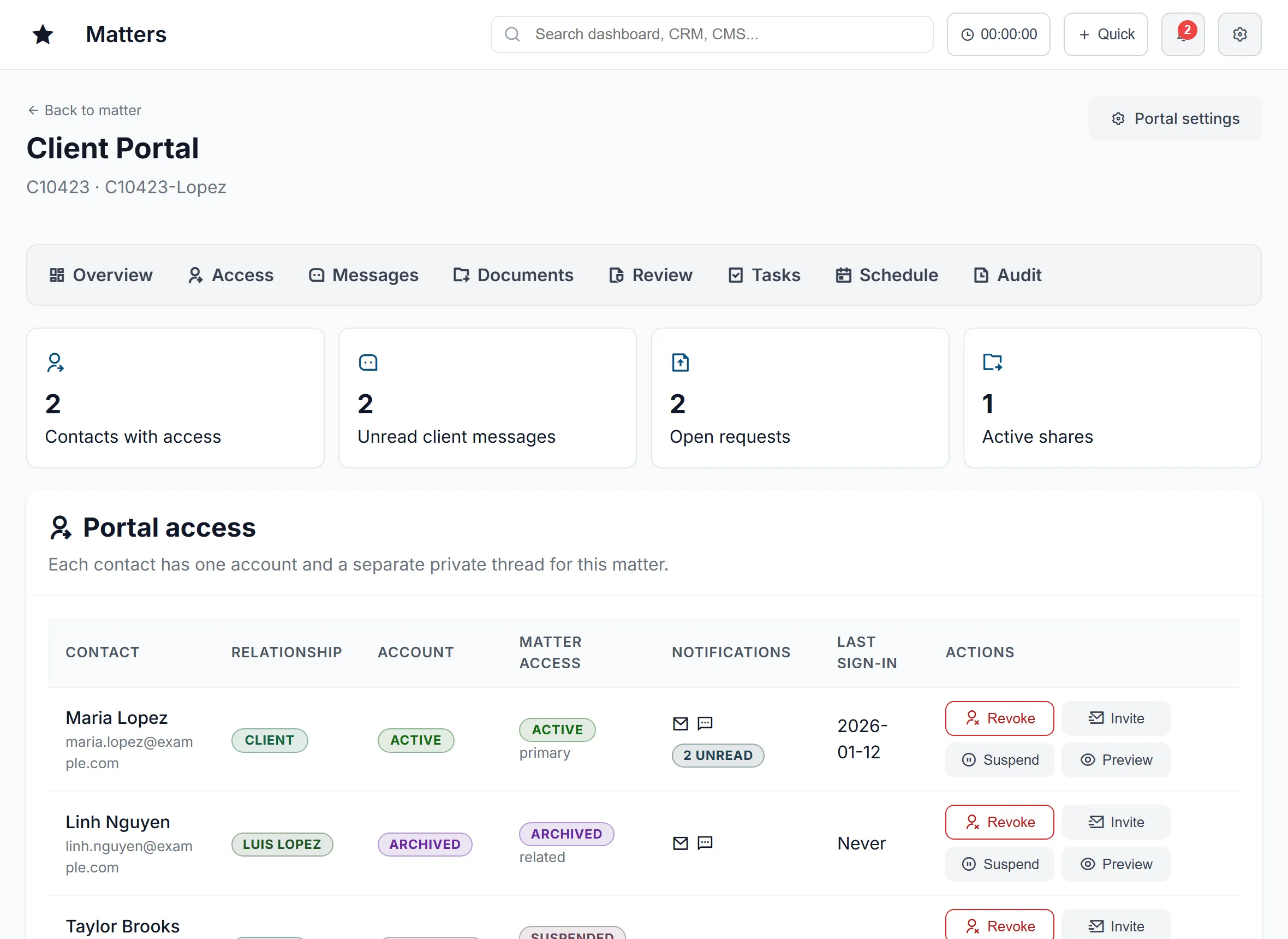
On the matter, select Client Portal. The tabs are Overview, Access, Messages, Documents, Review, Tasks, Schedule and Audit. The counters show Contacts with access, Unread client messages, Open requests and Active shares.
Invite the client
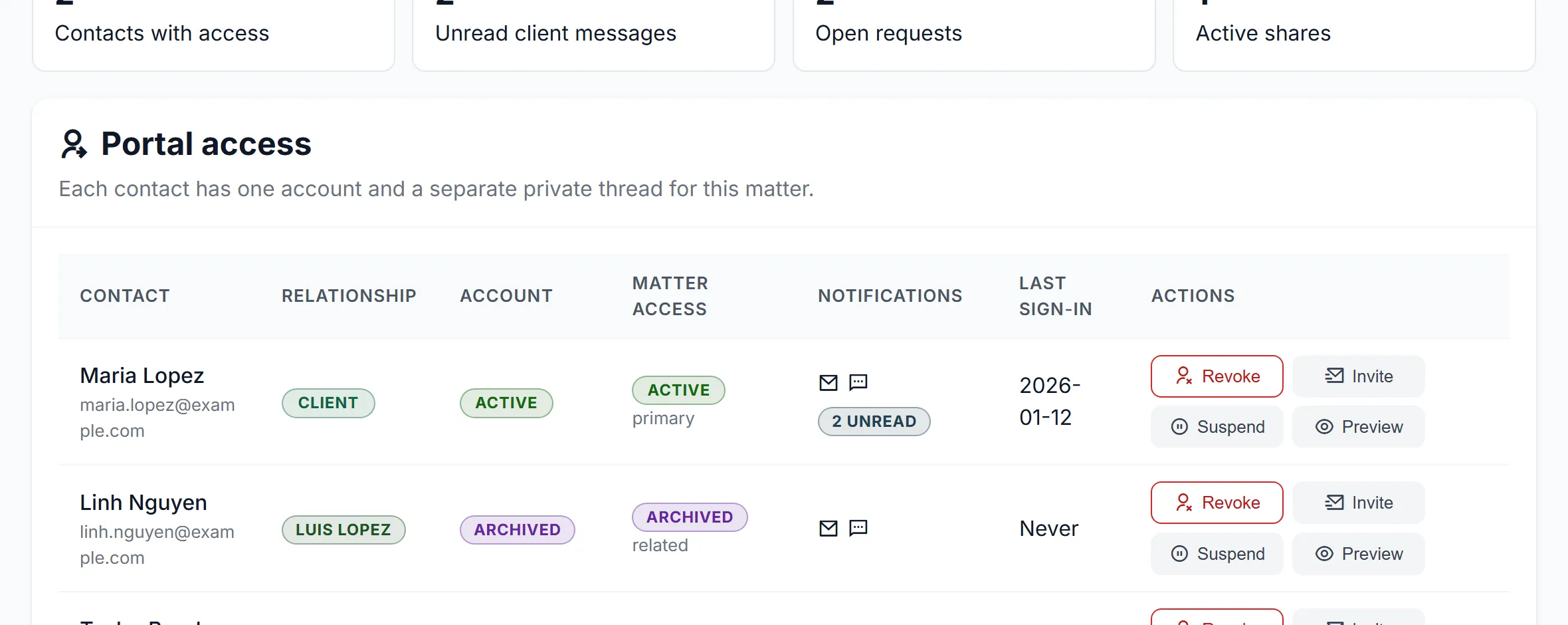
Under Portal access, each contact on the matter has one portal account and a separate private message thread for this matter. Select Invite to send the client their welcome email. The account shows Invited until they sign in, then Active with their last sign-in date.
Other actions:
- Preview: see the portal exactly as that client does.
- Suspend: pause access, for example while a fee dispute is resolved. Activate restores it.
- Revoke: remove the contact's access to this matter. Grant gives it back.
Send a private message
Under Messages, choose the Recipient and write a Secure message. Only that contact sees it on this matter. The email or text alert tells them a message is waiting but never includes its contents.
Request documents
Under Documents, create a request with instructions and a due date, for example "Copy of your passport, all pages". The client uploads in the portal, and each file is security-checked first.
Review what the client sent
Under Review, open each upload and accept it, ask for a replacement (with a client-facing reason, such as "page 2 is missing") or decline it. Accepted files appear in the matter's documents.
Assign tasks and share files
Under Tasks, give the client tasks with instructions and due dates. They mark them done for your review. Share documents such as a signed agreement or a court notice so the client can download them from the portal.
Send clients Sign in to your client portal with their invite, and many "how do I log in?" calls never happen.
Frequently asked questions
The client forgot their password.
Only staff can send a reset link. Do it from the client's portal access row.
Who gets notified when a client uploads or messages?
The matter's assigned paralegal and its subscribers. Subscribe to the matter if you need to hear about it.
Last reviewed 2026-11-25