

Beacon is available only if your firm has turned it on. It is read-only: it can look things up, but it never changes a record.
Open Beacon
Open the Beacon AI Matter Assistant panel in Nexus. It knows which page you're on (for example "Current page: matters #301"), so questions about "this matter" are understood.
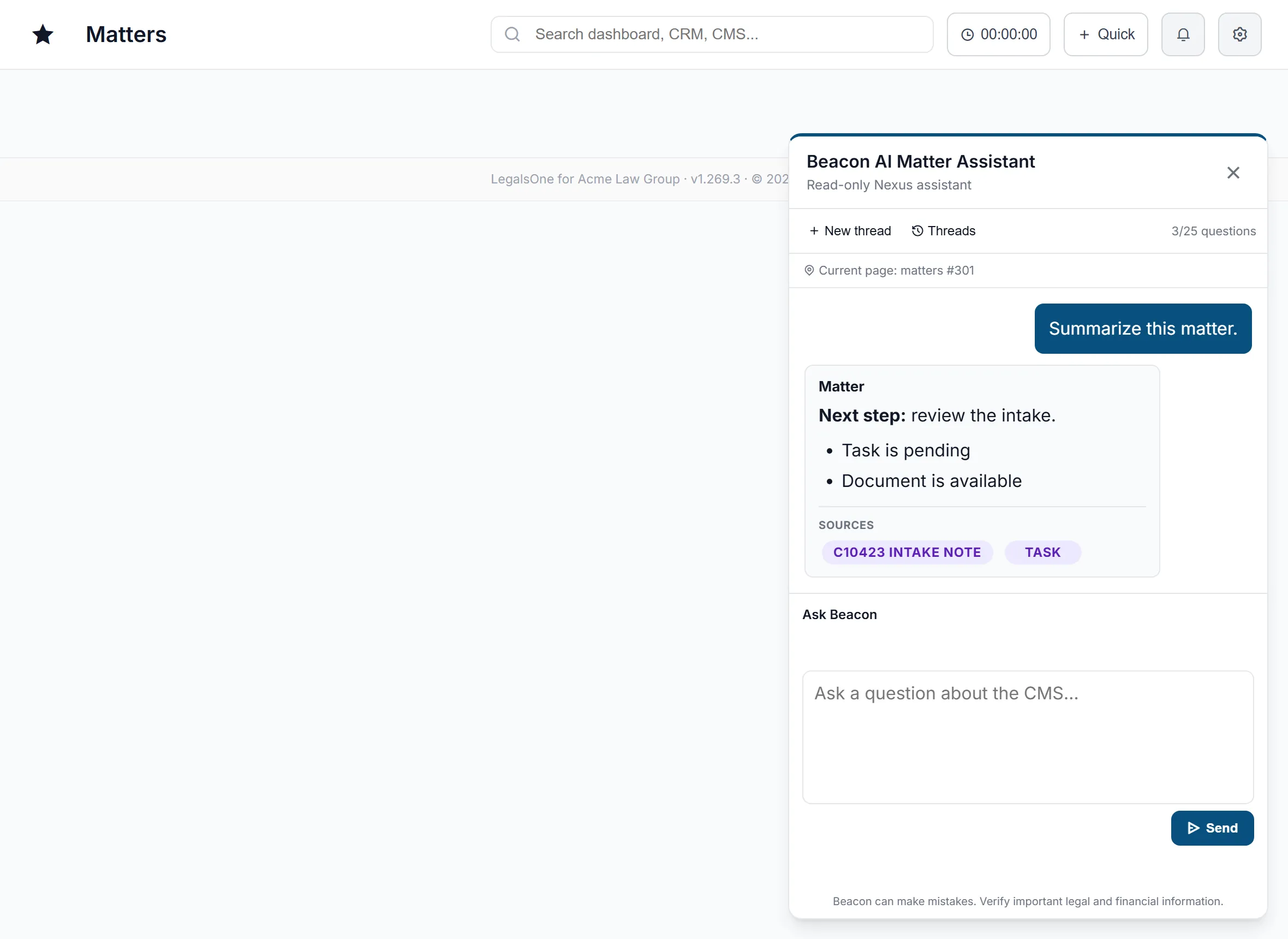
Ask a question
Type in Ask Beacon and select Send. Good questions:
- "What's the outstanding balance on this matter and when was the last payment?"
- "Which of my tasks are overdue?"
- "When is the next hearing on the Garcia matter?"
- "Summarize the last three client communications."
Beacon only reads data you already have access to.
Check the sources
Answers cite the records they used. Open a citation to see the source before relying on it.
Beacon can make mistakes. Verify important legal and financial information against the record before acting on it or telling a client.
Keep or start threads
New thread starts a fresh conversation. Threads reopens earlier ones. The counter (for example 3/25 questions) shows how many questions you have left in your current allowance.
Frequently asked questions
Beacon says it can't find something I know exists.
You may not have access to that record, or it isn't one of the areas Beacon reads. Search for it directly.
Last reviewed 2026-11-25