

Messages sent from the matter are filed in its Notes timeline straight away, so the whole team sees what the client was told.
Start a new communication
Open the matter and select New Communication. (The Communications page in the sidebar also has New Communication for messages across matters.)
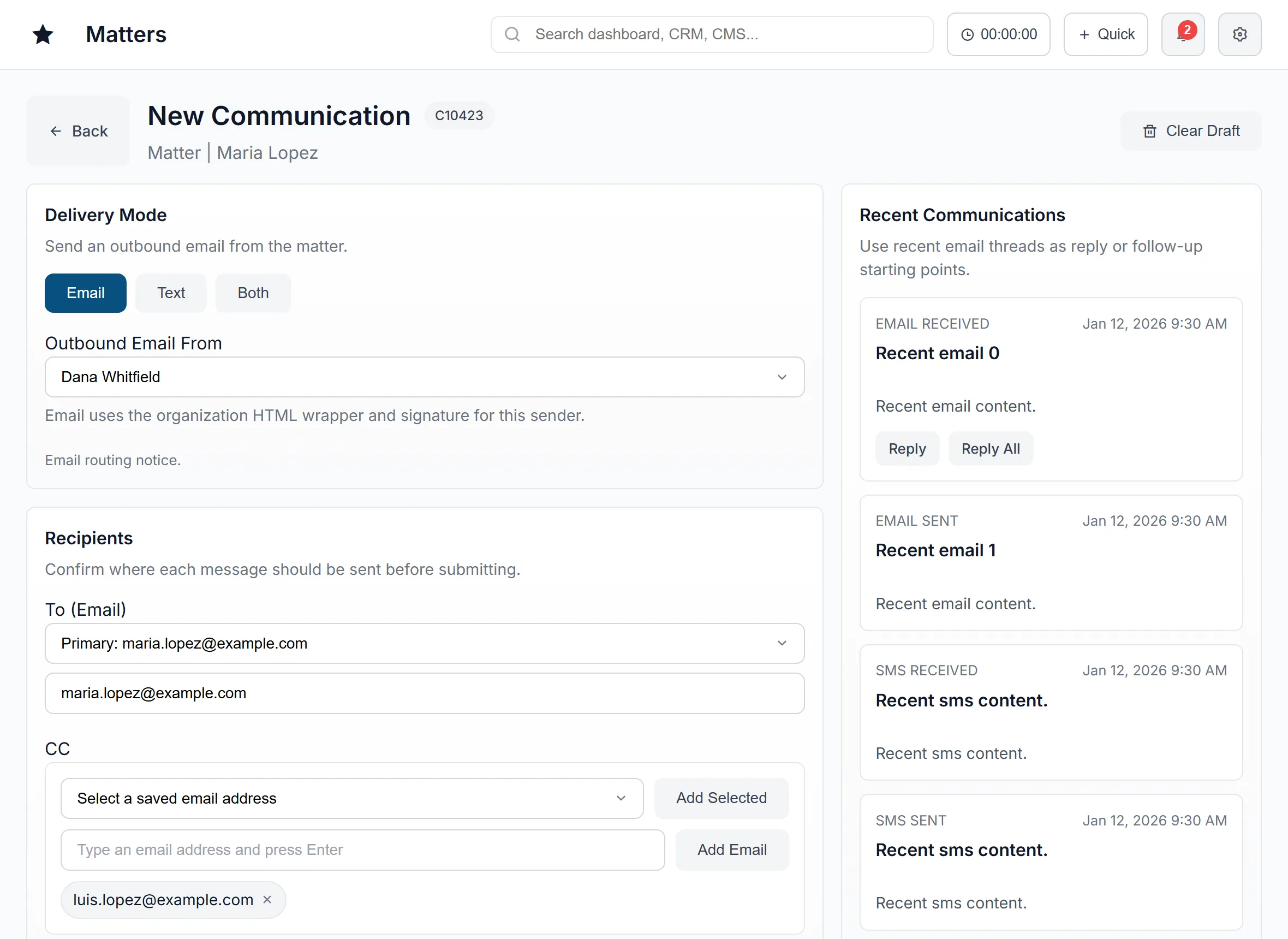
Choose the delivery mode
Under Delivery Mode, choose Email, Text or Both. For email, pick who it's Outbound Email From: yourself or a team mailbox. Email uses the firm's standard layout and that sender's signature.
Pick recipients
Under Recipients, confirm where each message goes:
- To (Email): choose a saved email address from the contact, such as the primary one.
- CC and BCC: tick saved addresses and Add Selected, or type an address and Add Email.
- To (Text): choose a saved phone number, or type one. Texts come From (Firm Phone), the firm's number from General Settings.
Use a template (optional)
Under Templates, choose an Email Template Category and Email Template, or a Text Template. Templates fill in names, matter numbers and links for you. Leave them blank to write from scratch.
Write, attach and send
Edit each channel separately under Message: the Subject and email body, and the text body. Attach files from your computer or the matter. Your draft saves automatically, so you can leave and come back. Clear Draft starts over. Then send.
Texts aren't a secure channel. Don't put case details, Social Security numbers or account numbers in a text. Send a portal message instead (guide).
Find it afterwards
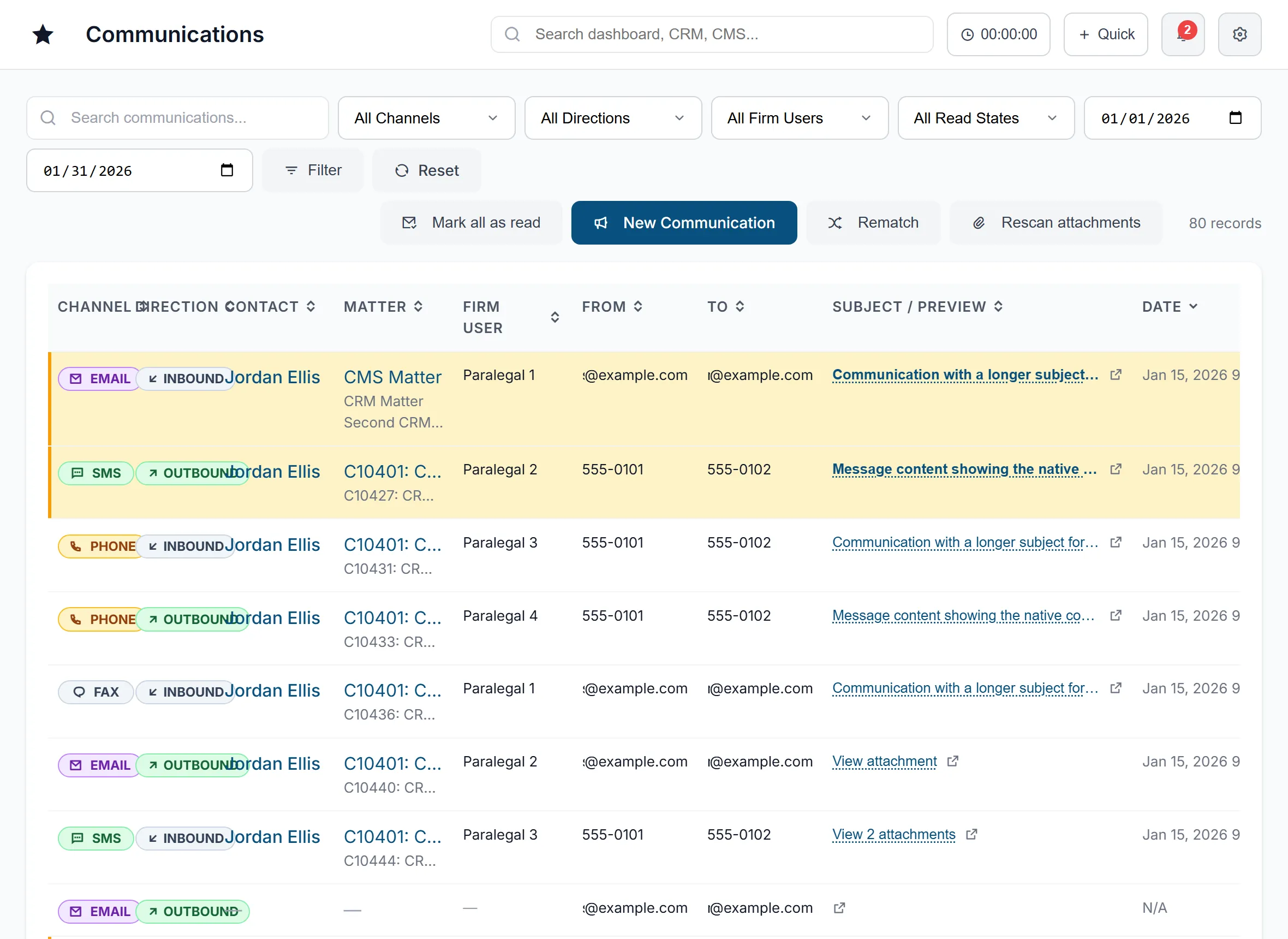
The message appears in the matter's Notes and on the Communications page, which lists every email, text, call and fax by direction, matter and sender. Replies that come back are matched to the matter automatically when the system is confident of the match.
Frequently asked questions
A client's reply went to the wrong matter.
Open the communication and reassign it to the correct contact and matter.
Can I translate a message?
If your firm has translation turned on, you can translate a communication. The original is kept alongside the translation.
Last reviewed 2026-11-25