

Open Marketing
In CRM, select Marketing. The tabs are Overview, Campaigns, Expenses, Templates, Reputation, Analytics and Lead Sources.
Compare spend with results
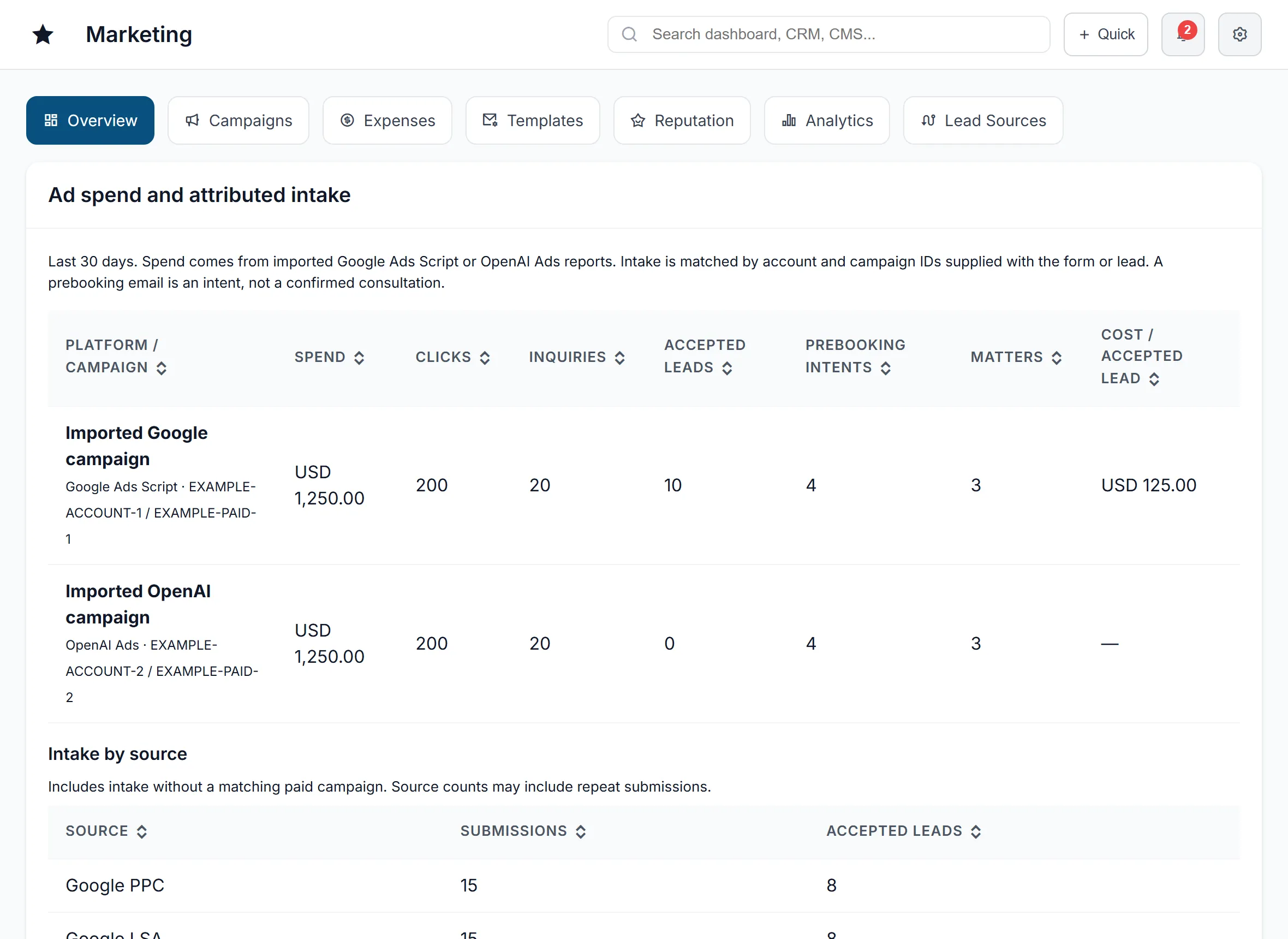
Ad spend and attributed intake shows the last 30 days for each platform and campaign: Spend, Clicks, Inquiries, Accepted leads, Prebooking intents, Matters and Cost / accepted lead.
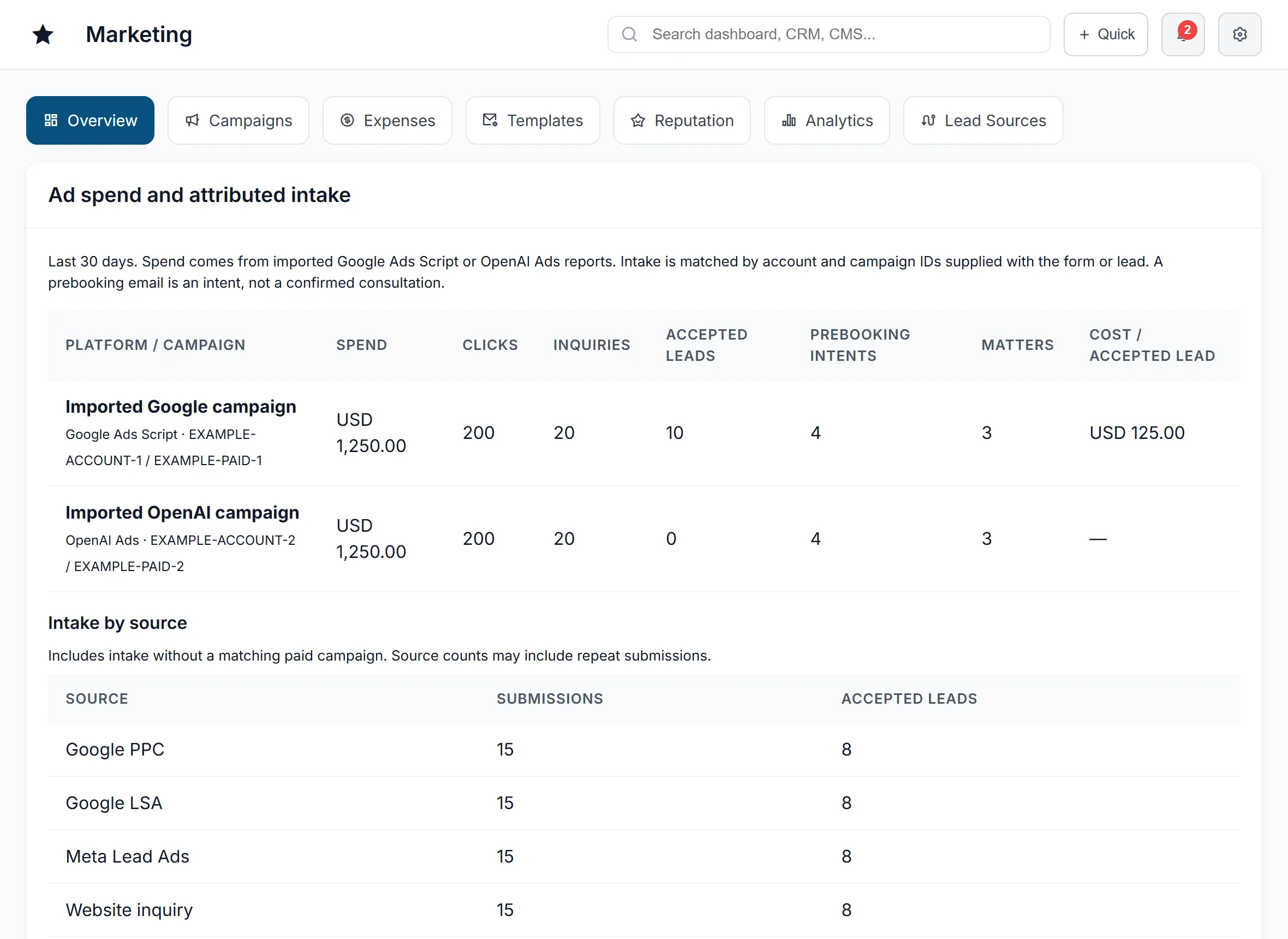
Spend comes from your connected ad accounts. Leads are matched to campaigns by the IDs sent with the form or lead. A prebooking email shows intent. It isn't a confirmed consultation.
See intake by source
Lead Sources counts submissions by source (Google PPC, Google LSA, Meta Lead Ads, website inquiry and others), including leads with no paid campaign. Use it to see which channels are worth the money.
Open CRM Reports
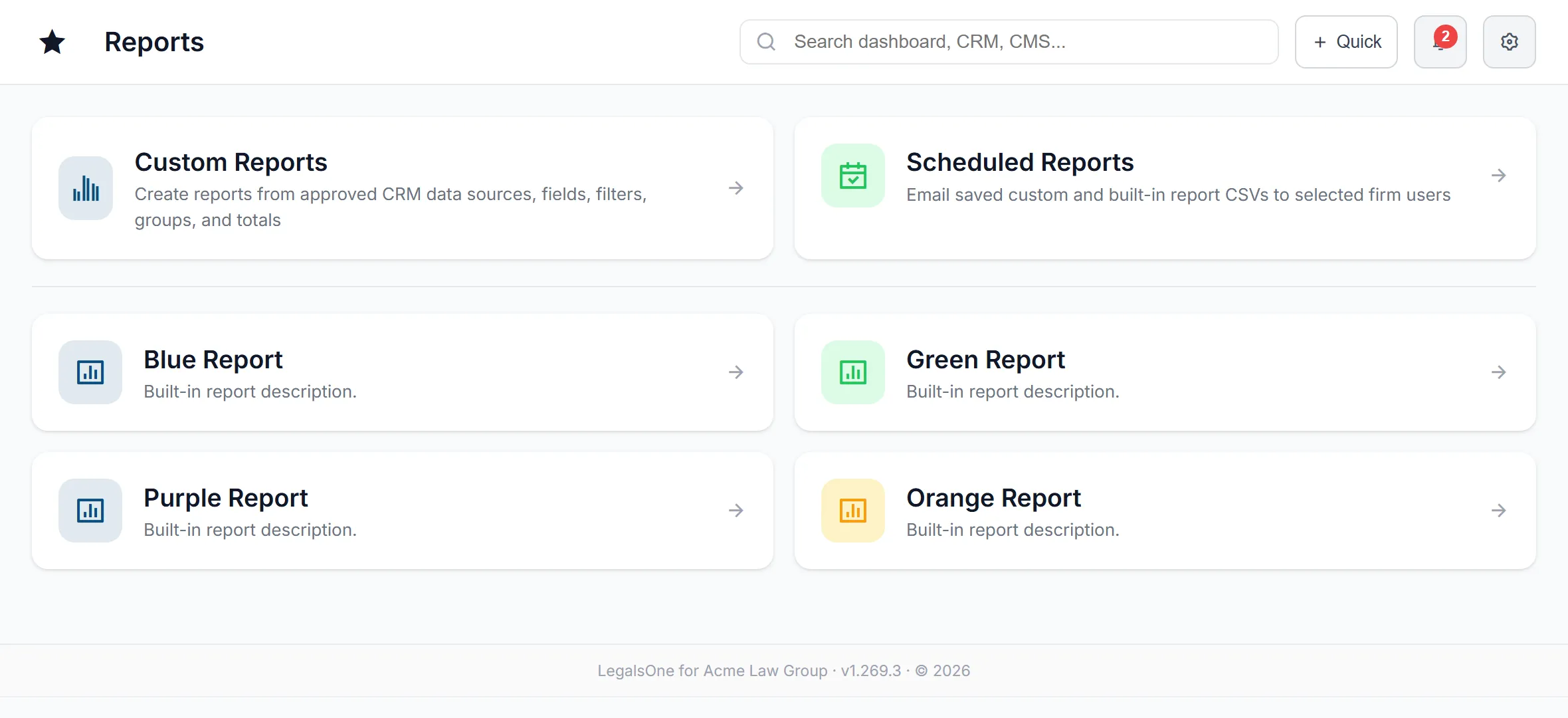
Select Reports in the sidebar. Built-in reports include conversion, pipeline, forecast vs actuals, revenue, referrals, lead expenses, consult payments, consultations by attorney, intake specialist performance and call reports.
Read conversion
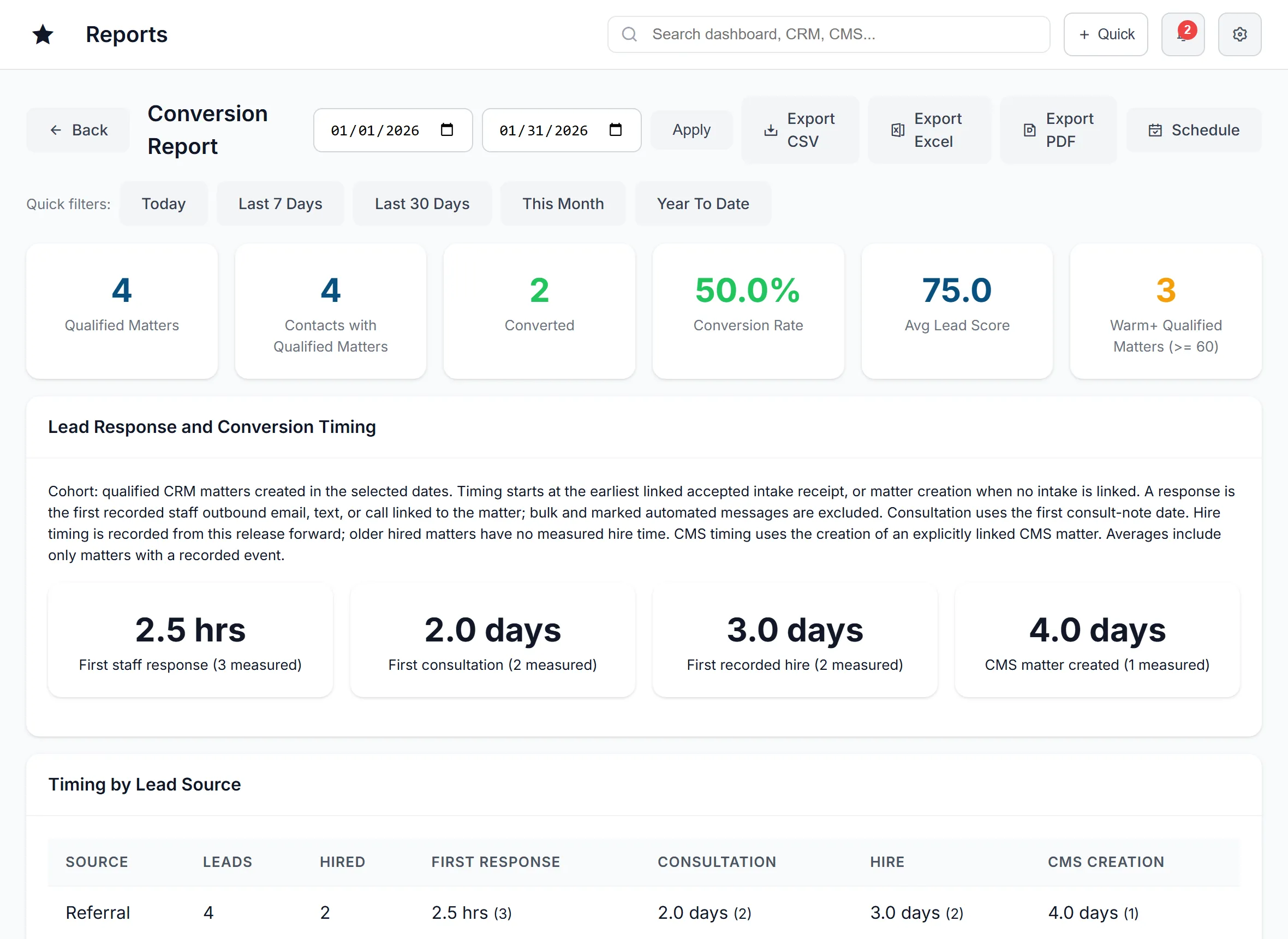
The conversion report shows how many leads became consultations and then hires, by source, practice area and intake specialist. It relies on accurate statuses and decline reasons, so keep those up to date.
Build and schedule your own
Custom Reports builds a report from approved CRM data: pick fields, filters, groups and totals. Scheduled Reports emails saved custom or built-in reports to chosen people on a schedule, for example a weekly intake summary every Monday.
Frequently asked questions
I see "Access Restricted" on Reports.
Your role doesn't include reports. Ask your admin.
Last reviewed 2026-11-25