

Open the pipeline
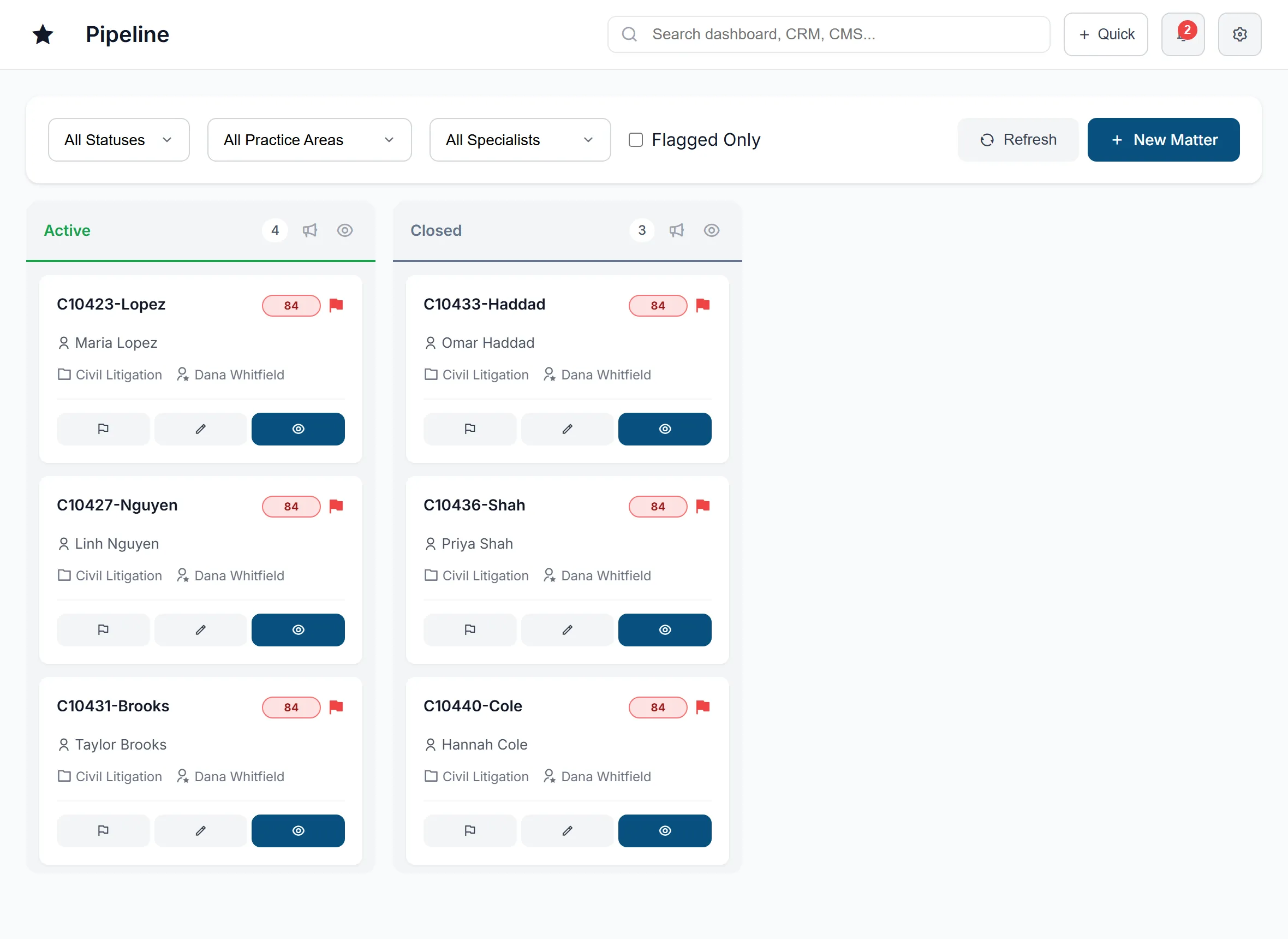
In CRM, select Pipeline. It's a board of every prospect matter, with one column per status and the number of matters at the top of each column. New Matter adds a prospect straight onto the board.
Filter the board
Use the filters along the top:
- All Statuses: choose Active to hide closed matters
- All Practice Areas: one practice area
- All Specialists: just your matters, or a colleague's
- Flagged Only: matters someone flagged for attention
Select Refresh to reload the board after changes elsewhere.
Read a card
Each card shows the matter title, the client and a lead score from 0 to 100. Select the card for Matter Details, or View Full Details to open the full CRM matter.
Use the lead score
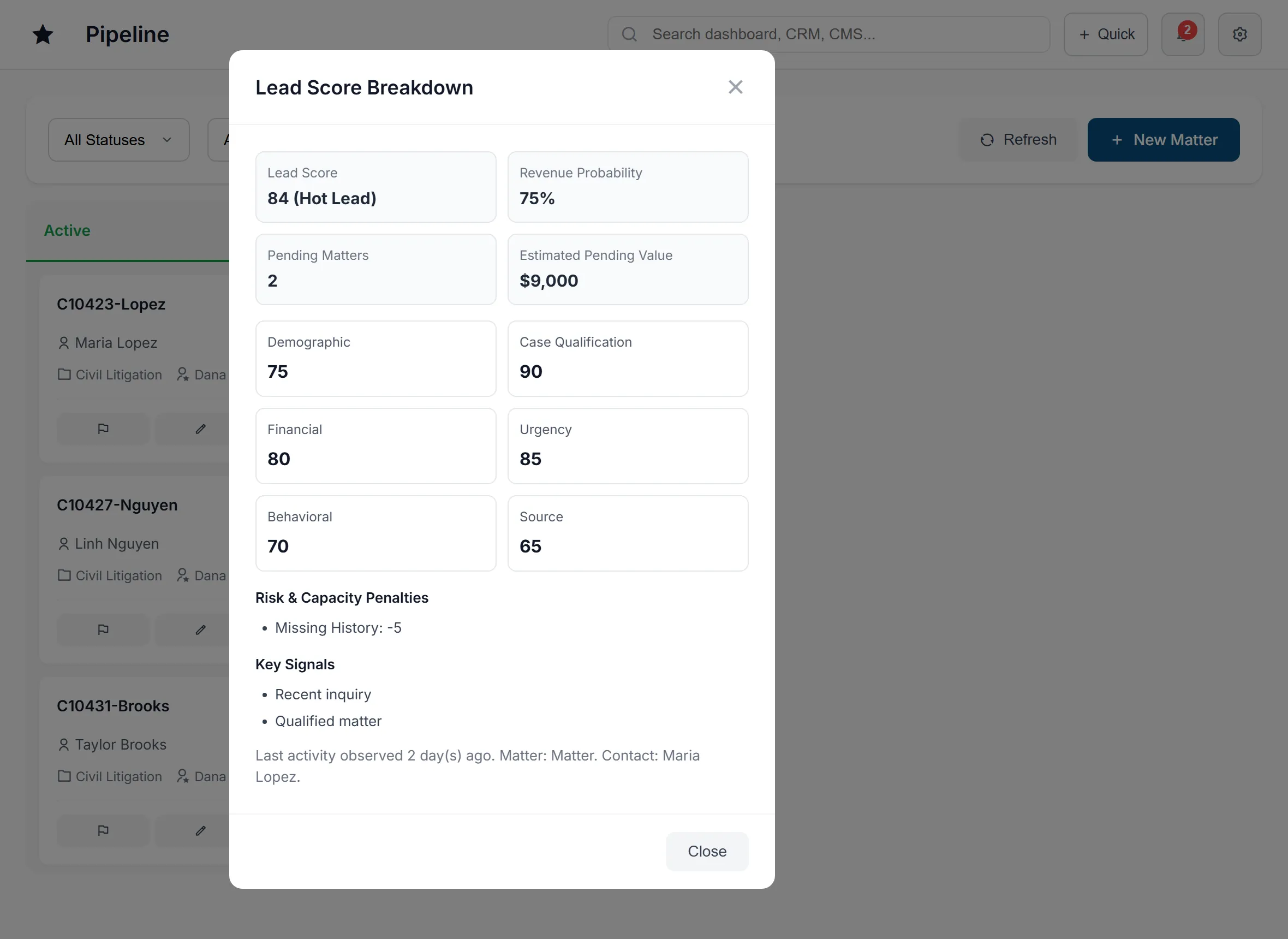
Select the score to open Lead Score Breakdown. It explains what is pushing the score up or down, such as how recently you've been in touch, the practice area, the source and the estimated value. Work the highest scores first. They are the likeliest to hire.
Work the matter
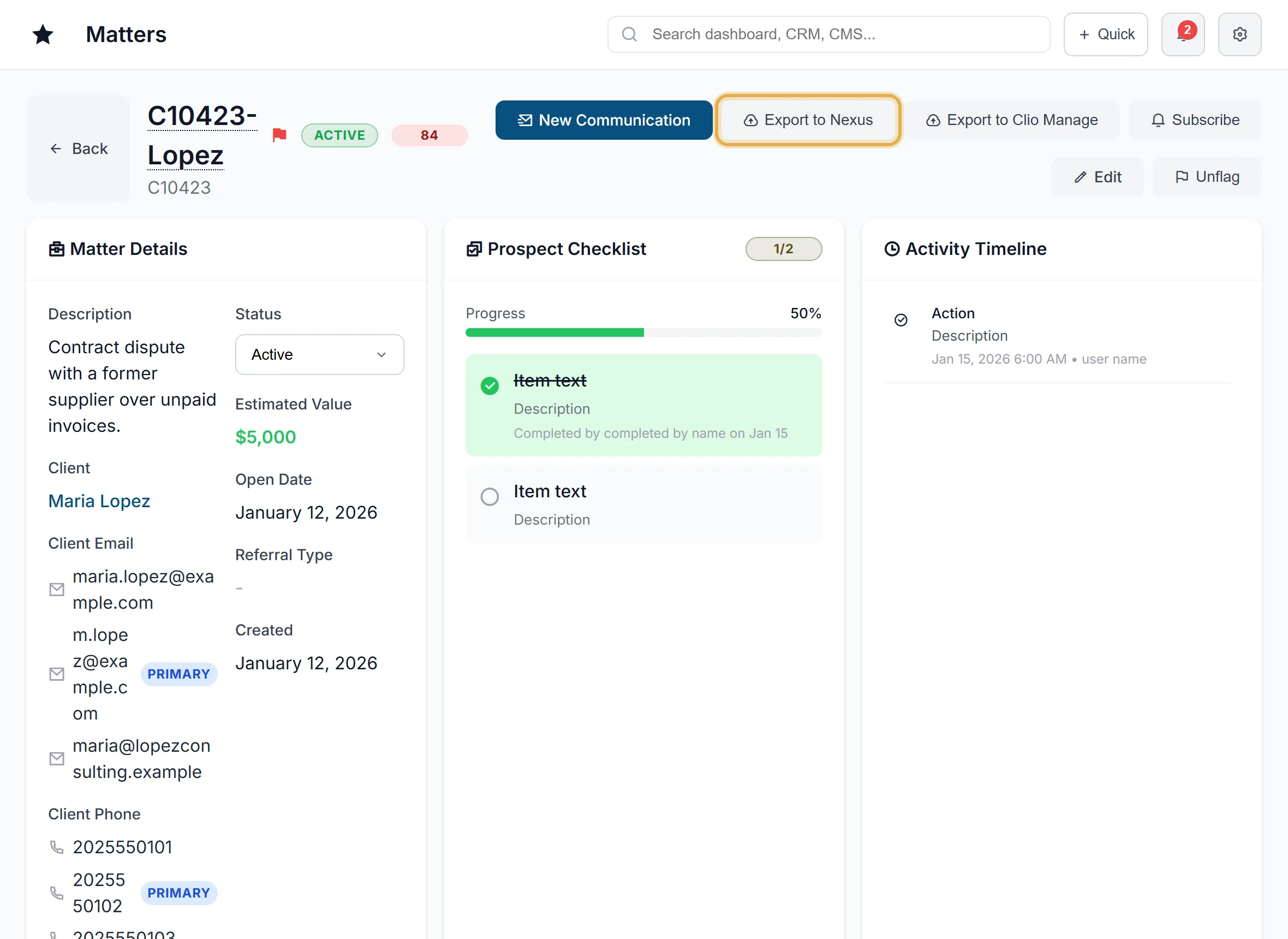
On the full matter page you can:
- change the Status as the prospect moves forward
- Edit the practice area, intake specialist and estimated value
- send a New Communication (email or text)
- tick items off the Prospect Checklist
- add related contacts under Matter Contacts, such as a spouse or a co-defendant
- Flag or Unflag the matter, and Subscribe to its updates
Close it out
When the prospect hires the firm, set the hired status and send the matter to Nexus. If they don't, set the matching closed status, such as did not qualify, no response or hired another firm. Accurate outcomes keep conversion reports honest.
Frequently asked questions
A card is in the wrong column.
The column is the matter's status. Open the matter and change the status.
What's an engagement?
A follow-up that is due. See Stay on top of follow-ups with Engagements.
Last reviewed 2026-11-25