

Open Matter Documents
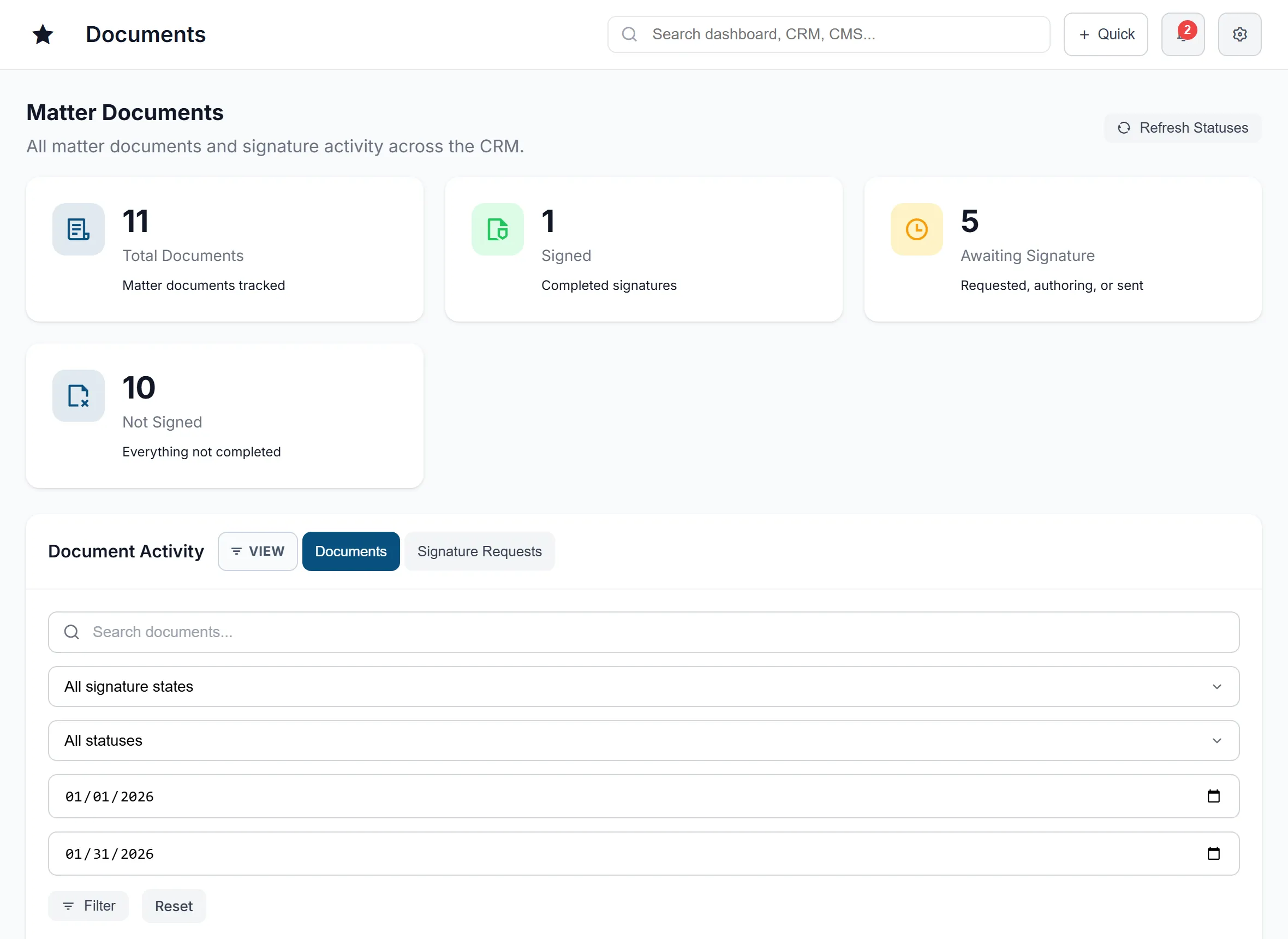
In CRM, select Documents. Matter Documents lists every document across your prospect matters, with counters for Total Documents, Signed, Awaiting Signature and Not Signed.
Filter the list
Switch the View between Documents and Signature Requests, search by name, and filter by signature state: Draft, Requested, Authoring, Sent, Canceled, Declined or Expired. Refresh Statuses checks the e-signature provider for updates.
Upload a document to a matter
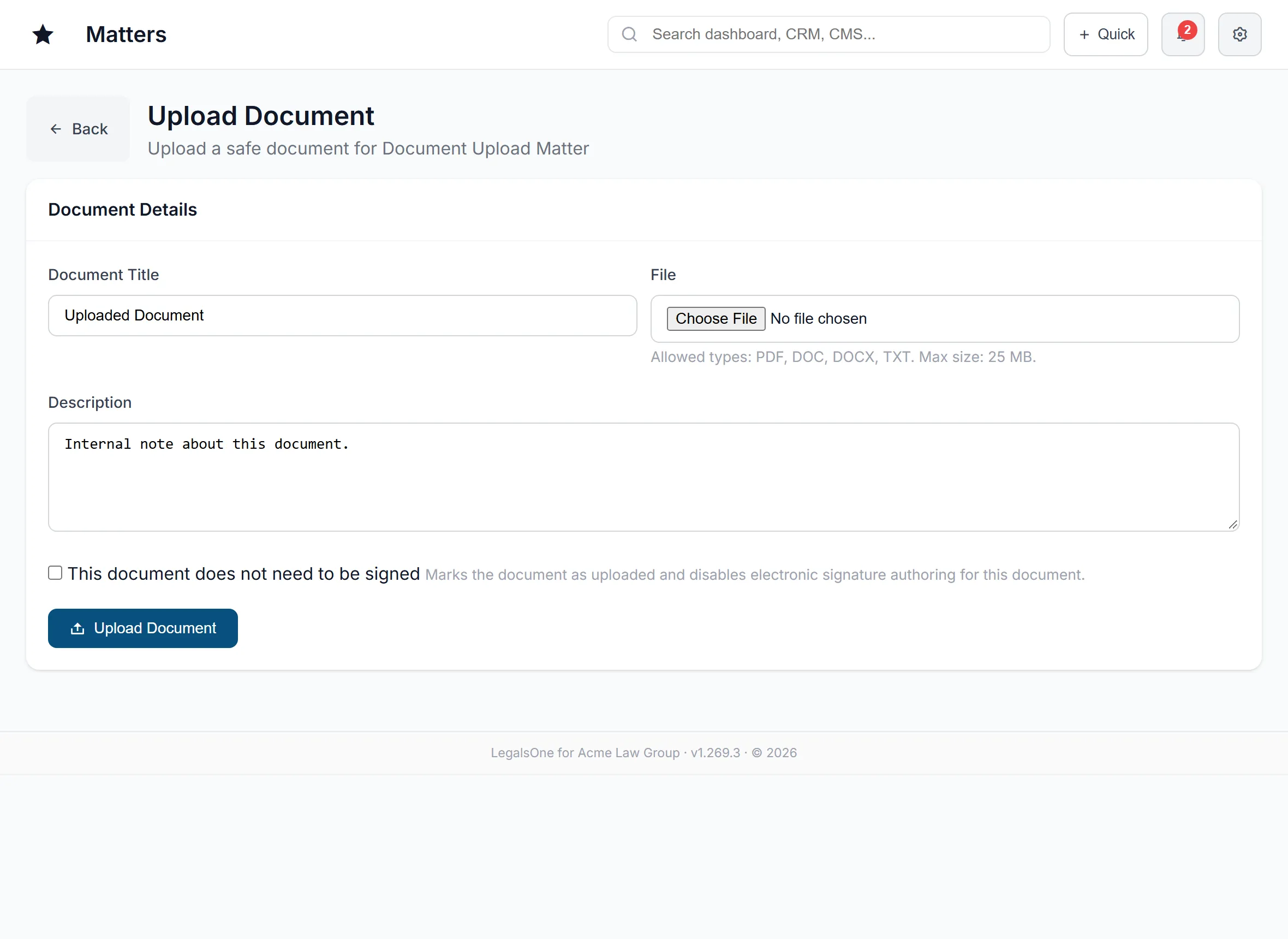
Open the prospect's matter and add a document, or upload a file. On Upload Document:
- Document Title: leave it blank to use the file name.
- File: PDF, DOC, DOCX or TXT, up to 25 MB.
- Description: an internal note. The client doesn't see it.
- Tick This document does not need to be signed for reference files. That turns off e-signature for this document.
Send it for signature
For documents that need signing, such as an engagement agreement, start the signature request from the document. Add the recipient (usually the prospect), then send it. Your firm's e-signature provider (for example Adobe Sign or Documenso) emails the signer.
Follow up on unsigned documents
Filter Awaiting Signature each morning. A request that's been Sent for a few days usually needs a call. Declined and Expired requests need a new one. When a document is signed it shows Signed: Yes, and you can Download the completed copy.
A signed engagement agreement is usually the trigger to mark the prospect hired and send the matter to Nexus.
Frequently asked questions
Which e-signature service do we use?
Your admin connects it under organization Integrations. If you can't send for signature, it may not be set up yet.
Last reviewed 2026-11-25