

Open Performance
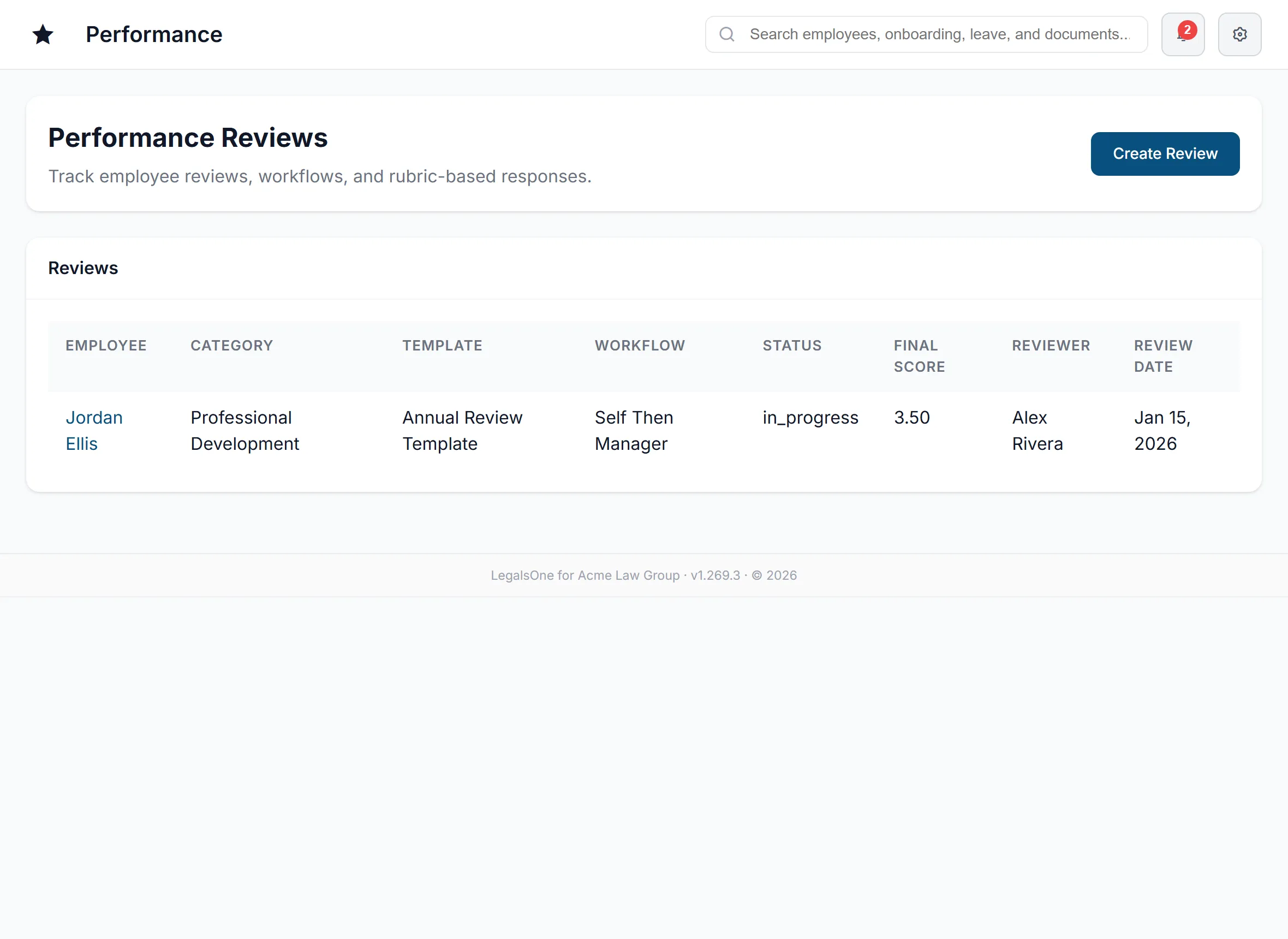
In HRM, select Performance. Performance Reviews lists each review with its employee, category, template, Workflow, status, scores, reviewer and date. HR and managers use Create Review to start one.
Open your review
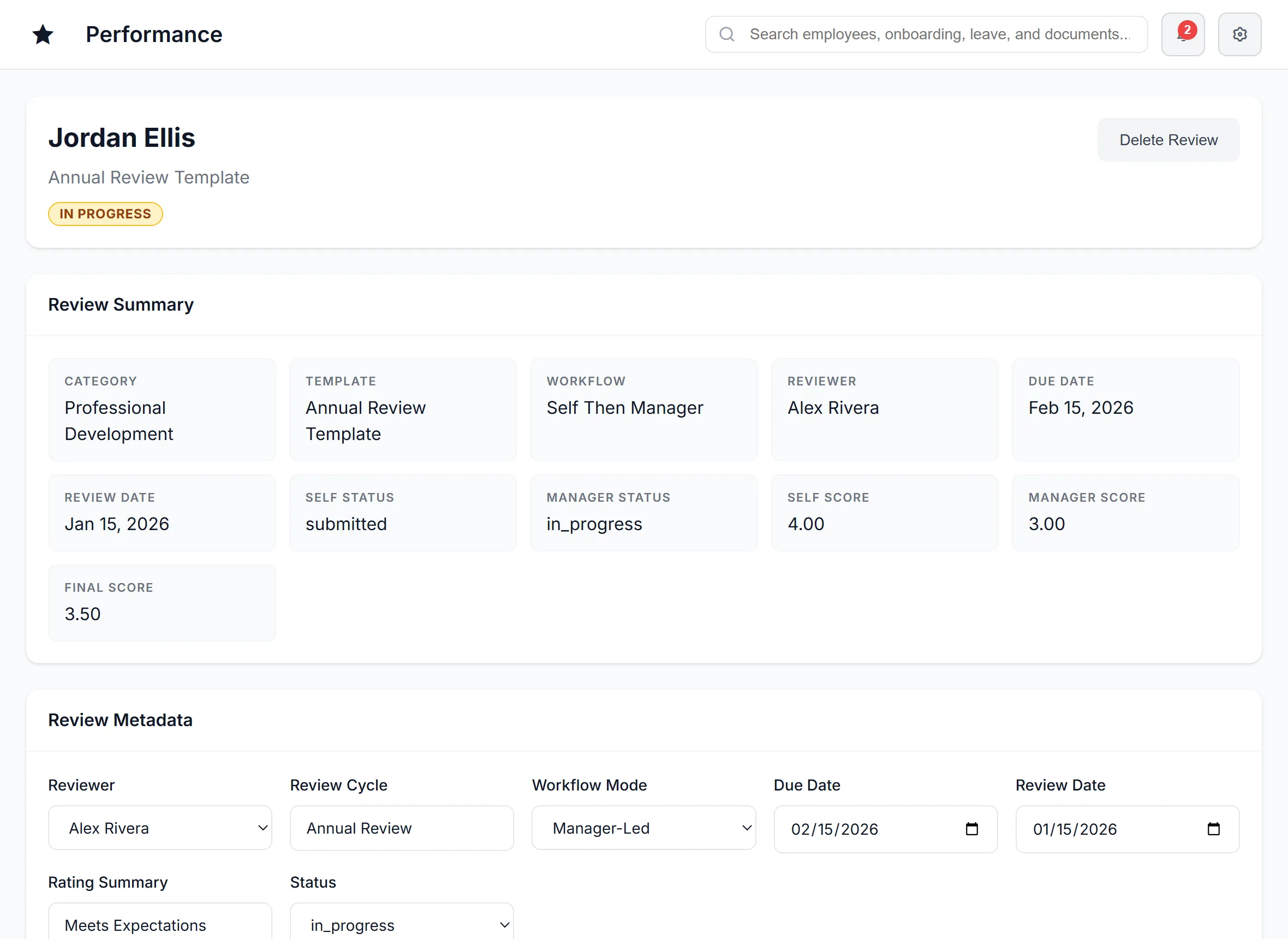
The Review Summary shows the category, template, Workflow (for example Self Then Manager), reviewer, due date, and each status and score: Self Status, Manager Status, Self Score, Manager Score and Final Score.
Rate yourself against the rubric
Each section (for example Core Skills) has rubric items, such as Communication, with rating levels that explain what each score means (for example 2 = developing, 4 = proficient). Pick your rating and write your Response with specific examples.
Save and submit
Save Draft as you go. When you're done, select Submit. Your self-review becomes read-only, and your manager is notified.
For managers: complete the manager review
Read the self-review, then add your ratings and feedback under Manager Review. The final score combines the two according to the template.
For HR: set up reviews
Under Review Metadata, set the Reviewer, Review Cycle, Workflow Mode (Manager-Led, Self Review or Manager + Self Review), due and review dates, and status, then Save Review Metadata. Rubric templates are set up in HRM settings under Performance.
Frequently asked questions
Can I change my self-review after submitting?
Ask your manager or HR to reopen it.
Last reviewed 2026-11-25