

Open Documents
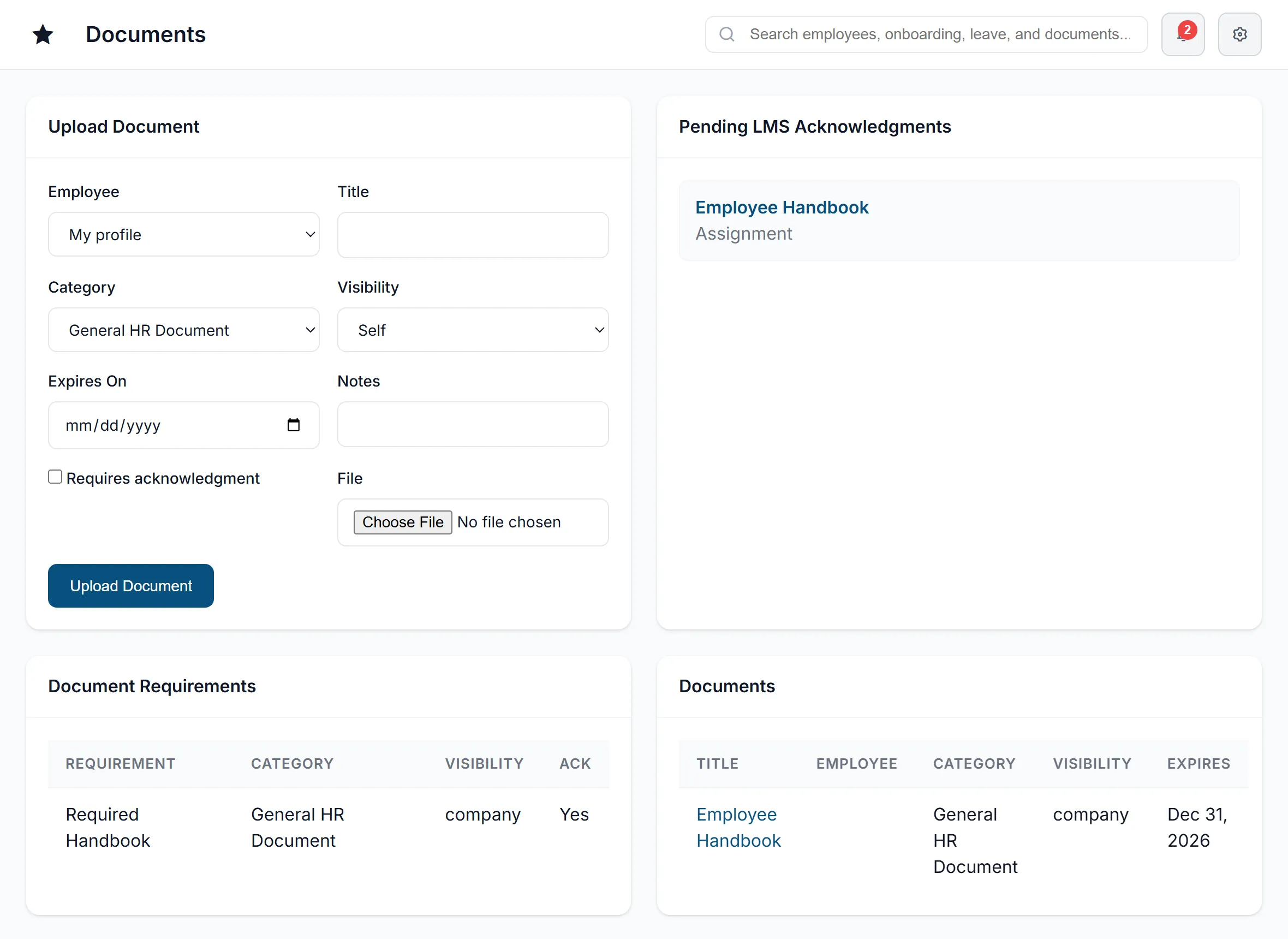
In HRM, select Documents. Pending LMS Acknowledgements lists anything waiting for your signature. Documents lists every HR document you can see, with its category, visibility and expiry date.
Open and acknowledge
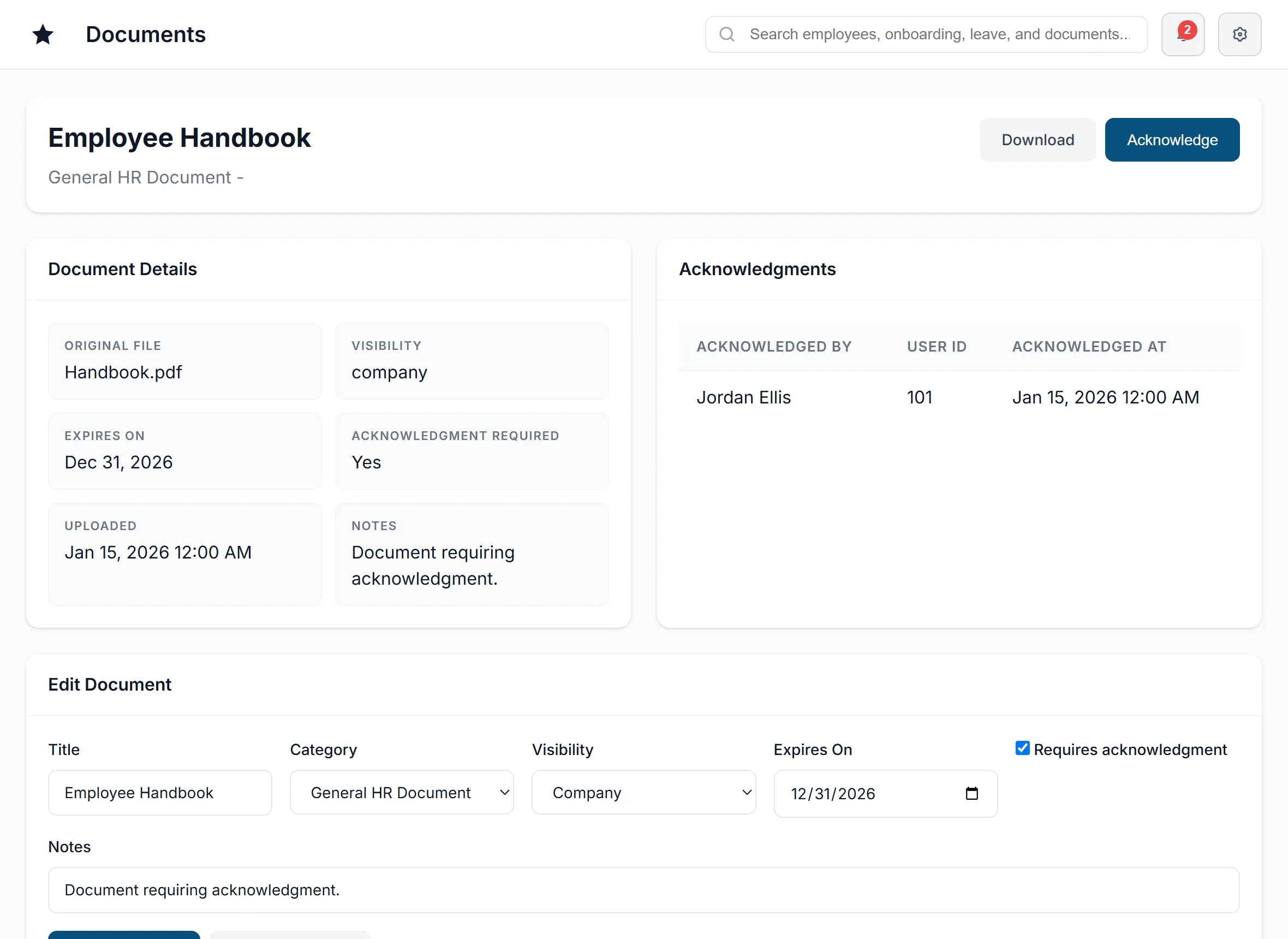
Open the document. Download it to read it, then select Acknowledge if it asks you to. The Acknowledgments list records who acknowledged and when.
For HR: upload a document
Under Upload Document, choose the Employee (or the whole company), a Title and Category (Offer Letter, Acknowledgment, Benefits Summary, Disciplinary Form, Performance Review, License / Certification or General HR Document), and Visibility:
- Self: only the employee
- Manager: the employee and their manager
- HR: HR only
- Company: everyone
Add an Expires On date if it needs renewing, tick Requires acknowledgment if staff must confirm they've read it, choose the file and Upload Document.
Firm-wide policies with quizzes or training belong in Academy. Use HR Documents for personal records and simple read-and-acknowledge files.
Track and update
Open a document to see every acknowledgment. Edit Document changes its details. Save Document keeps the changes, and Delete Document removes it.
Frequently asked questions
I can't find my offer letter.
Personal documents are usually visible to Self. Check My Profile → Documents in HRM, or ask HR.
Last reviewed 2026-11-25