

Create the new hire's employee profile (HRM → Profiles) and intranet account first. Items assigned to them need them to be able to sign in.
Open Onboarding
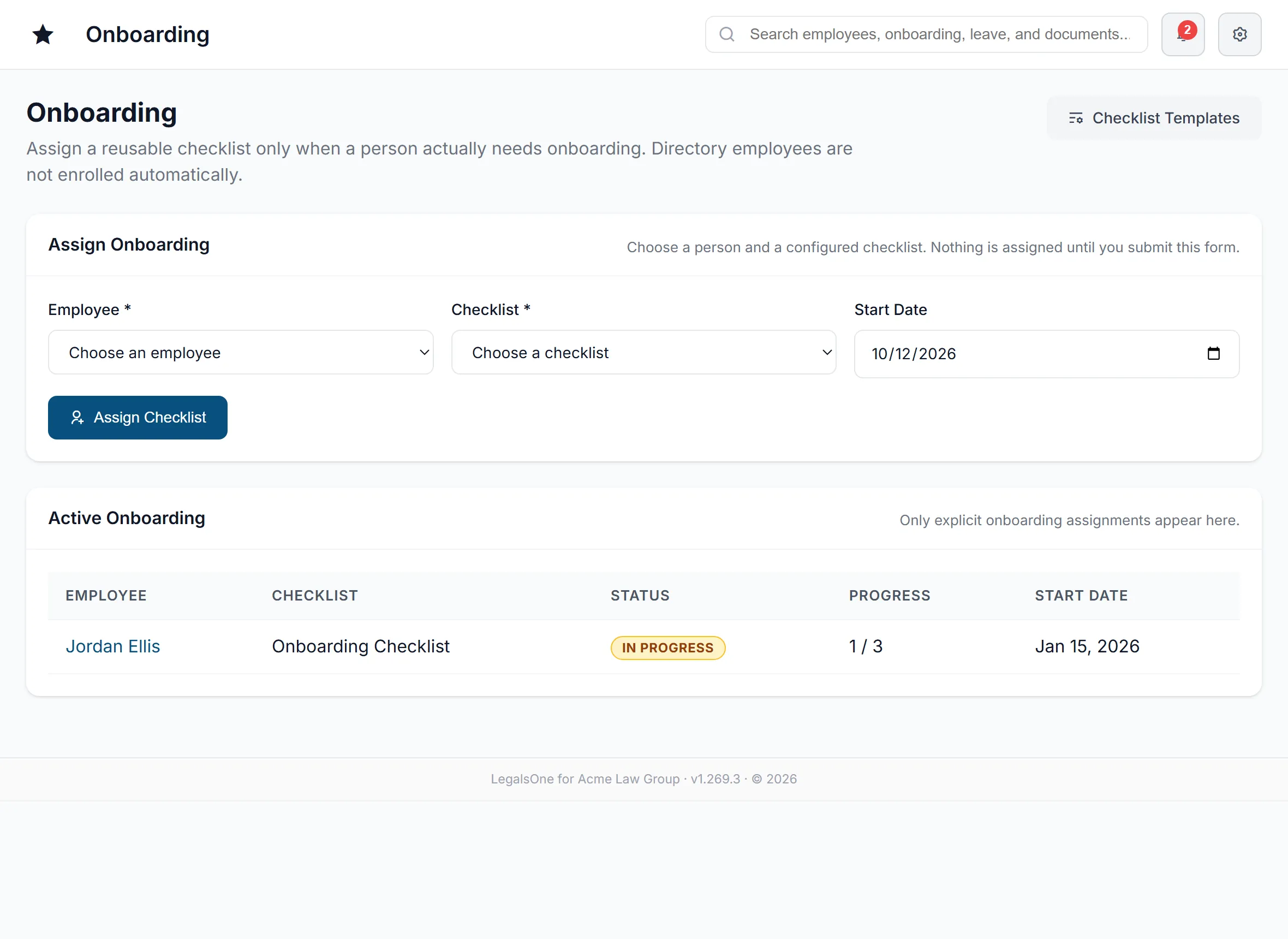
In HRM, select Onboarding. Assign Onboarding is at the top. Active Onboarding lists everyone in progress with their checklist, status, progress (for example 1/3) and start date.
Build a checklist template (once)
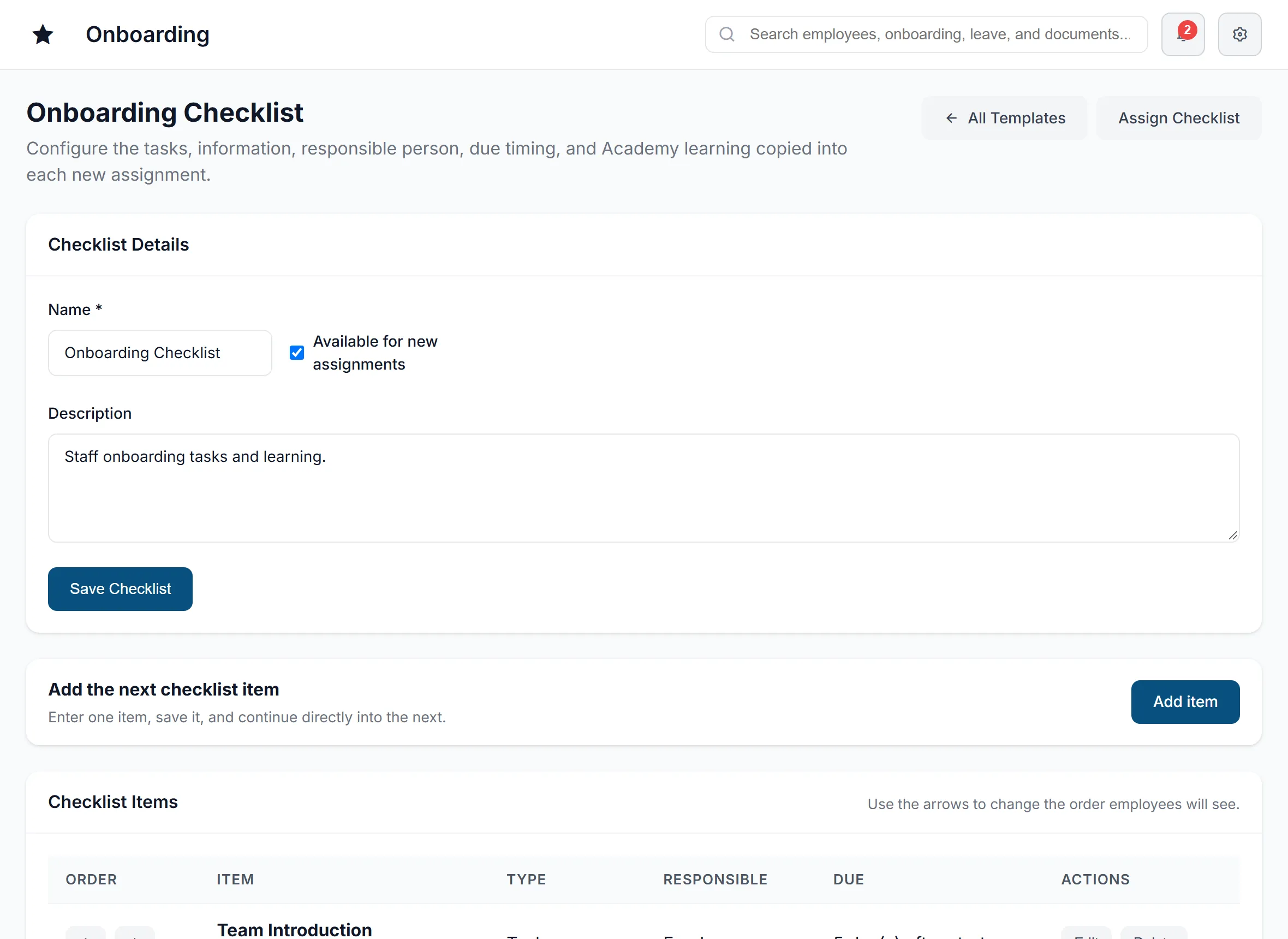
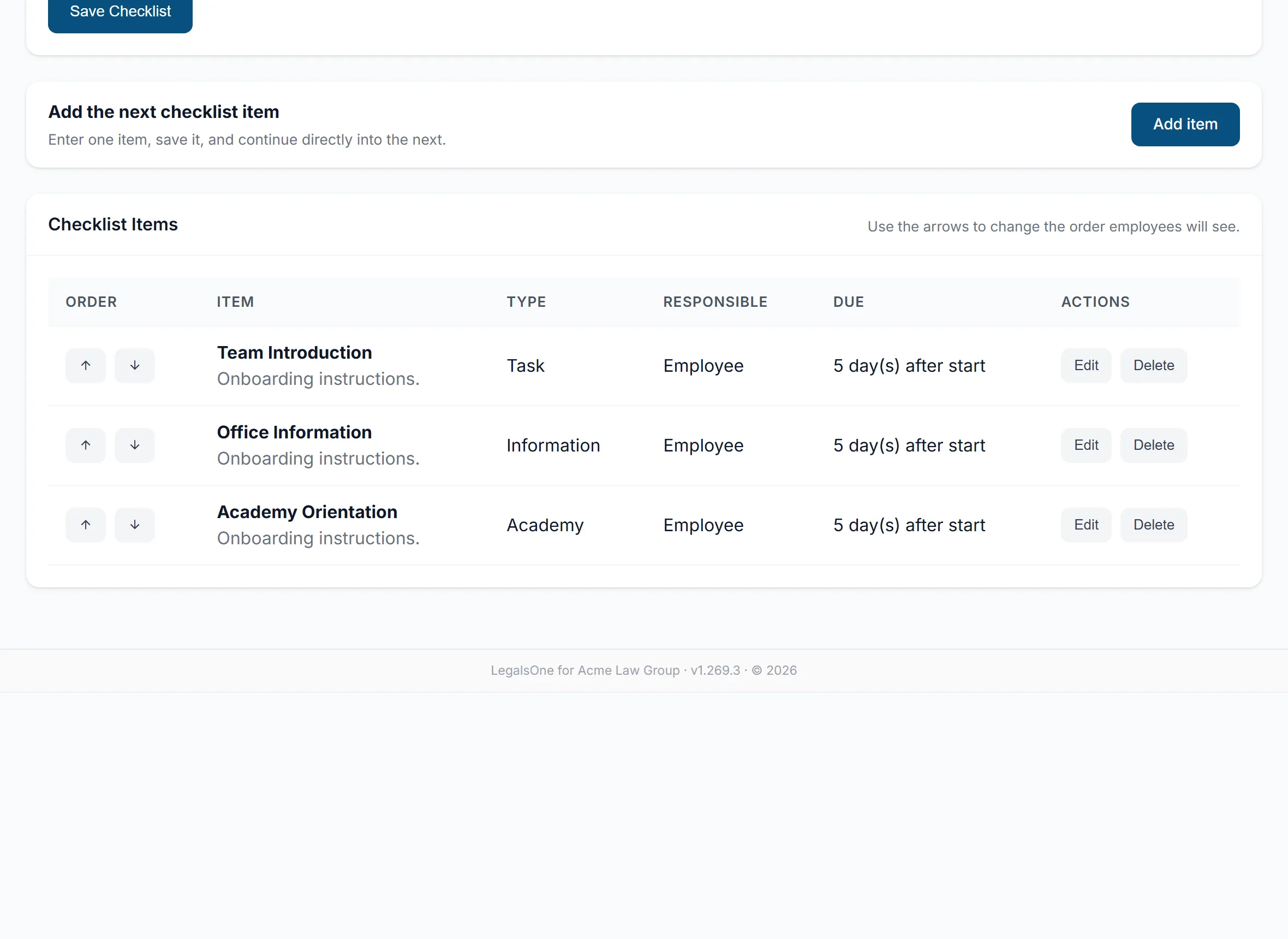
Select Checklist Templates, then Create Checklist. Give it a Name and Description, tick Available for new assignments, and Save Checklist. Then add items with Add the next checklist item:
- Item Type: Task (someone does something, like ordering a laptop), Information (something to read or confirm) or Academy Learning (published content or whole Academy Libraries)
- Responsible Person: the new employee, their manager or a Specific User
- Due Days After Start: for example 5 days after start
- Instructions or Information
Assign onboarding
Back on Onboarding, under Assign Onboarding, choose the Employee, the Checklist and the Start Date, then Assign Checklist. Due dates are worked out from the start date.
Everyone does their items
Each responsible person is notified as items come due and when they're overdue. The new hire completes their own items. Training items open in Academy with Open in Academy.
Track progress
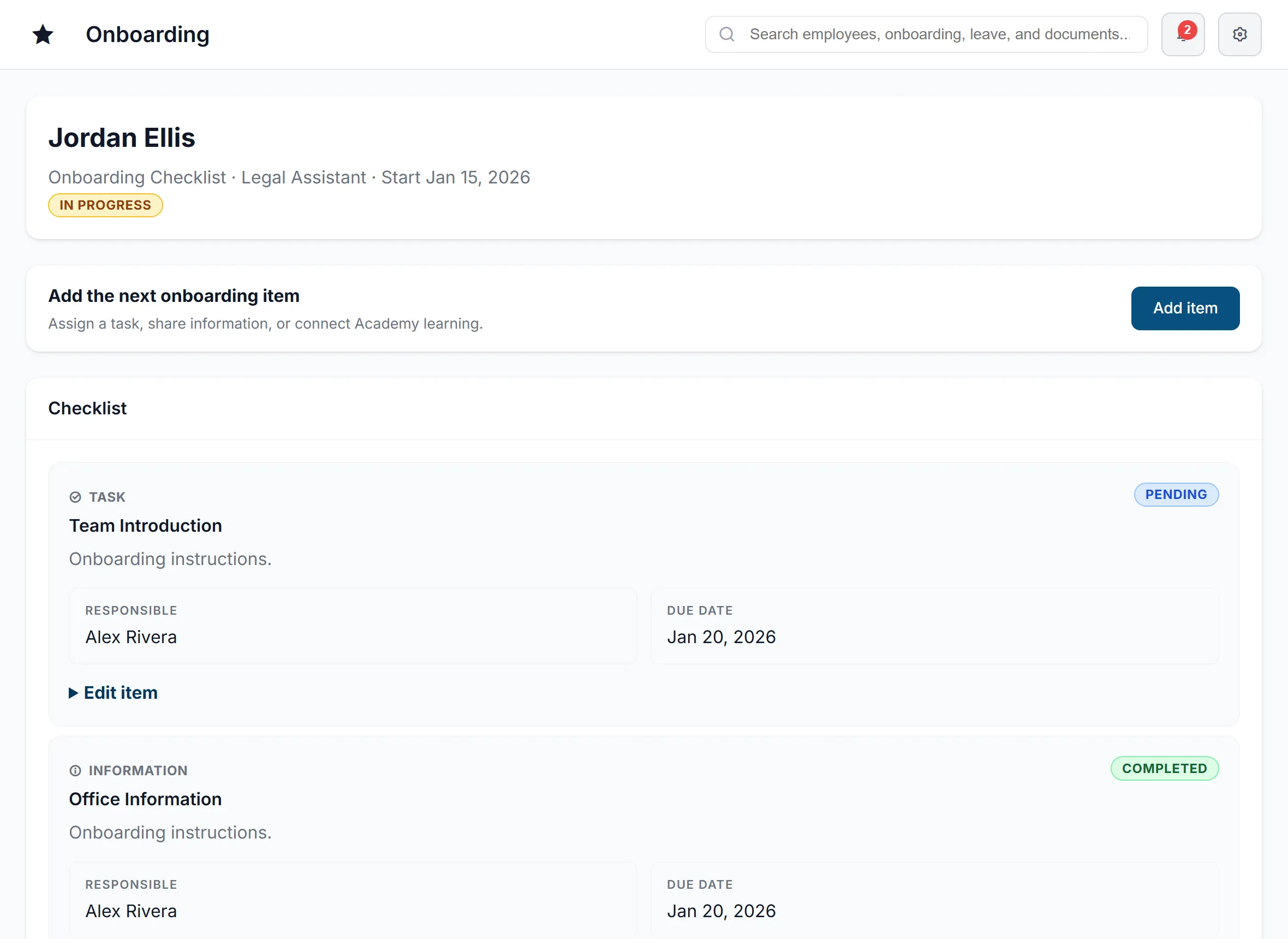
Open the employee's checklist to see each item's status (Pending, Completed…), owner and due date. Academy reading, quizzes and acknowledgements tick their items off automatically.
Add one-off items
Use Add item on one employee's checklist for anything specific to them, without changing the template.
Frequently asked questions
I changed the template. Do existing checklists update?
No. Changes apply to new assignments. Add items to existing checklists one at a time if needed.
Last reviewed 2026-11-25