

Search the directory
In HRM, select Directory. Type a name, department, title, office or supervisor into Search directory and select Search.
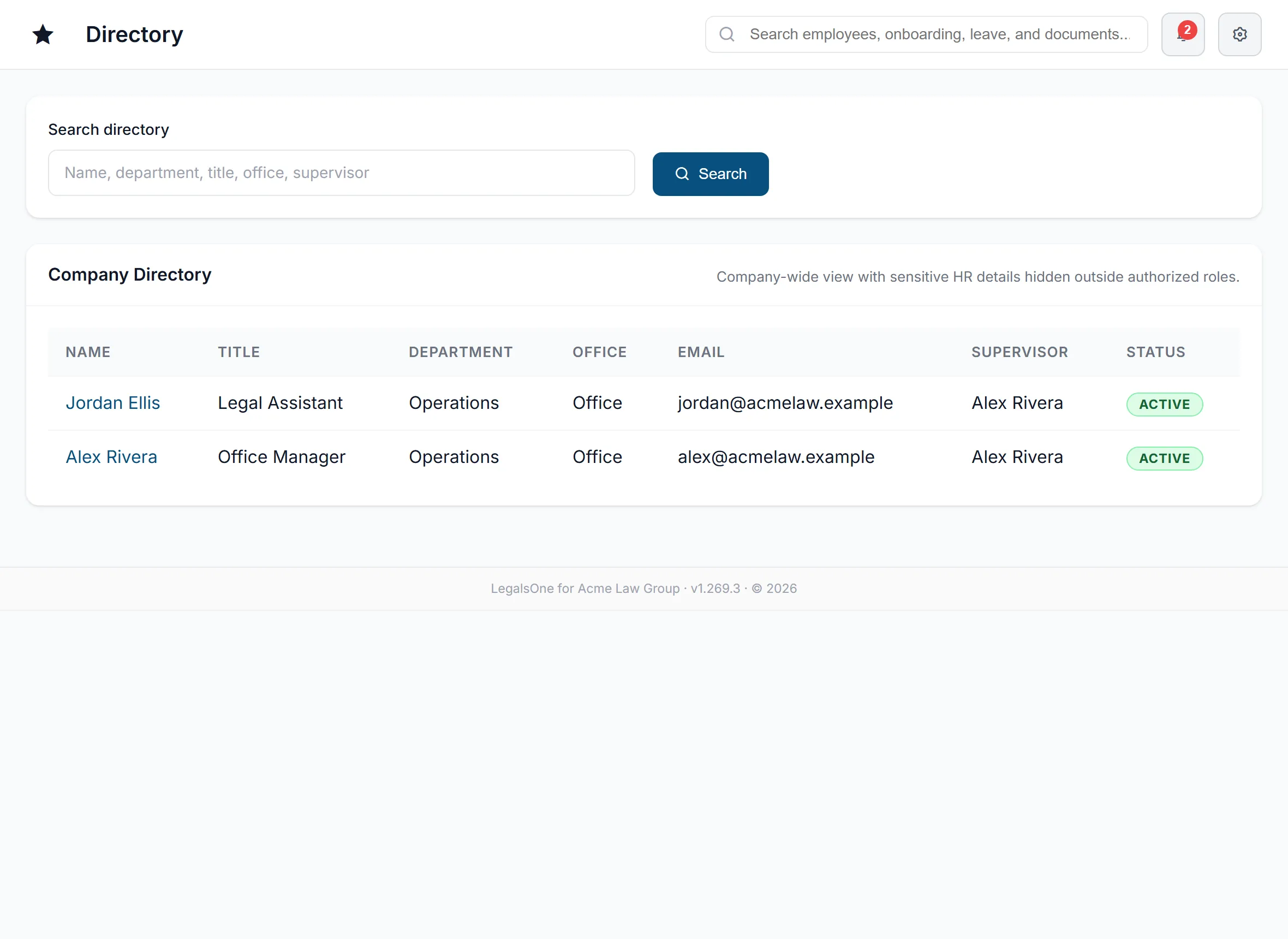
The Company Directory shows each person's title, department, office, email, supervisor and status. Sensitive HR details are hidden unless your role allows them.
Open your profile
Select My Profile in the HRM sidebar. Tabs cover Overview, Job Details, Documents, Credentials, Time Off, Performance, Notes, Equipment and Onboarding.
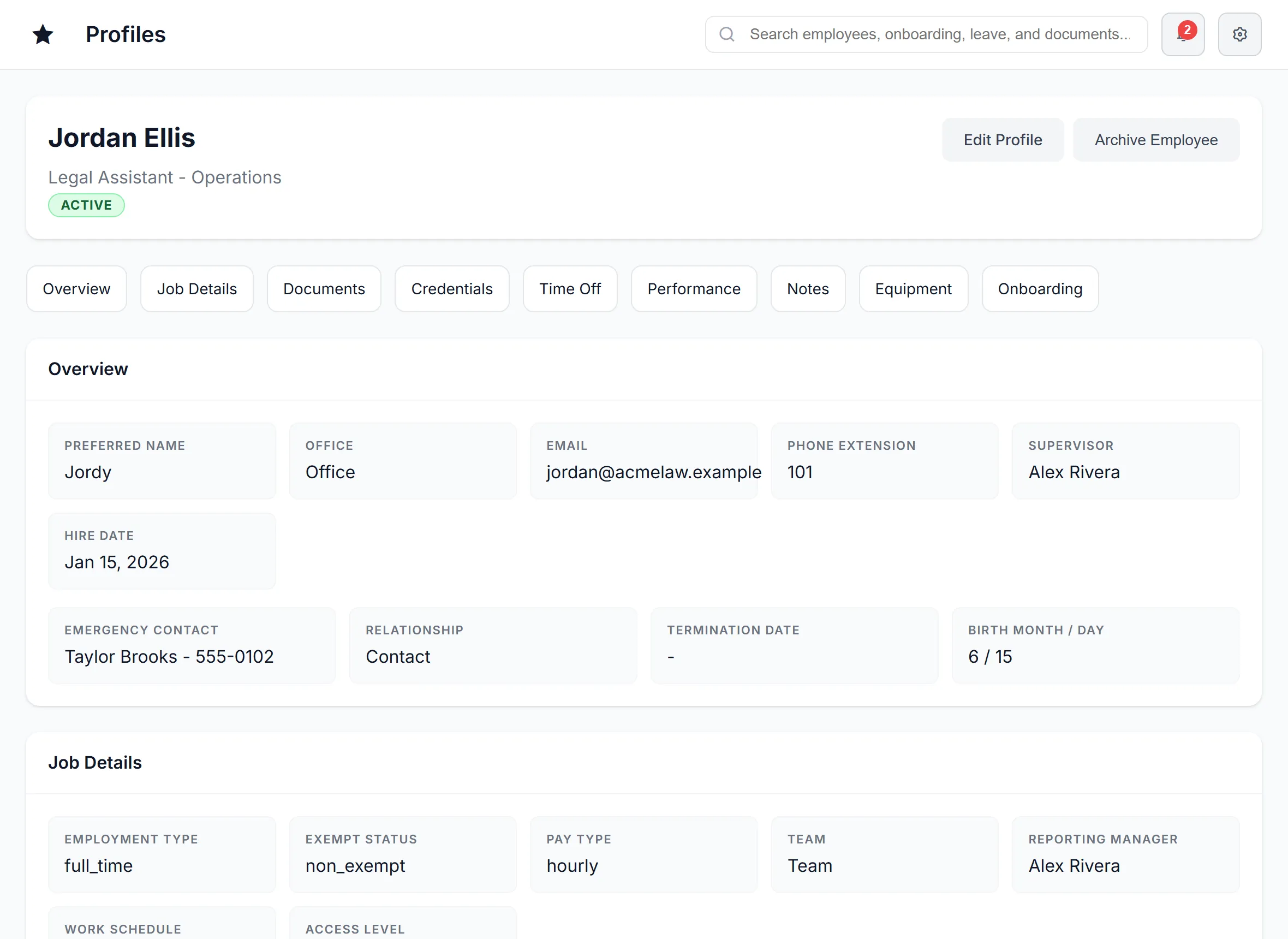
Check your details
Overview shows your preferred name, office, email, phone extension, supervisor and emergency contact. Job Details shows your employment type, team and reporting manager. If something's wrong, tell HR. Most fields are kept by HR, not edited by you.
Keep credentials current
Credentials holds bar admissions, notary commissions and certifications with their expiry dates. Send HR a renewal before the old one expires.
Frequently asked questions
Why can't I see a colleague's phone number?
Your firm controls which details are visible company-wide. Ask HR if you need it for work.
Is "My Profile" in HRM the same as my intranet profile?
No. Your intranet profile (Settings → My Profile) covers your sign-in, theme and timezone. HRM My Profile is your employee record.
Last reviewed 2026-11-25