

Open Statements
Go to CMS → Billing → Statements.
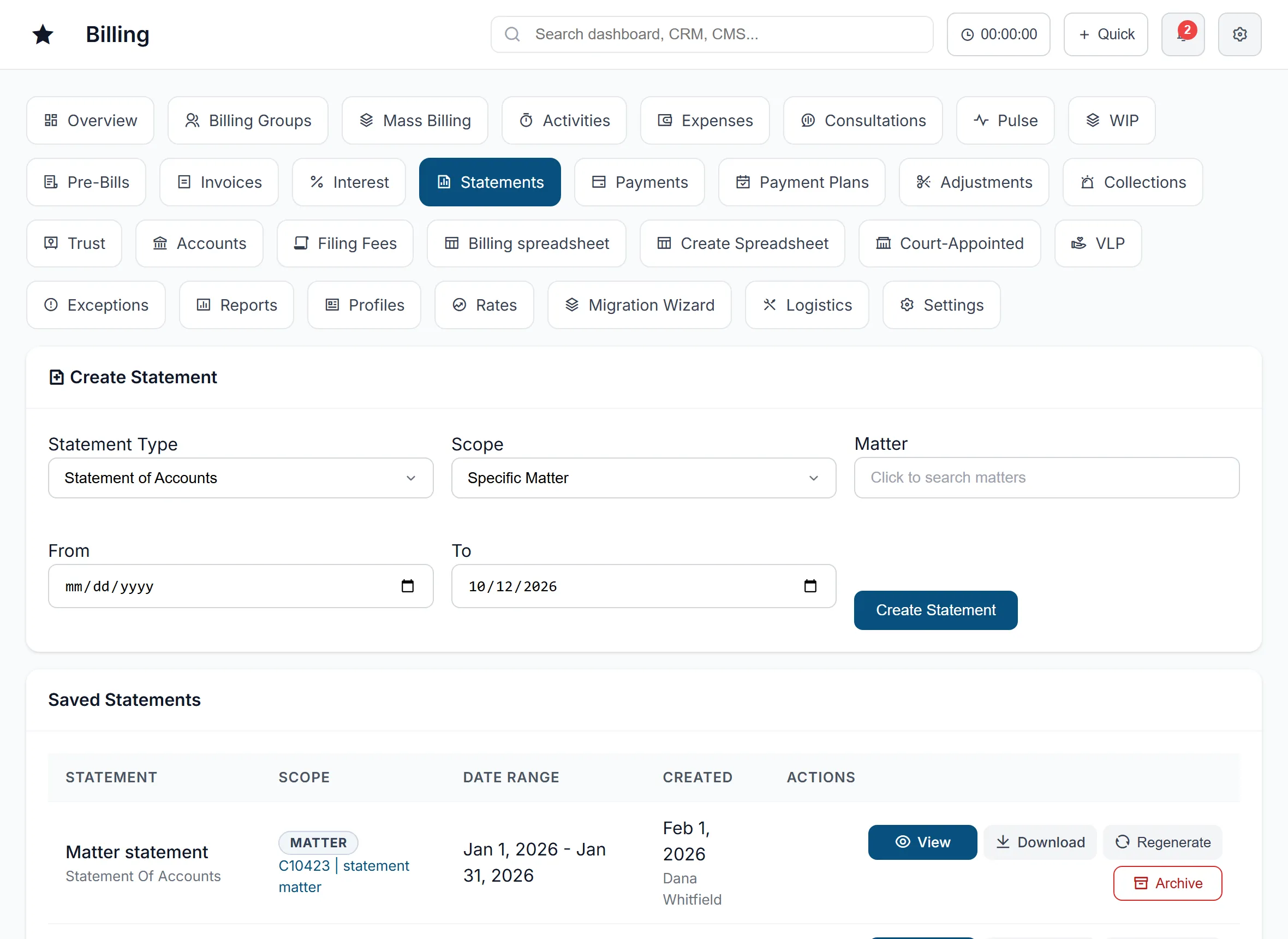
Choose the type
- Statement of Accounts: what the client was billed, what they paid and what they owe.
- Statement of Accumulated Work: the work done in a period, including work not billed yet.
Choose the scope and dates
Under Scope, choose Specific Matter or Contact, All Matters for a client with several matters. Pick the matter or contact, set From and To, and select Create Statement.
Download and send
The statement appears under Saved Statements with its date range and who created it. View it, Download it to send to the client, Regenerate it if billing changed afterwards, or Archive old ones.
Send a Statement of Accounts with every collections follow-up. Clients pay faster when they can see the full history.
Last reviewed 2026-11-25