

Finalized invoices aren't edited. Changes to what a client owes are made with an adjustment, so there's a record of who changed what and why.
Open Adjustments
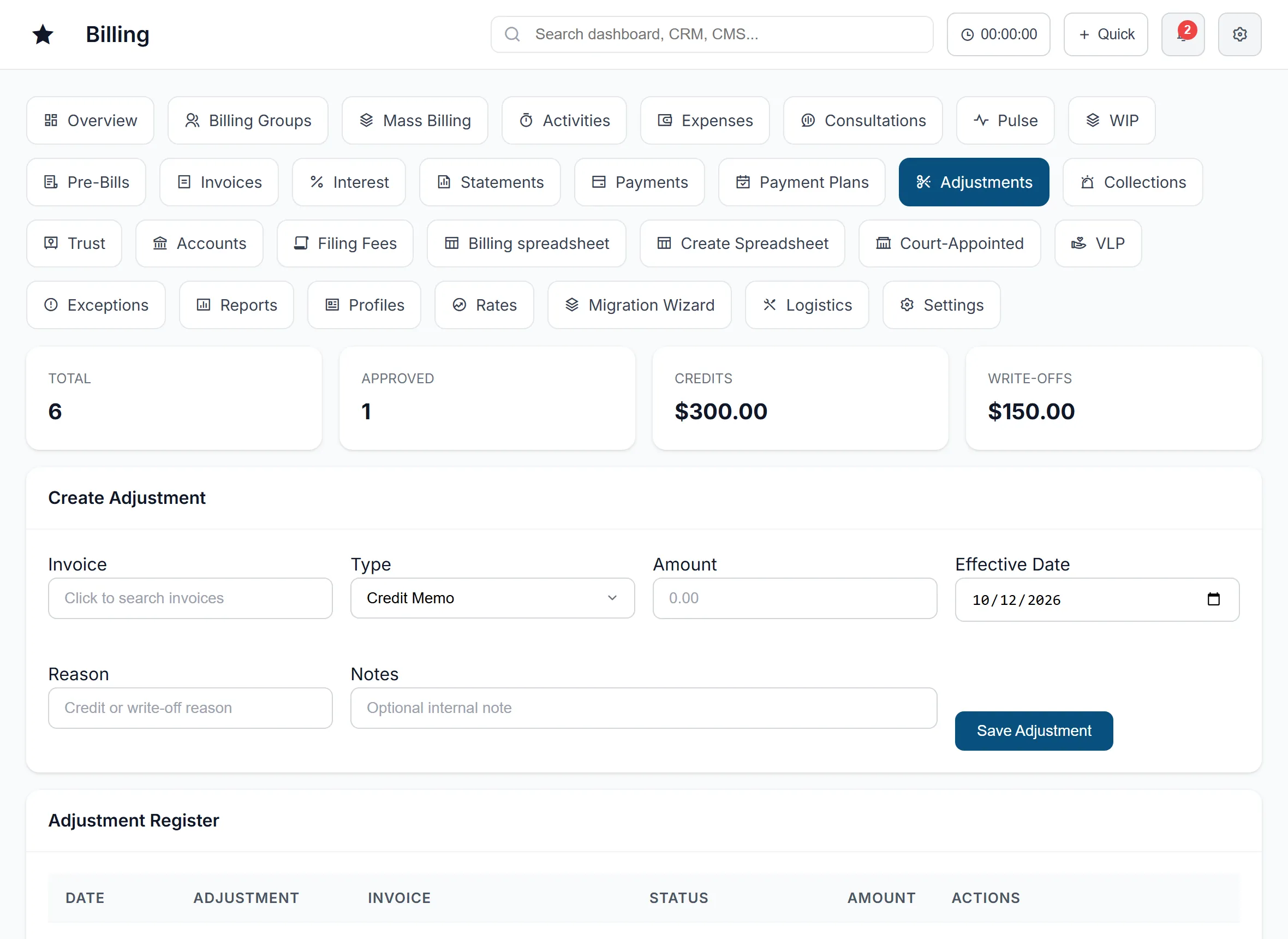
Go to CMS → Billing → Adjustments. The counters show Total, Approved, total Credits and total Write-Offs.
Create the adjustment
Under Create Adjustment:
- Invoice: search for it
- Type: Credit Memo (a reduction you're giving the client) or Write-Off (a balance you've decided not to collect)
- Amount and Effective Date
- Reason: the client-facing reason
- Notes: optional, internal only
Select Save Adjustment.
Approve it
Adjustments move through Draft, Pending Approval and Approved, or Rejected. Someone with approval rights opens the adjustment and selects Approve. Only approved adjustments change the balance.
Correct or void
Edit a draft's reason or notes and Save. To undo an approved adjustment, Void it. The record stays in the register.
Write-offs show in billing reports as realization loss. Use credit memos for courtesy discounts and write-offs for balances you won't collect.
Last reviewed 2026-11-25