

Ask timekeepers to finish their time, and save any pending Pulse time, before you start. Anything entered after you finalize waits for the next cycle.
The Billing area has its own menu across the top: Overview, Billing Groups, Mass Billing, Activities, Expenses, Consultations, Pulse, WIP, Pre-Bills, Invoices, Interest, Statements, Payments, Payment Plans, Adjustments, Collections, Trust, Accounts, Filing Fees, Reports and more. You'll use the ones below every month.
Review work in progress
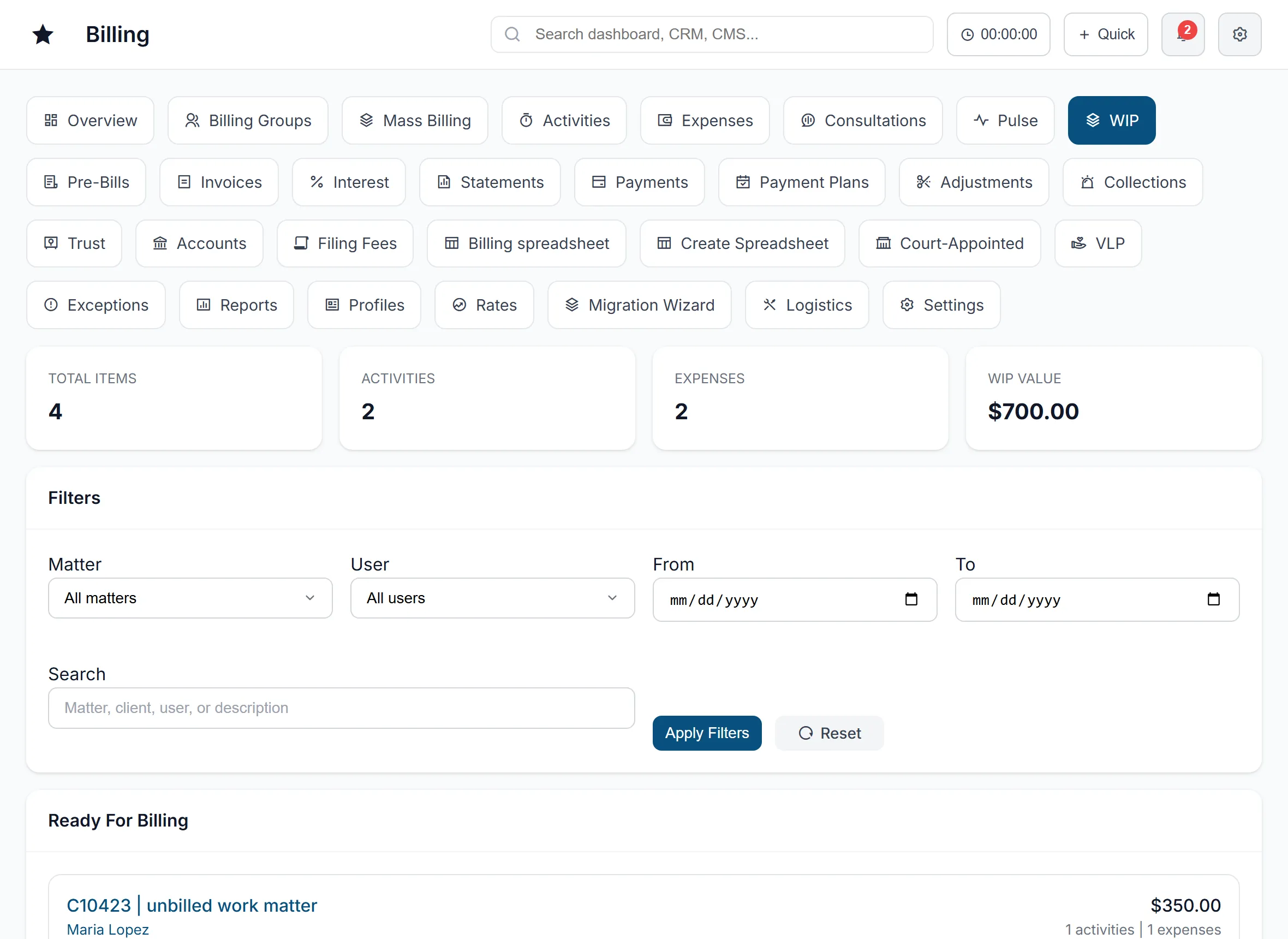
Open Billing → WIP. It shows Total Items, Activities, Expenses and WIP Value, then every unbilled entry grouped under Ready For Billing. Filter by matter, user and date range. Look for missing descriptions, time on the wrong matter, and billable entries that shouldn't be. Use Open Matter to fix them at the source.
Approve activities and expenses
If your firm requires approval, review Billing → Activities and Billing → Expenses and approve or reject what's pending. Only approved entries are ready for billing.
Review pre-bills
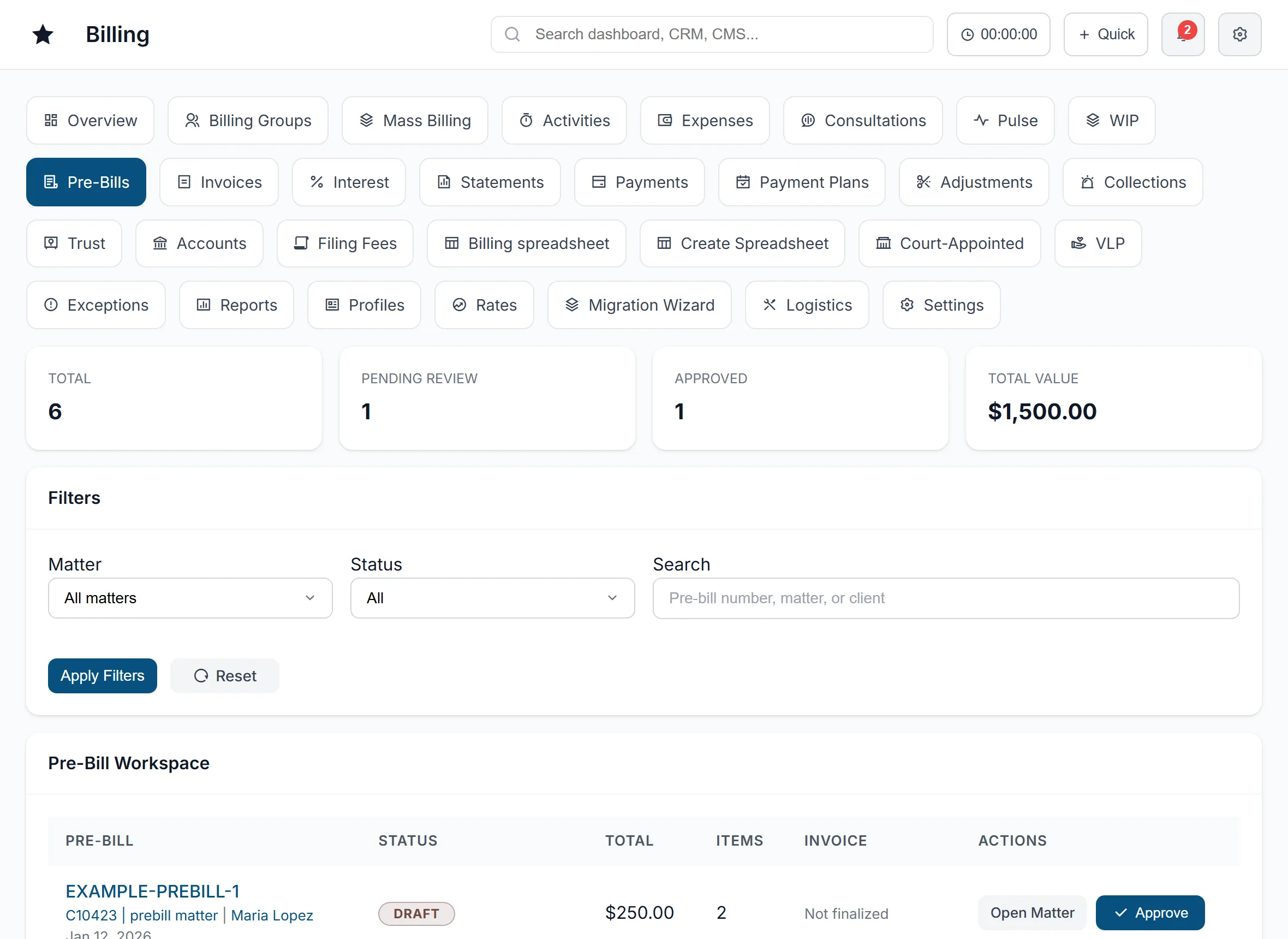
Generate pre-bills for the matters you're billing, or use Mass Billing and Billing Groups to prepare many at once. Billing → Pre-Bills lists them with status (Pending Review, Approved), item count and total. The billing attorney opens each one, adjusts or writes down lines, and selects Approve.
Finalize invoices
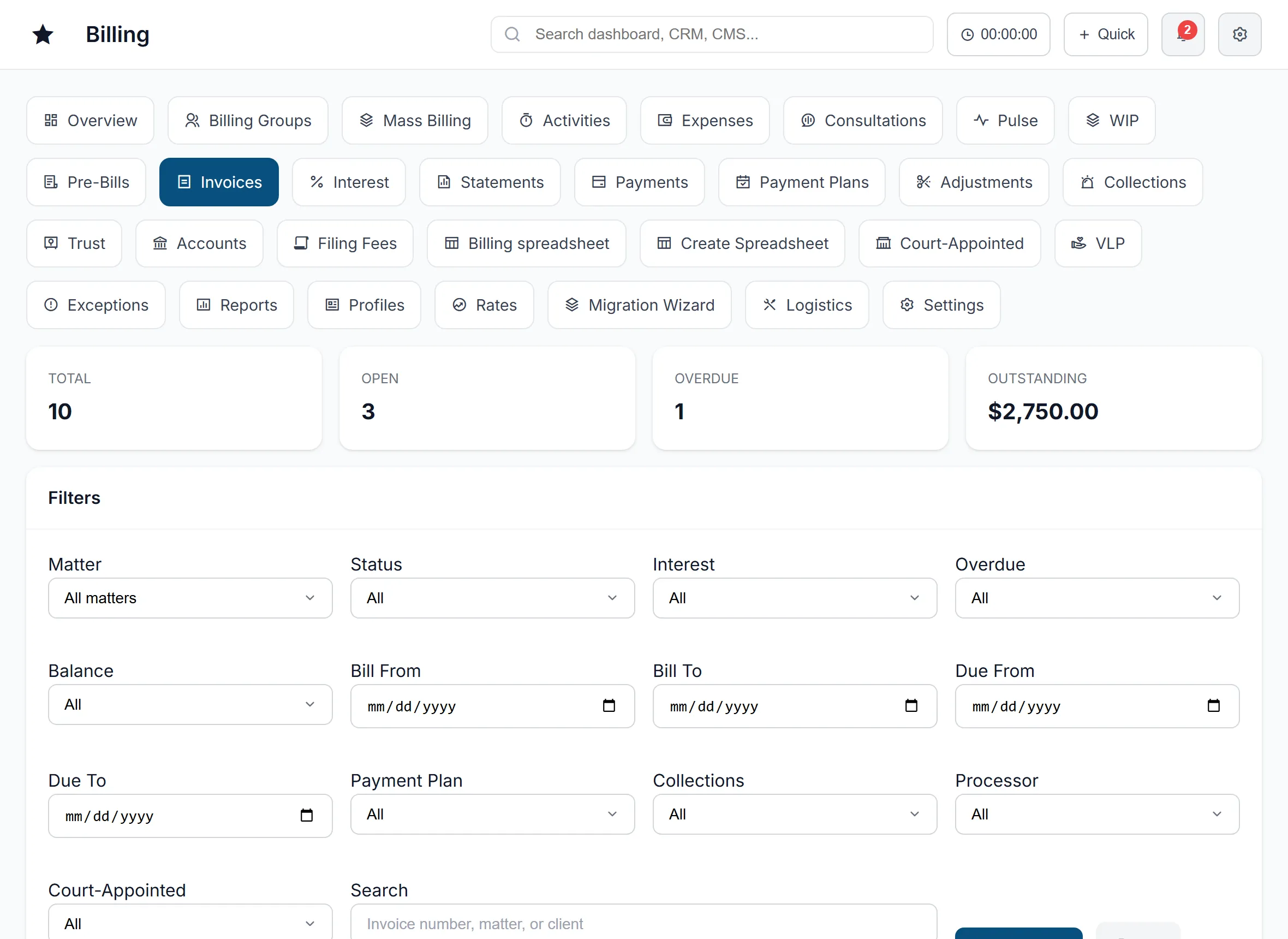
Select Finalize on approved pre-bills. That creates the invoice and its document, and locks the amounts. Billing → Invoices then shows every invoice with filters for status, balance, payment plan and collections.
Send and collect
Send each invoice with its secure link (how). Clients on a payment plan follow their schedule (guide). Where the client agreed, trust can be applied to the invoice.
Track payments
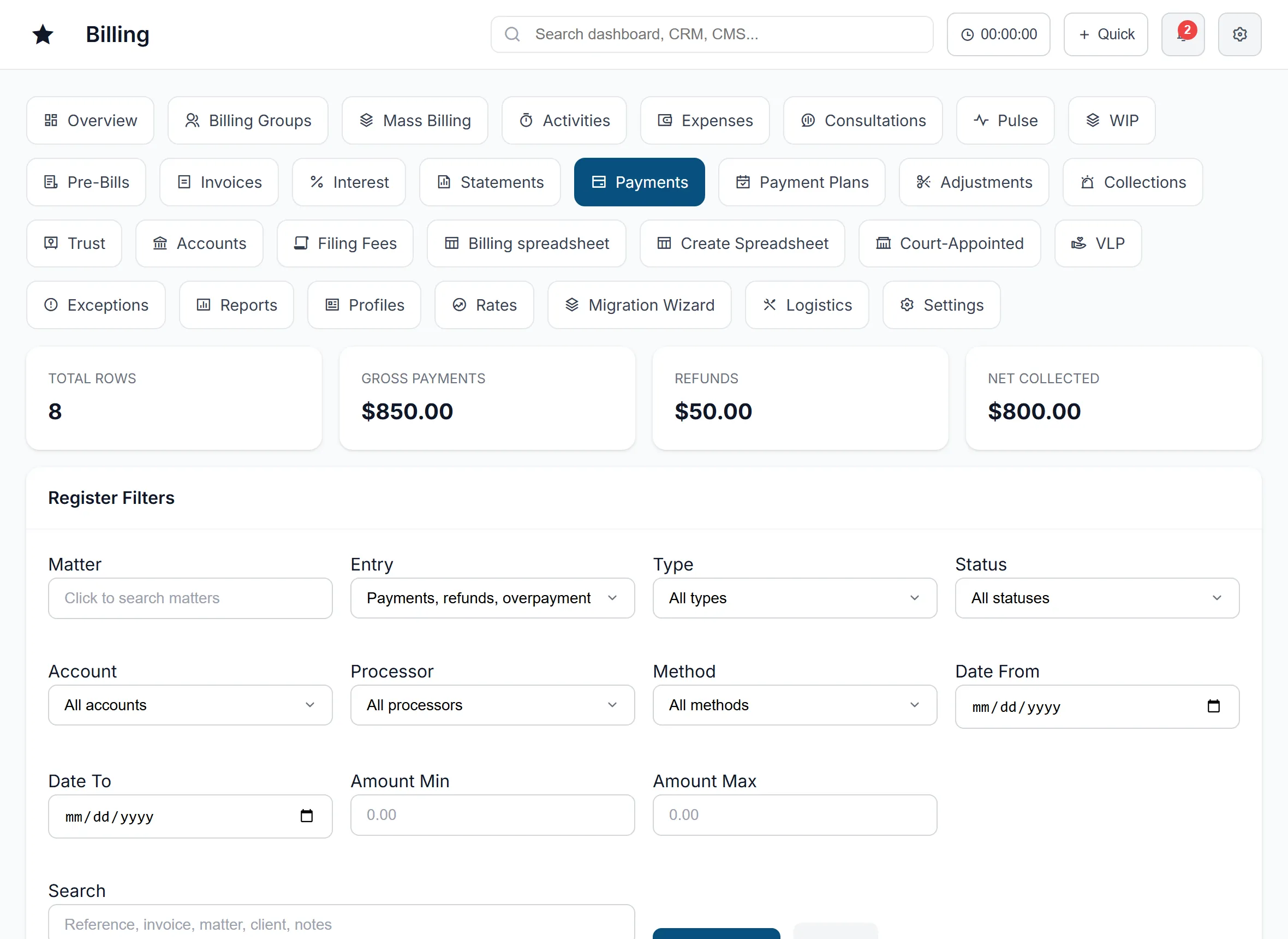
Billing → Payments registers everything received, with totals for gross payments, refunds and net collected. Filter by matter, entry type, processor, method and date range.
Follow up on what's overdue
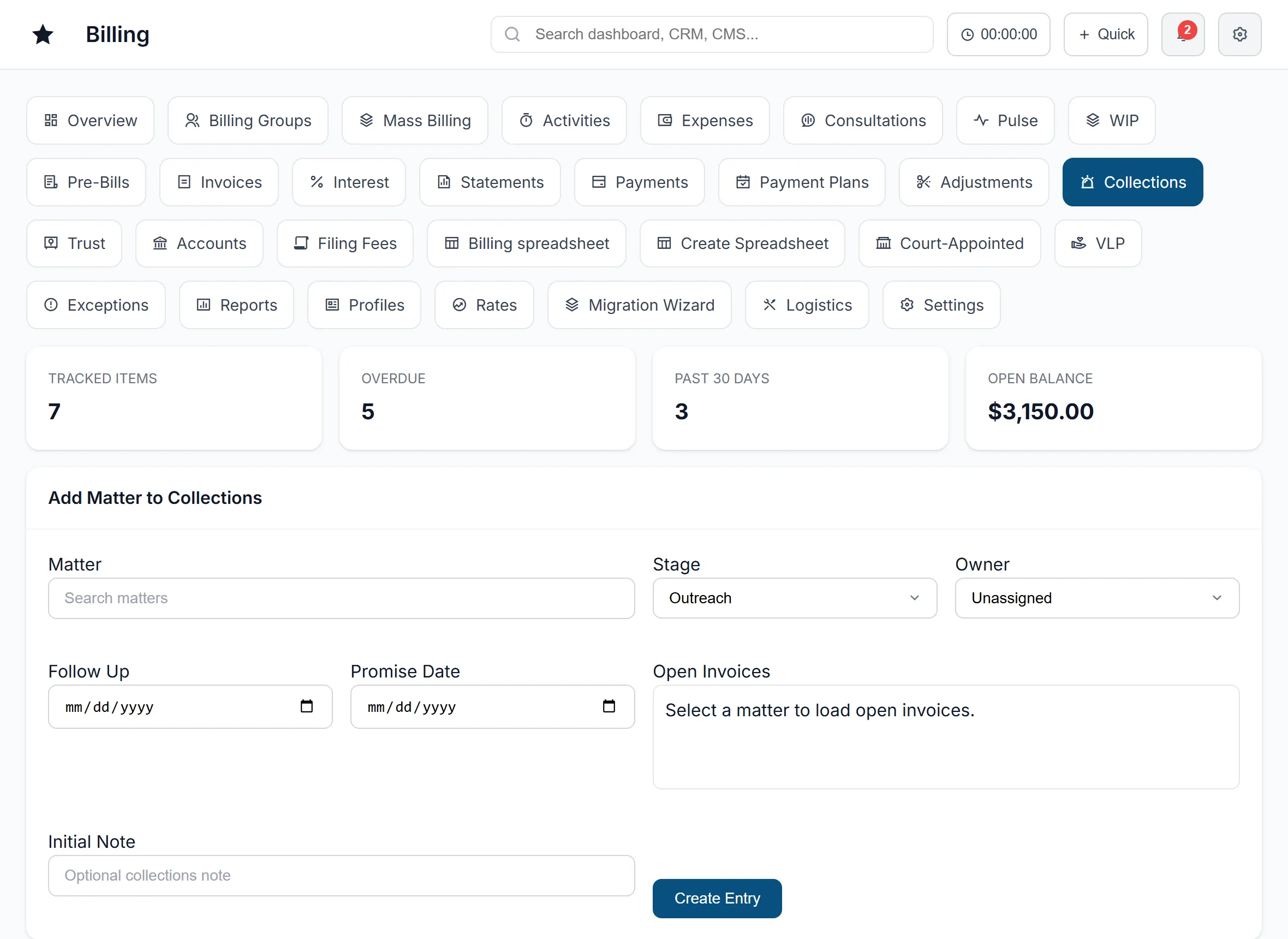
Billing → Collections tracks overdue matters through stages (for example Outreach), with an owner, follow-up and promise dates, and notes. Select Add Matter to Collections to start tracking one. Statements gives a client a summary of everything outstanding.
Frequently asked questions
An entry is missing from the invoice.
It was probably unapproved, non-billable, or entered after you finalized. Check WIP. It will be picked up next cycle unless you void and reissue the invoice.
Who can finalize invoices?
Whoever your firm's roles allow, usually billing staff and billing attorneys.
Last reviewed 2026-11-25