

Open Mass Billing
Go to CMS → Billing → Mass Billing. The tabs are Expense Billing, Trust Billing and Batch History.
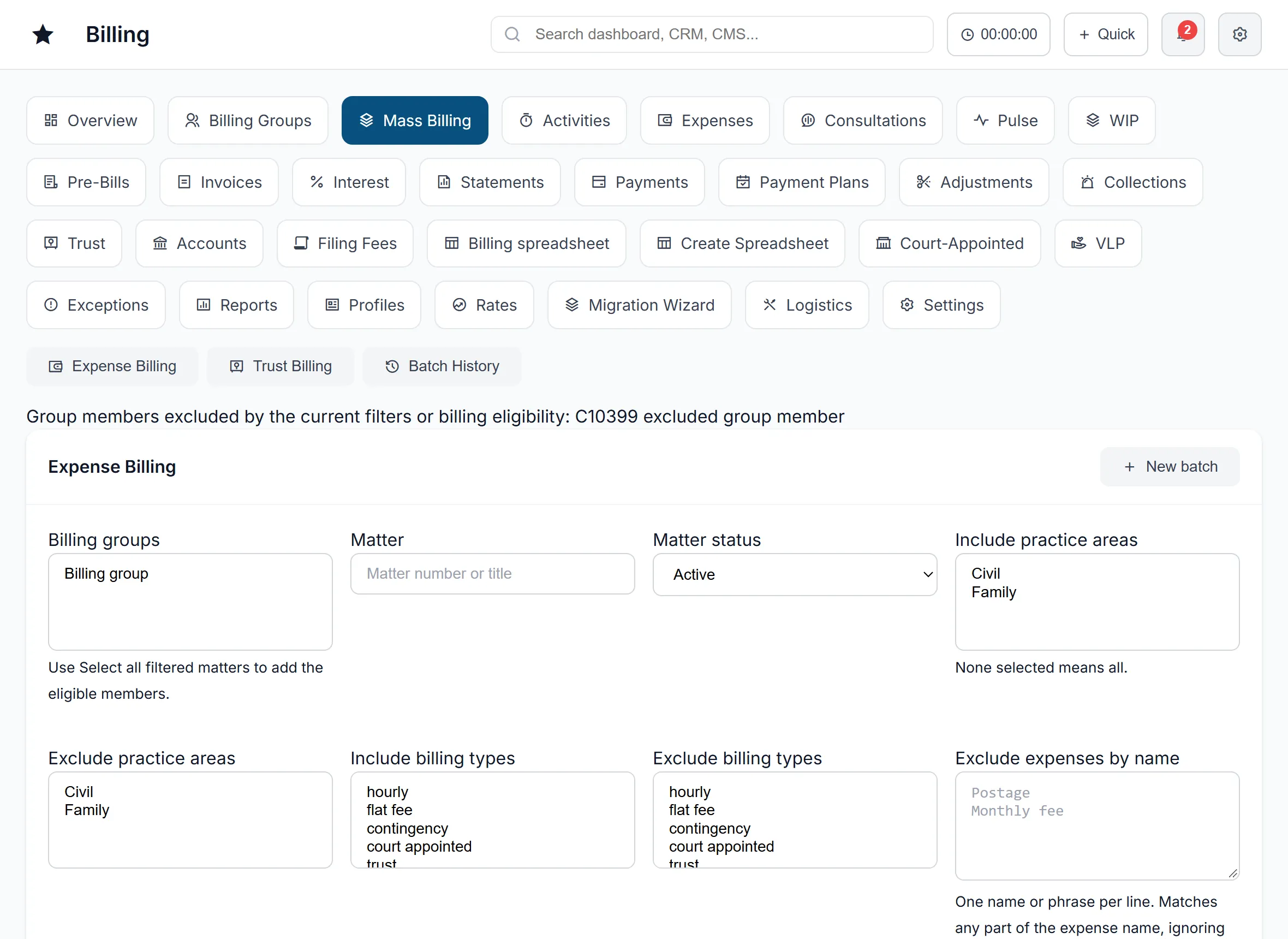
Choose what to bill
- Expense Billing bills a recurring expense, such as a monthly administrative fee, to every eligible matter.
- Trust Billing sends trust replenishment requests to many matters at once.
Select New batch.
Pick the matters
Start from a Billing group (for example "All flat-fee immigration matters") and select all filtered matters, or narrow down with filters:
- Matter and Matter status
- Include practice areas and Exclude practice areas (none selected means all)
- Include billing types and Exclude billing types: hourly, flat fee, contingency, court appointed, trust, pro bono
- Exclude expenses by name: one name or phrase per line, such as "Postage"
The page tells you when group members are left out by your filters or billing eligibility.
Review and post
Check the matters and amounts in the batch, adjust anything that should be different, then post. Each matter gets its own bill or trust request.
Build billing groups for the batches you run every month. Admins and billing staff manage them under Billing Groups.
Check Batch History
Batch History lists every batch, when it ran and what it created, so you can confirm nothing was billed twice.
Last reviewed 2026-11-25