

Have the bank statement for the trust account and period in front of you. Trust handling is tightly permissioned. Ask your admin if you can't open it.
Start a reconciliation
From CMS → Billing → Trust, start a reconciliation for the trust account and period (usually one month). Enter the Current Bank Balance from the statement. It's never pulled from the bank automatically.
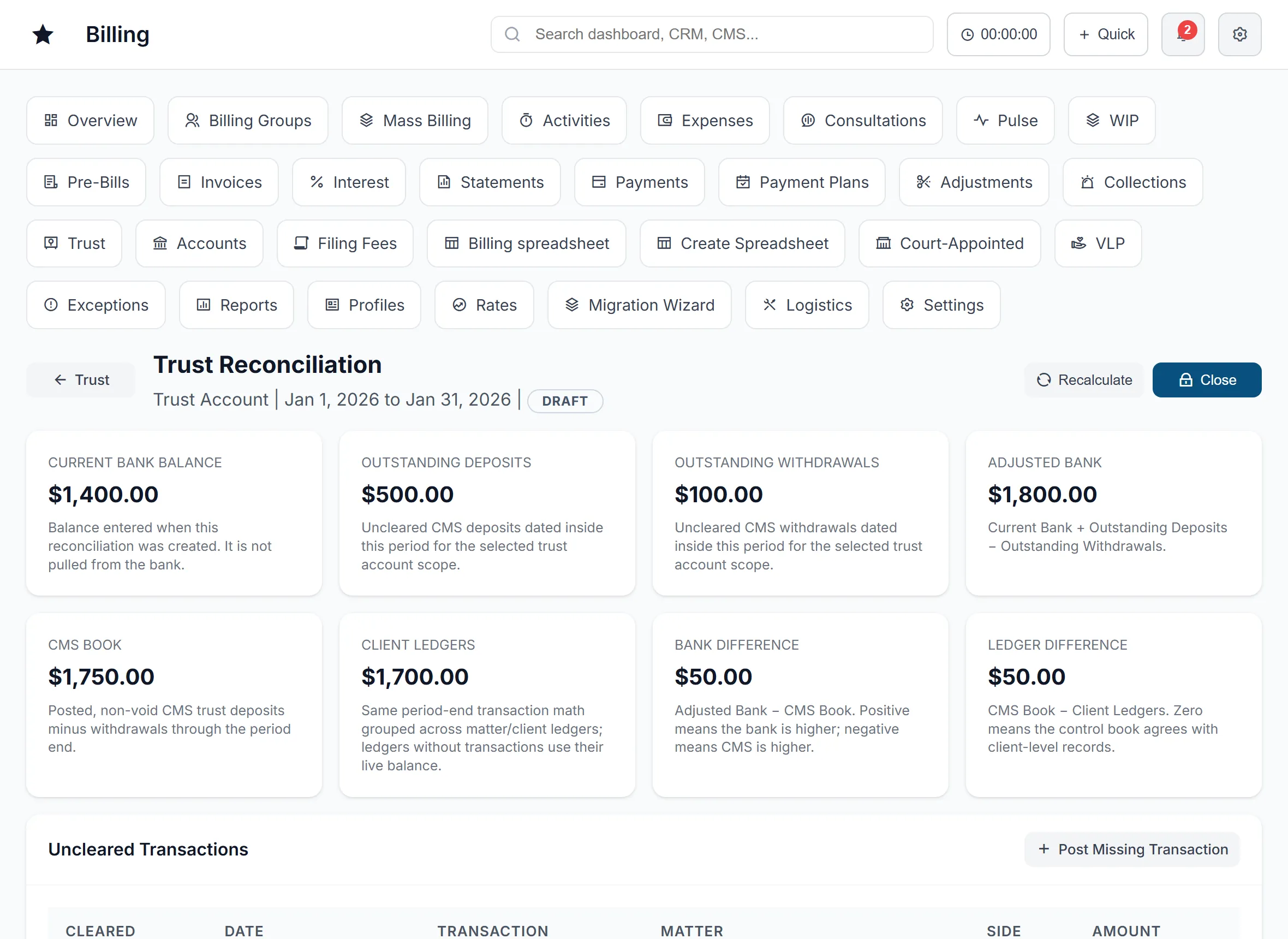
Read the totals
| Total | What it is |
|---|---|
| Current Bank Balance | What you entered from the bank statement |
| Outstanding Deposits | Uncleared CMS deposits dated in the period |
| Outstanding Withdrawals | Uncleared CMS withdrawals dated in the period |
| Adjusted Bank | Bank balance + outstanding deposits − outstanding withdrawals |
| CMS Book | Posted trust deposits minus withdrawals through period end |
| Client Ledgers | The same, totaled across every client and matter ledger |
| Bank Difference | Adjusted Bank − CMS Book |
| Ledger Difference | CMS Book − Client Ledgers |
A balanced three-way reconciliation has both differences at zero.
Clear transactions
Go through the transactions and mark each one cleared once it appears on the bank statement. Clearing a transaction moves it out of the outstanding totals. Unclear one if you marked it by mistake.
Find the differences
If the Bank Difference isn't zero, look for deposits or withdrawals missing from the CMS, or bank fees and interest. If the Ledger Difference isn't zero, a trust transaction is posted to the book but not to a client's ledger, or the reverse. Select Recalculate after each fix.
Never "plug" a difference with an adjustment you can't explain. Trust records must match real money movements, transaction for transaction.
Close the period
When both differences are zero, select Close. A closed reconciliation can be reopened if a correction is approved later.
Last reviewed 2026-11-25