

Open Court-Appointed
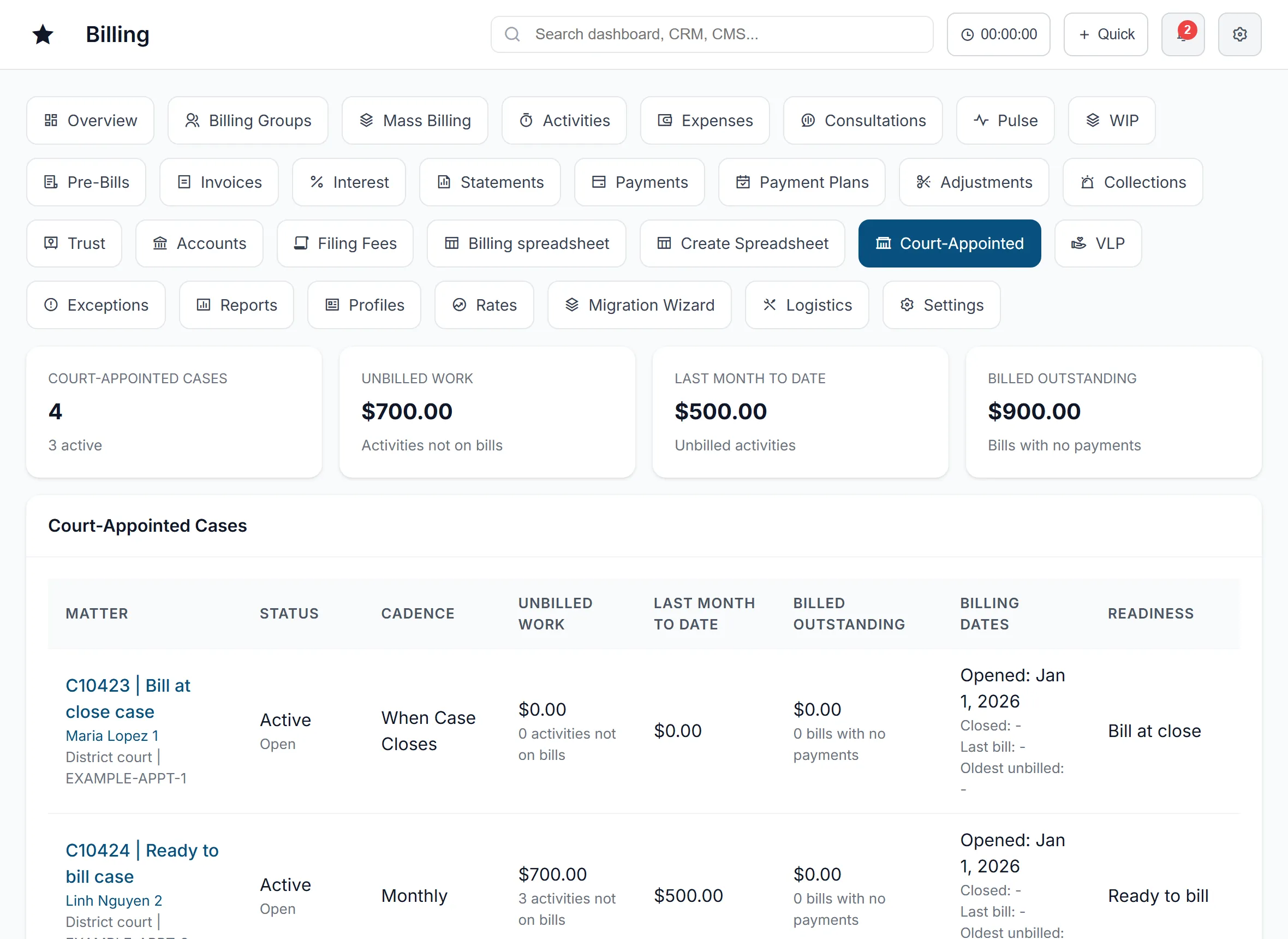
Go to CMS → Billing → Court-Appointed. The counters show how many Court-Appointed Cases you have (and how many are active), Unbilled Work, Last Month to Date and Billed Outstanding (bills with no payment yet).
Read each case
Each row shows the matter and client, the court and appointment number, status, billing Cadence (for example Monthly or When Case Closes), unbilled work, billed outstanding, the billing dates (opened, closed, last bill, oldest unbilled work) and a Readiness label:
- Ready to bill: unbilled work is waiting and the cadence says it's time.
- Bill at close: billed once the case closes.
- Billed outstanding: a bill was sent and not paid yet.
- Current: nothing to do right now.
Bill the ready cases
Open a Ready to bill case and create its bill from the matter, using the court's voucher or format where required. The matter's Court-Appointed Billing card links straight to Open Court Billing.
Follow up on unpaid bills
Work the Billed outstanding list monthly. Courts often pay slowly, so record payments as they arrive.
Volunteer Lawyer Program matters have their own VLP page under Billing that works the same way.
Last reviewed 2026-11-25