

The client needs portal access to the matter first. See Give a client portal access.
Request a document
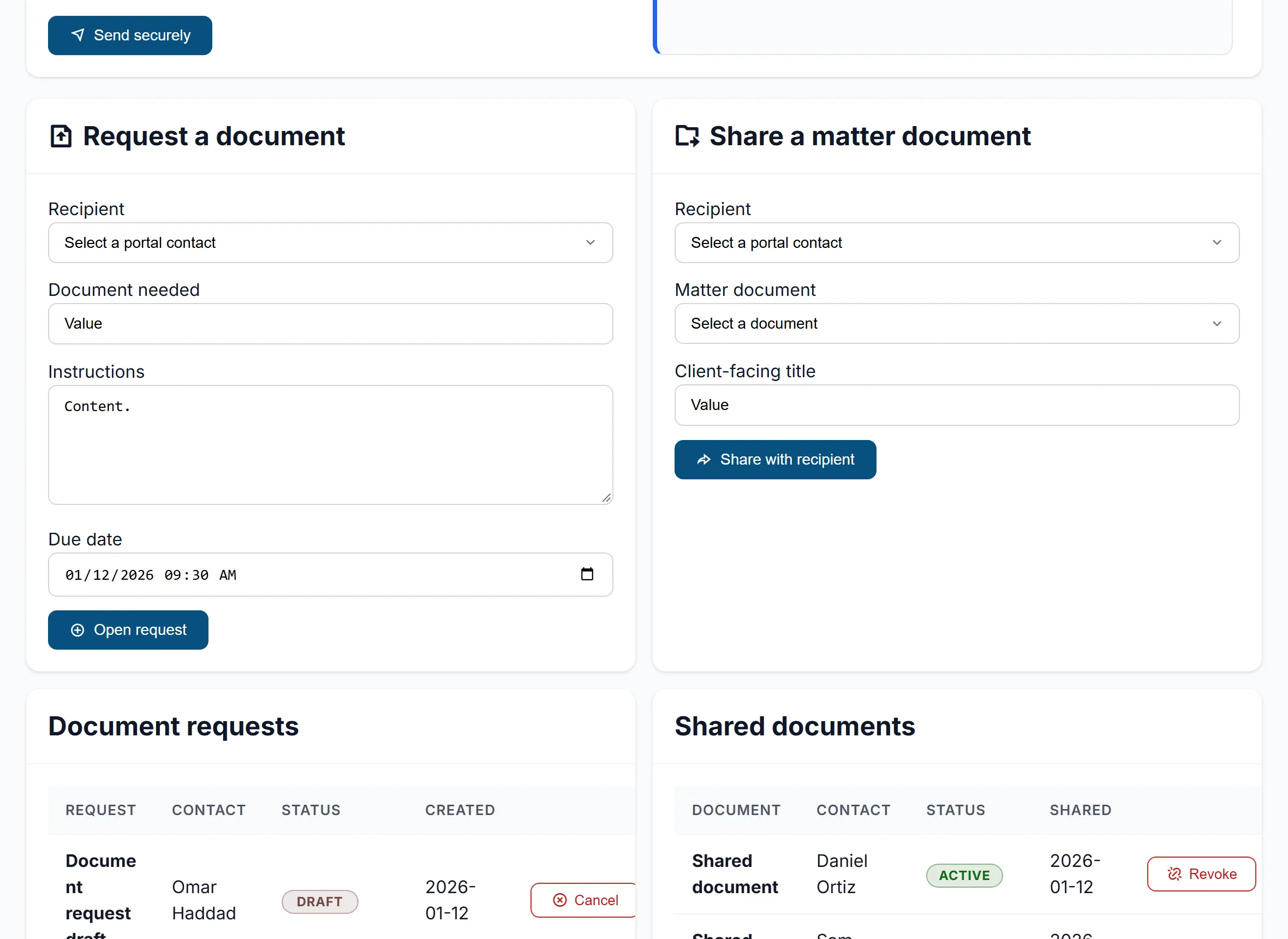
On the matter's Client Portal, under Request a document, name the Document needed (for example "Passport, every page"), add Instructions in plain language, set a Due date and select Open request. The client sees it in Your next steps and gets an alert.
Watch the request list
Document requests shows each request, who it's for, its status and when it was created. Drafts can be finished and opened later.
Review uploads
When the client uploads, each file is security-checked first. Open the Review tab and, for each file, accept it, ask for a replacement (give a client-facing reason, such as "Page 2 is missing"), or decline it. Accepted files appear in the matter's documents.
Share a document with the client
Under Share a matter document, pick the Matter document, give it an optional Client-facing title, and select Share with recipient. The client can download it from their portal.
Send clients Upload documents to your portal with their first request. It explains every status they'll see.
Last reviewed 2026-11-25