

Immigration interviews gather everything a filing needs (identity, family, addresses, travel, employment) through reusable interview modules. Answers go to the client's profile only after a person approves them.
Open Immigration Interviews
Immigration Interviews has two parts:
- Module Library: reusable interview modules, such as an identity interview, each with a type (who answers it), a revision and a status (Published).
- Process Packages: a whole filing workflow, such as an adjustment-of-status package, that combines modules with the official forms it fills.
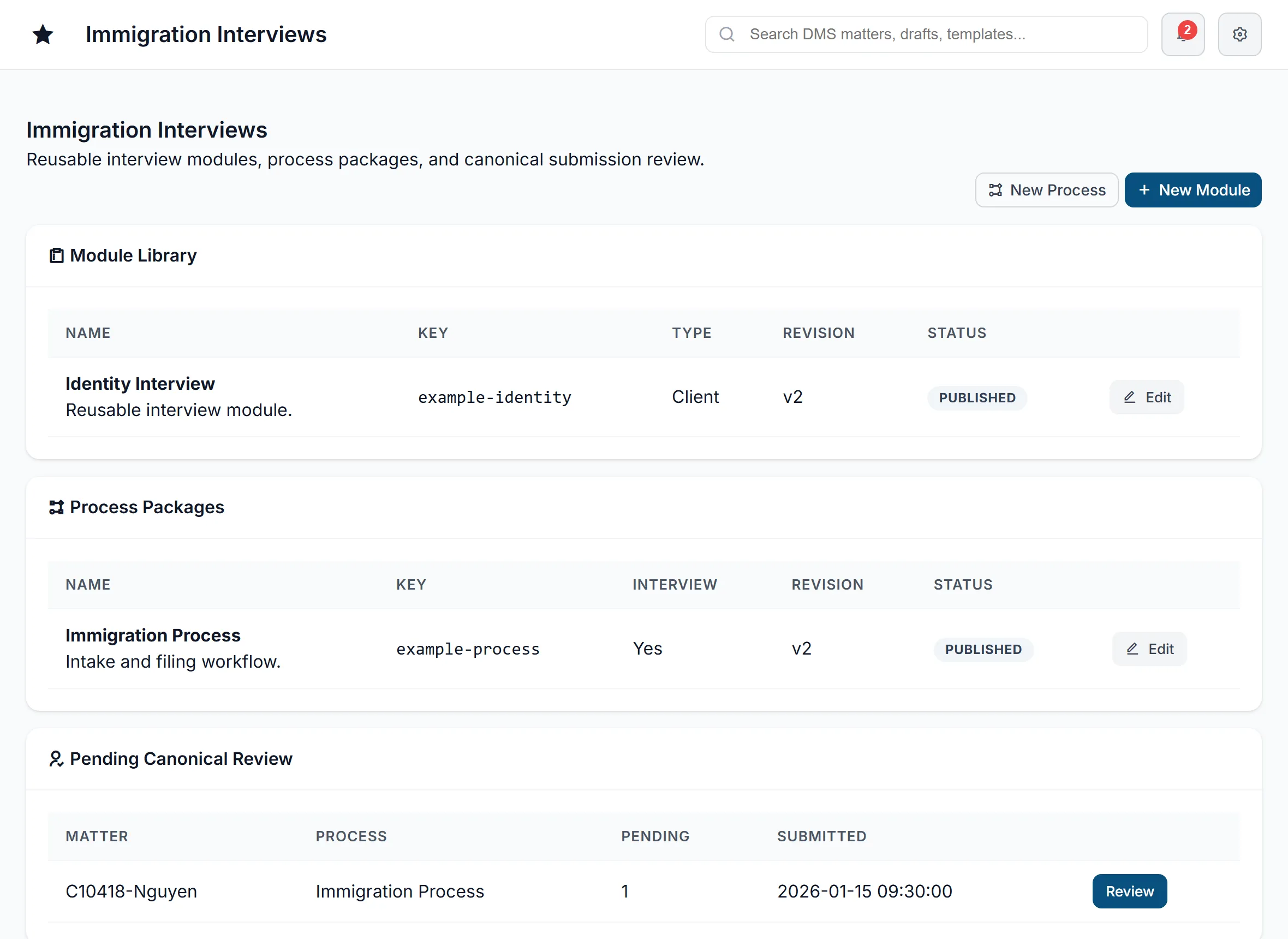
Send the interview
From the client's matter, start the process package that matches the filing. The client answers through their Forms link, in their language, and can save and come back. See Answer a questionnaire for what they see.
Review the submission
When the client submits, the matter appears under the process with a Pending count. Select Review. Review Immigration Submission lists each Canonical Change: the fact (for example legal name), where it's stored (for example person legal name), the Proposed Value and its status.
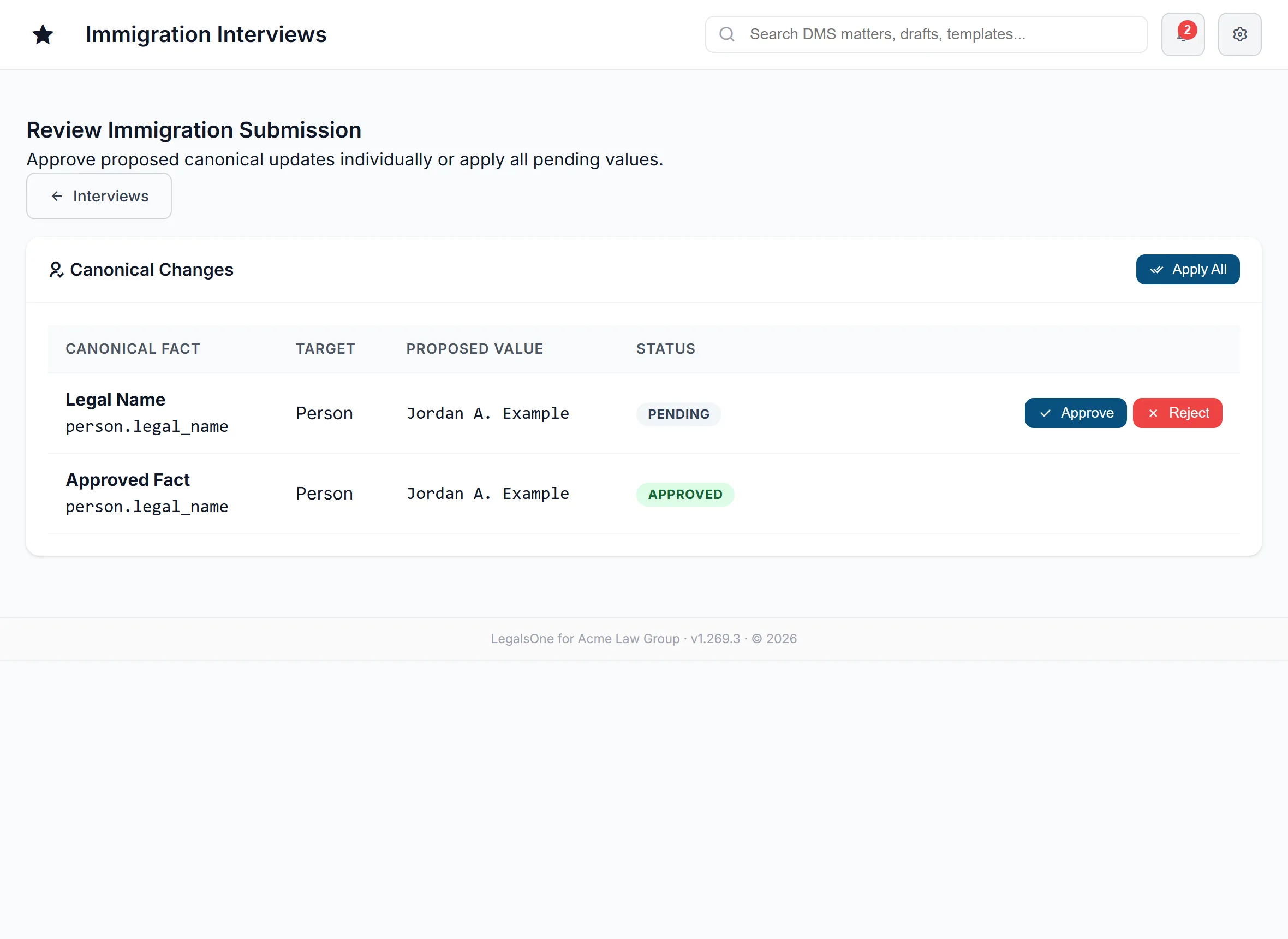
Approve or reject each change
Approve values that are correct, and Reject ones that aren't, then follow up with the client. Apply All approves every pending value at once. Only use it after you've read them.
Approved values become the client's canonical profile and fill every form in the filing. Check names, dates of birth, A-numbers and addresses against the documents.
Generate the forms
With the facts approved, open each official form in the package and generate it. See Prepare a USCIS form for a matter.
Frequently asked questions
Who builds the interview modules and processes?
Admins, with New Module and New Process. A process selects modules, marks them required or optional, and orders the official forms in the filing package.
Last reviewed 2026-11-25