

Find the questionnaire
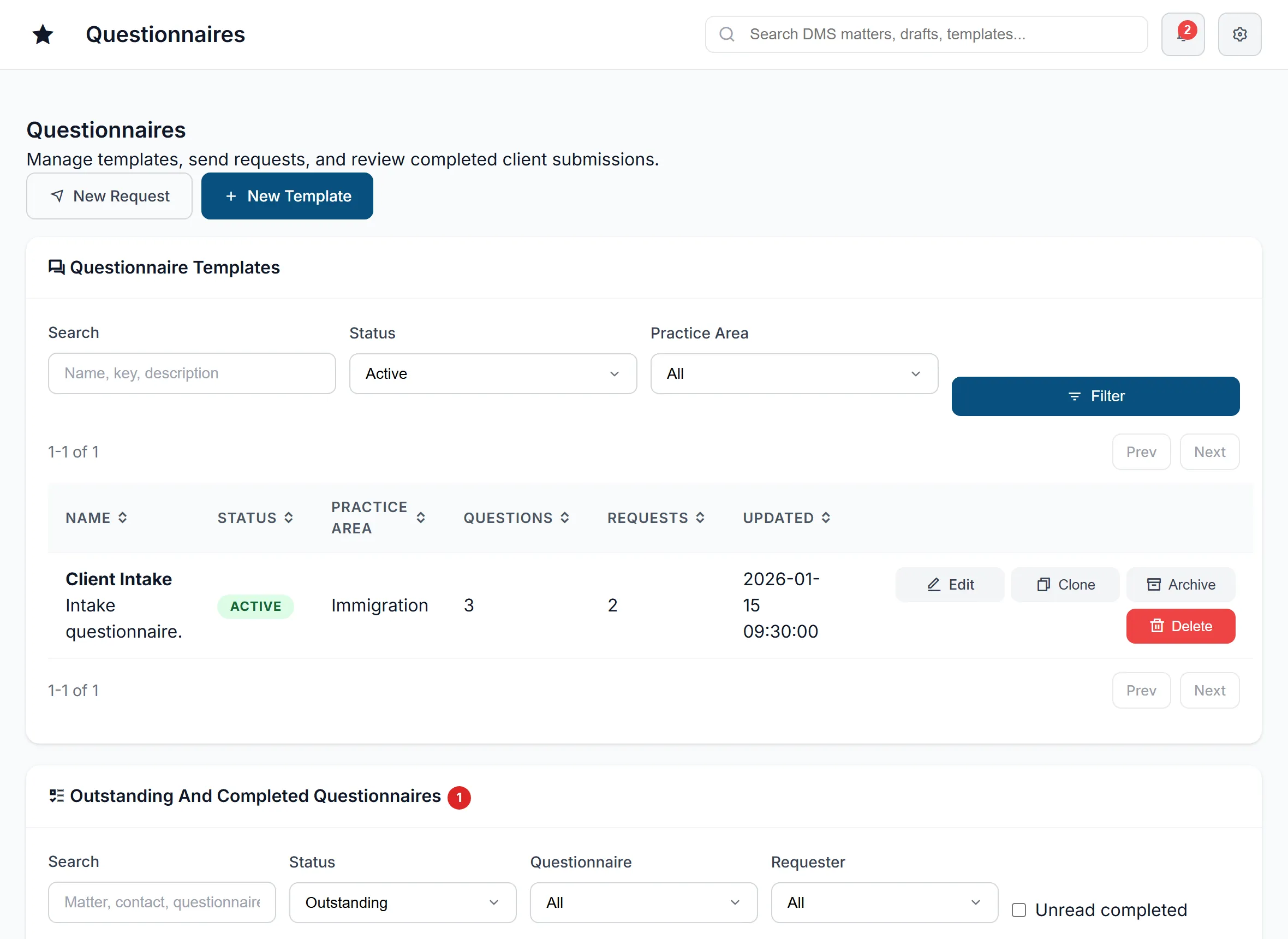
In DMS → Questionnaires, Questionnaire Templates lists every questionnaire with its practice area, number of questions and requests. Below it, Outstanding And Completed Questionnaires tracks what clients have been sent. Use Client Preview to see a questionnaire as the client will.
Send it from the matter
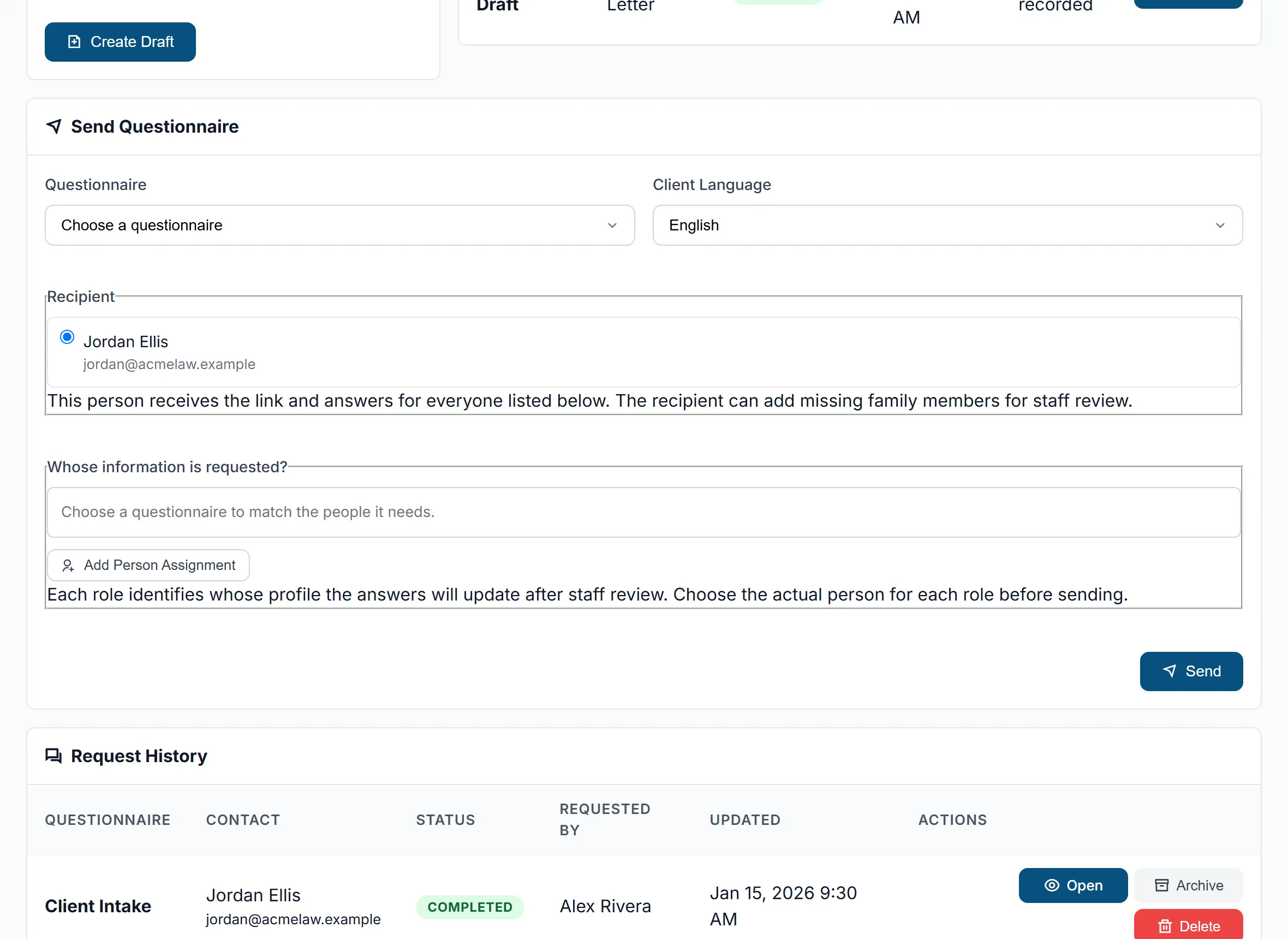
The quickest way: open the matter in Dockets and use Send Questionnaire. Choose the Questionnaire, the Client Language and, for immigration, the Filing Basis, which controls which classification-specific questions the client gets. Then pick the Recipient.
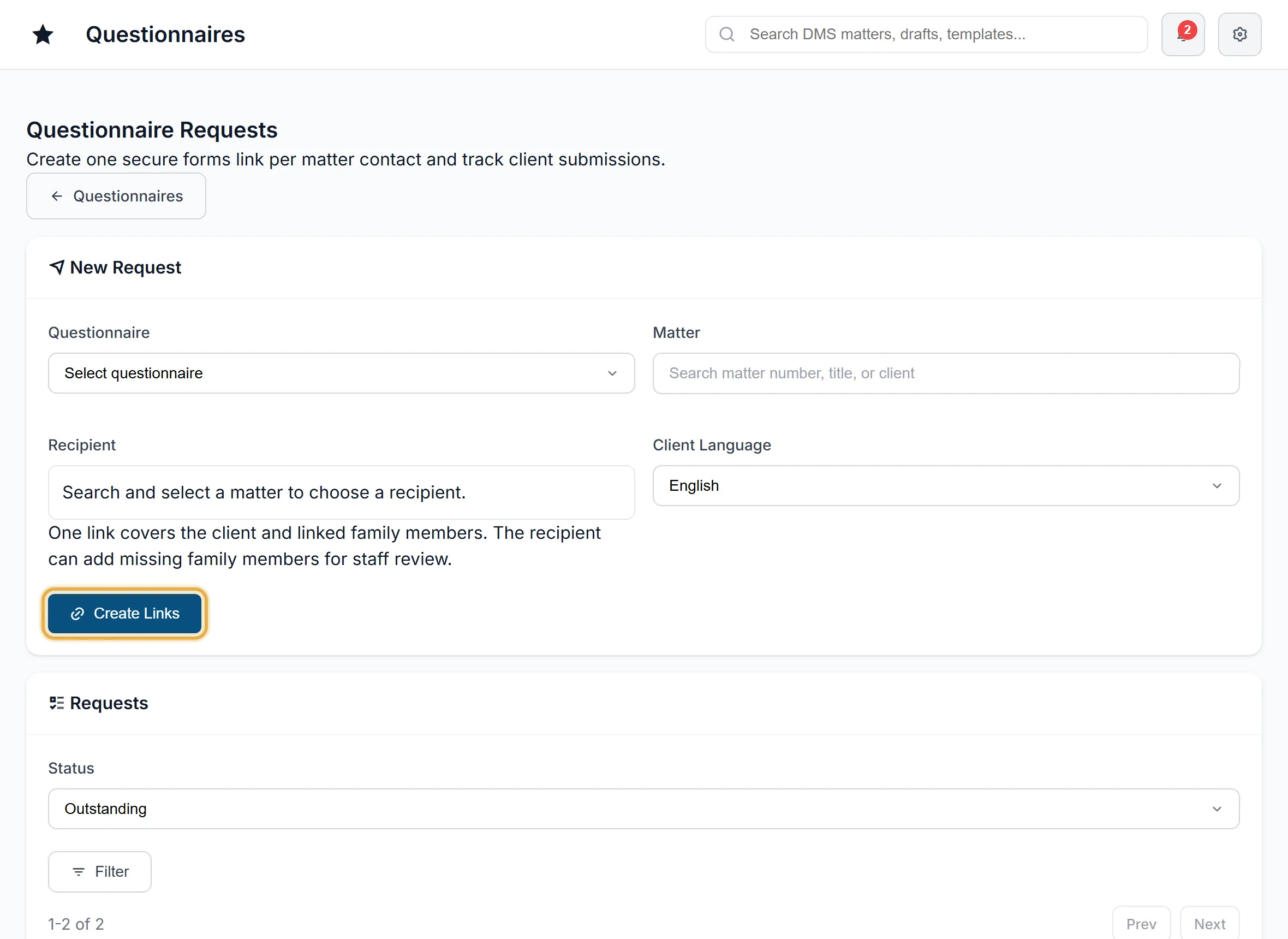
Or go to Questionnaire Requests, select New Request, pick the questionnaire, matter and recipient, and select Create Links.
Share the Forms link and PIN
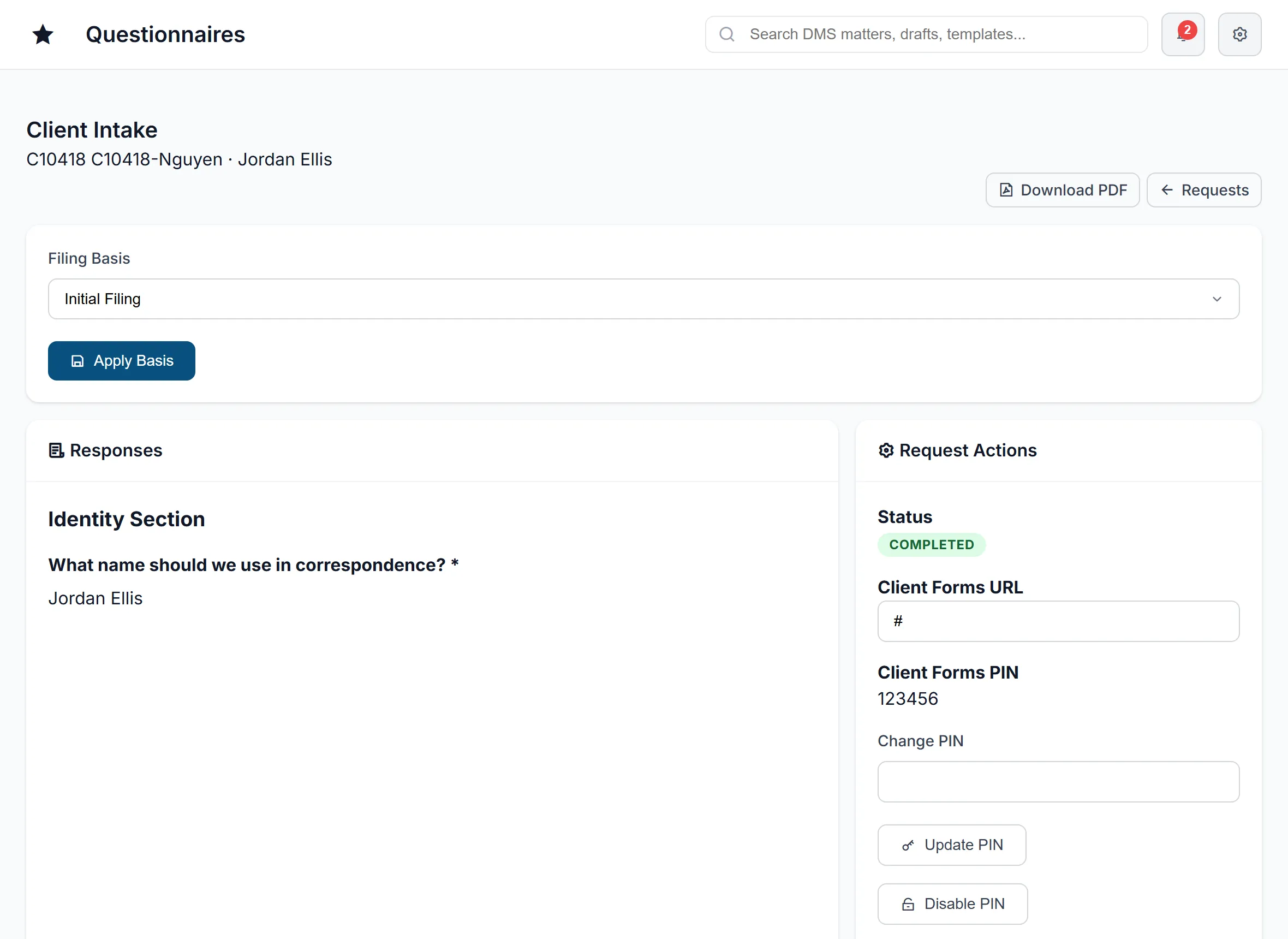
Each client has one stable Client Forms URL. Every questionnaire you send them appears at that same address. Send the link by email or text, and share the Client Forms PIN separately (use Change PIN to set one). Keep the PIN on for anything sensitive.
Send the client Answer a questionnaire from your law firm with the link. It walks them through the PIN, saving and submitting.
Review the responses
When the client submits, the request shows as completed (look for Unread completed). Open it to see the Responses section by section, plus any Uploads. Download PDF saves a copy. Edit Responses fixes an obvious typo, and Reopen To Client sends it back if something is missing.
Apply answers to the matter
Review the proposed changes, then Apply Reviewed Changes, or Approve All and Apply. Answers saved to profile and matter fields go into Matter Data, so the next draft fills them in. On family questionnaires, approve or reject any relatives the client added. Finish with Complete Review.
Cancel or restore a request
Cancel Request stops a request sent by mistake. Restore Request brings it back.
Frequently asked questions
Can I build my own questionnaire?
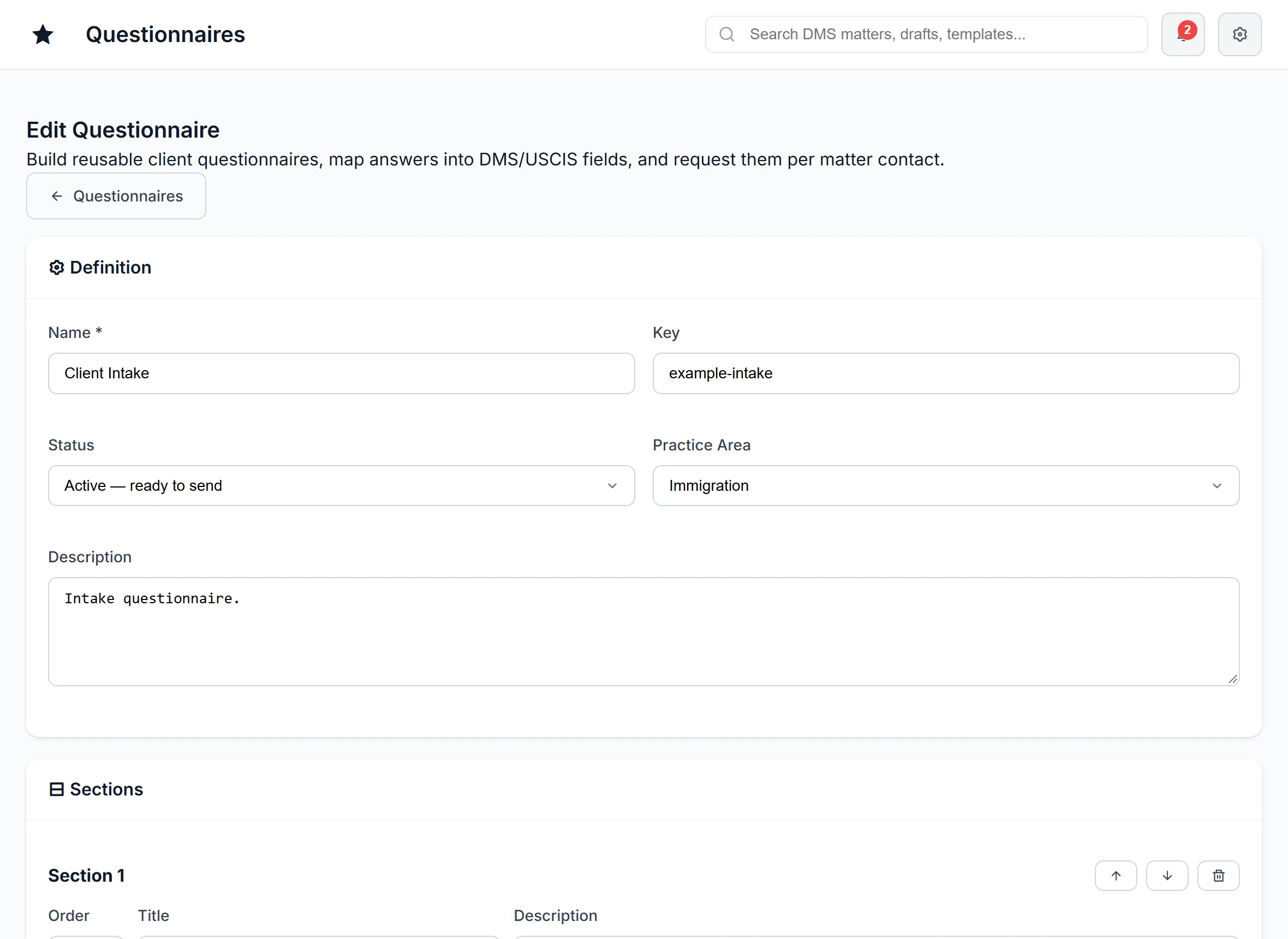
Yes, with permission. New Template opens the builder: add Sections and Questions, mark them Required or Sensitive, add Help Text, use Repeat Group for lists (such as addresses for the last five years), and map each answer with Save answer to a matter or profile field.
Can clients answer in Spanish?
If a translation exists for the questionnaire, choose the Client Language when sending. Their answers come back alongside the English questions.
Last reviewed 2026-11-25