

Open CMS Task Settings
Open Settings, and under CMS Configuration choose Tasks.
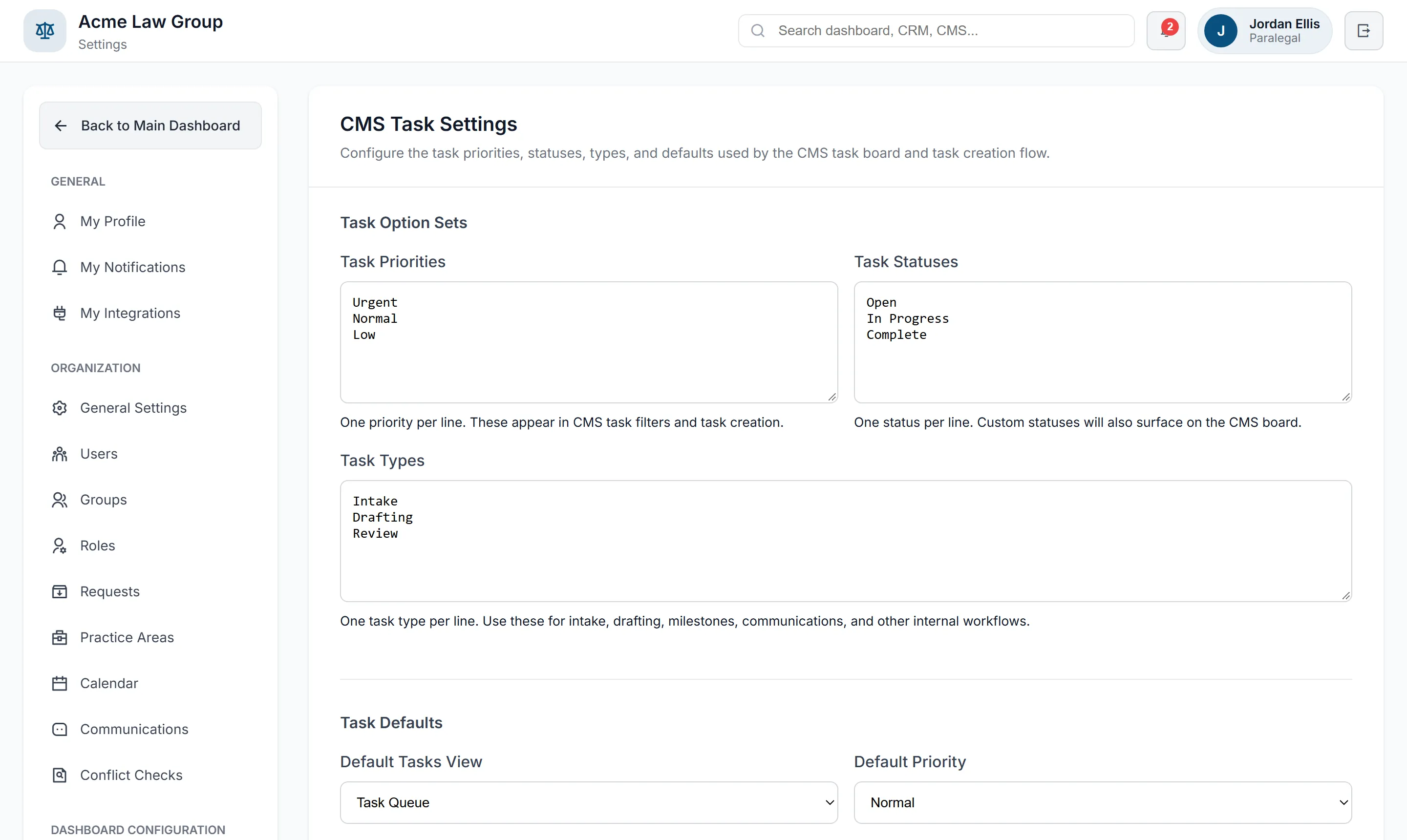
Edit the option sets
Enter one value per line:
- Task Priorities, for example Urgent, Normal, Low
- Task Statuses, for example Open, In Progress, Complete. Custom statuses also appear as columns on the Kanban board.
- Task Types, for example Intake, Drafting, Review
Set defaults
- Default Tasks View: Task Queue or Kanban Board
- Default Priority for new tasks
- Due Soon Threshold (days): how close a due date must be to show as due soon
Save your changes.
Renaming a status changes it everywhere. Agree new names with the team first.
Last reviewed 2026-11-25