

Open Practice Areas
Open Settings → Practice Areas under Organization. Practice areas are shared by CRM and CMS. Each shows its description, Default Rate, number of Intake Questions, matter count and status.
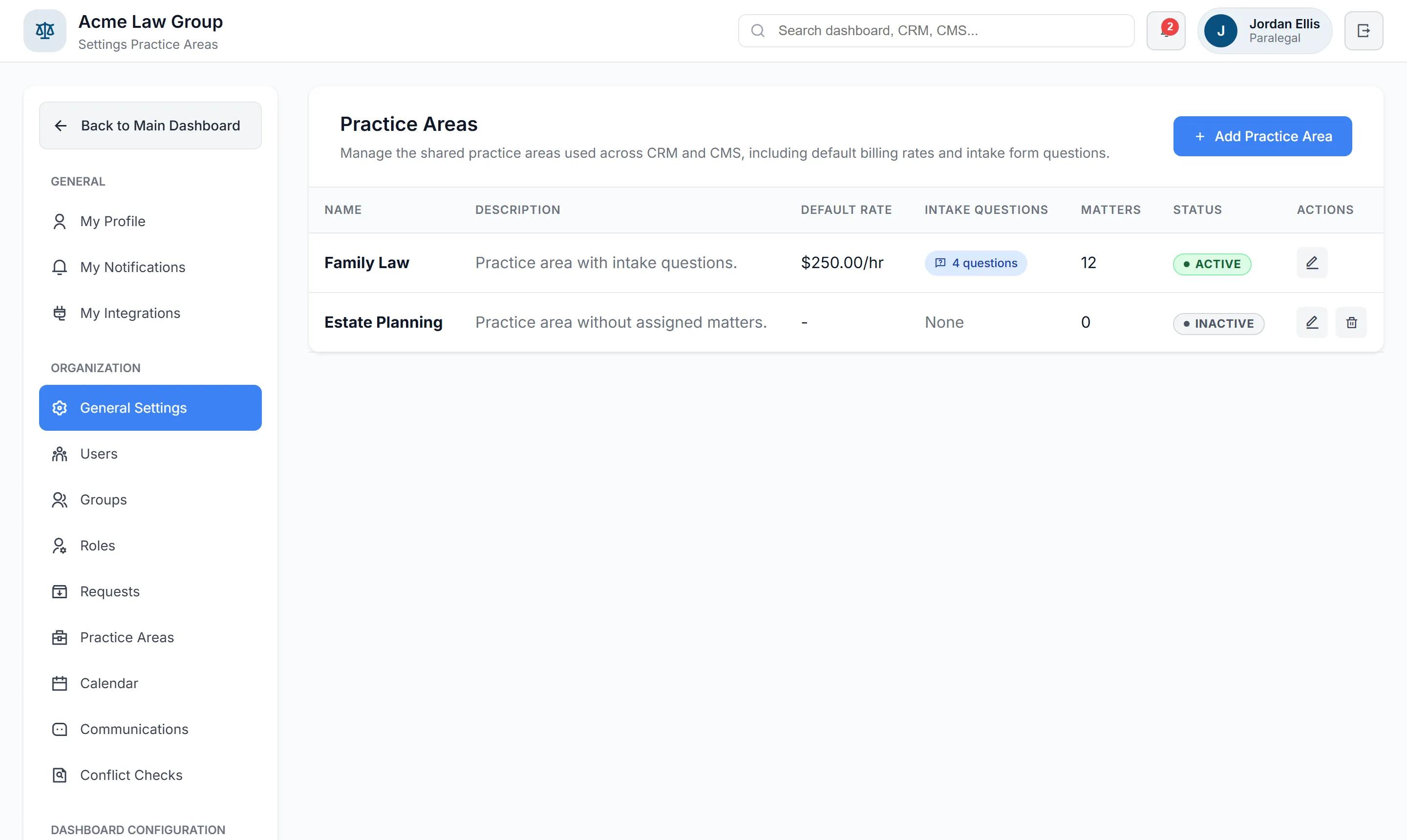
Add or edit a practice area
Select Add Practice Area. Give it a name and description, set the default hourly rate, and add the intake questions intake staff should ask for this kind of matter. Set unused practice areas to Inactive instead of deleting them, so old matters keep their label.
Open Matter Statuses
Under CRM Configuration, choose Matter Statuses. These are the pipeline columns prospects move through.
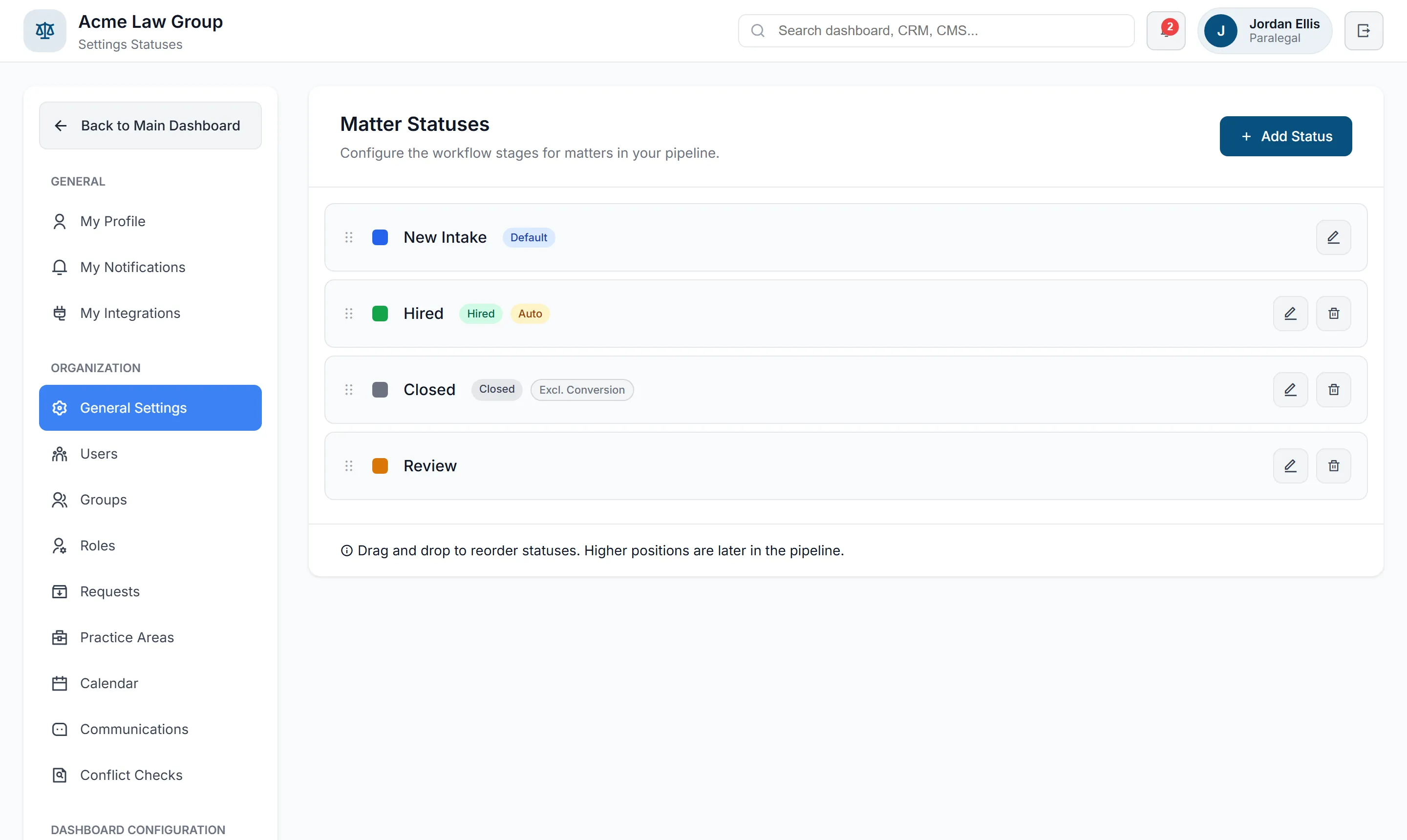
Understand the status labels
- Default: where new matters start, for example New Intake
- Hired (and Auto): counts as a conversion. Automation can move matters here.
- Closed and Excl. Conversion: ends the prospect without counting against your conversion rate, for example "duplicate"
Select Add Status to create one, and drag statuses into order. Higher positions are later in the pipeline.
Changing which status counts as hired or closed changes your conversion reports from that point on. Agree it with whoever reads those reports.
Stages and timelines for Nexus
Matters in Nexus use Matter Stages and Matter Timeline under CMS Configuration. Set those per practice area so active matters show where they are.
Last reviewed 2026-11-25