

Open Templates
Open Settings and choose Templates under Communication. The tabs are Email Templates, Text Messages and Document Templates. Templates are grouped into categories, such as "Billing notices" or "Consultation reminders".
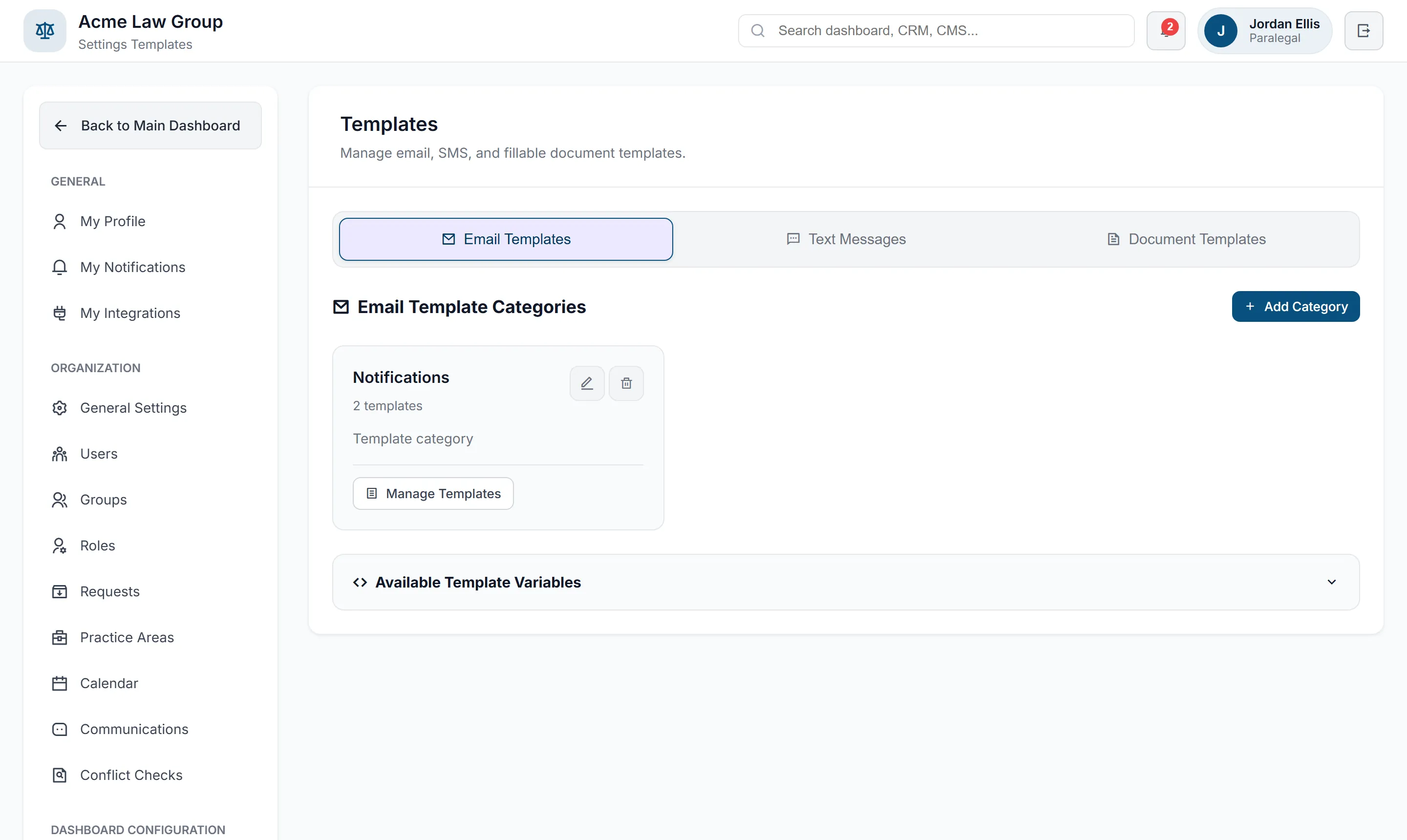
Add a category
Select Add Category, name it, and save. Then use Manage Templates to add templates inside it.
Write the template
Edit Template asks for a Template Name, Email Subject, Reply-To Email and the Email Body. Use Insert Variable, or type variables from the Available Variables list.
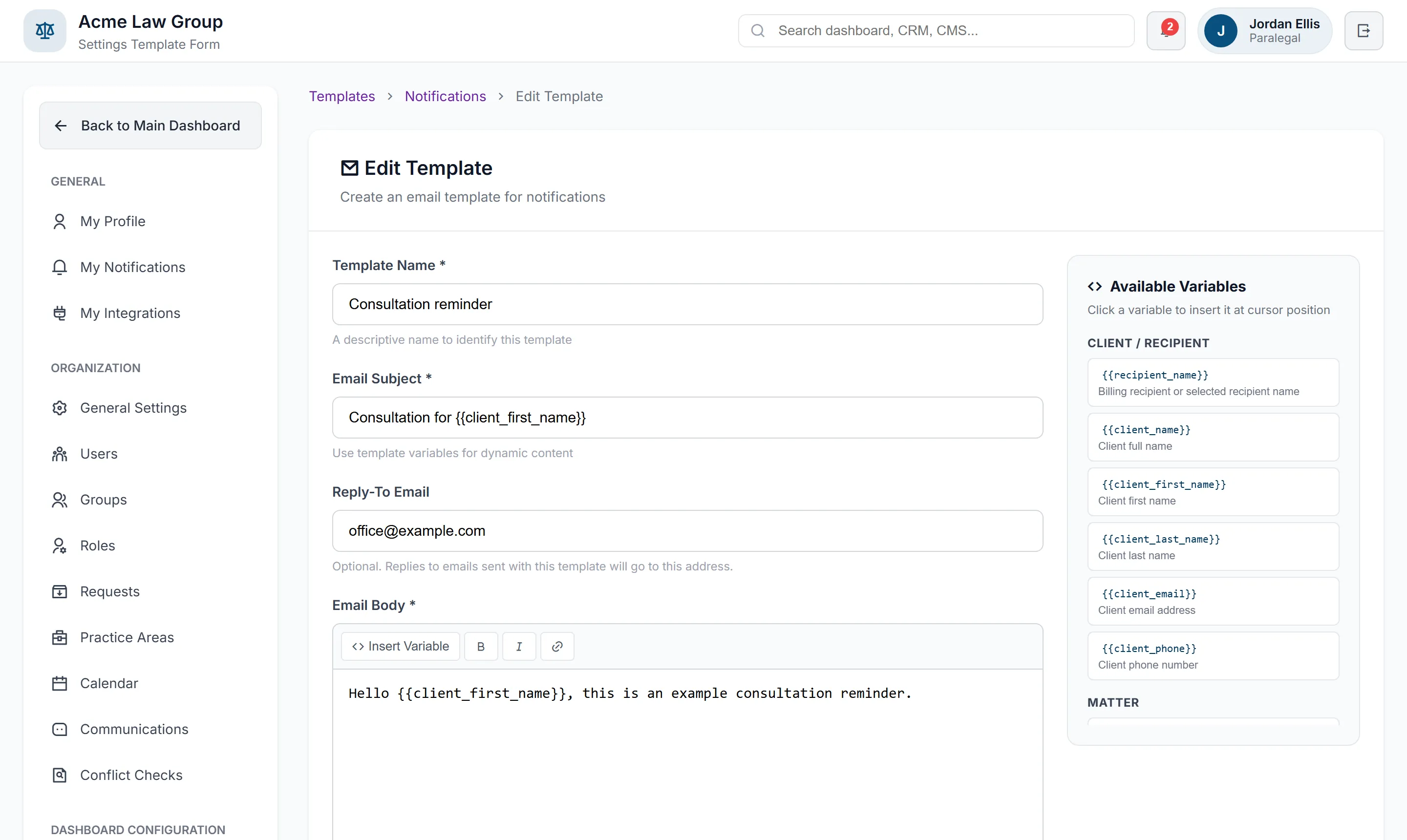
Use variables
Variables fill in automatically when the template is used. Common ones:
| Variable | Fills in |
|---|---|
{{client_first_name}} | Client's first name |
{{client_name}} | Client's full name |
{{matter_name}} | Matter or case name |
{{matter_number}} | Matter or case number |
{{amount_due}} | Amount due on the invoice, bill or trust request |
{{payment_link}} | The client's secure payment link |
The full list is on the Templates page under Available Template Variables.
Keep texts short
Text templates should fit in one or two messages. Put the link and the action first. Never put case details or account numbers in a text.
Write templates in the firm's voice, and sign them from the team ("Your team at Acme Law Group") rather than one person, so anyone can send them.
Last reviewed 2026-11-25