

You need an administrator account. Root-only settings (module links, imports, database, backups, feature and license controls) and the Provision control plane can't be given to a role.
Open Roles
From any module, open Settings and choose Roles under Organization. Roles Management lists every role with its description, default rate, user count and default permissions. Drag roles to reorder them, and use Add Role to create one.
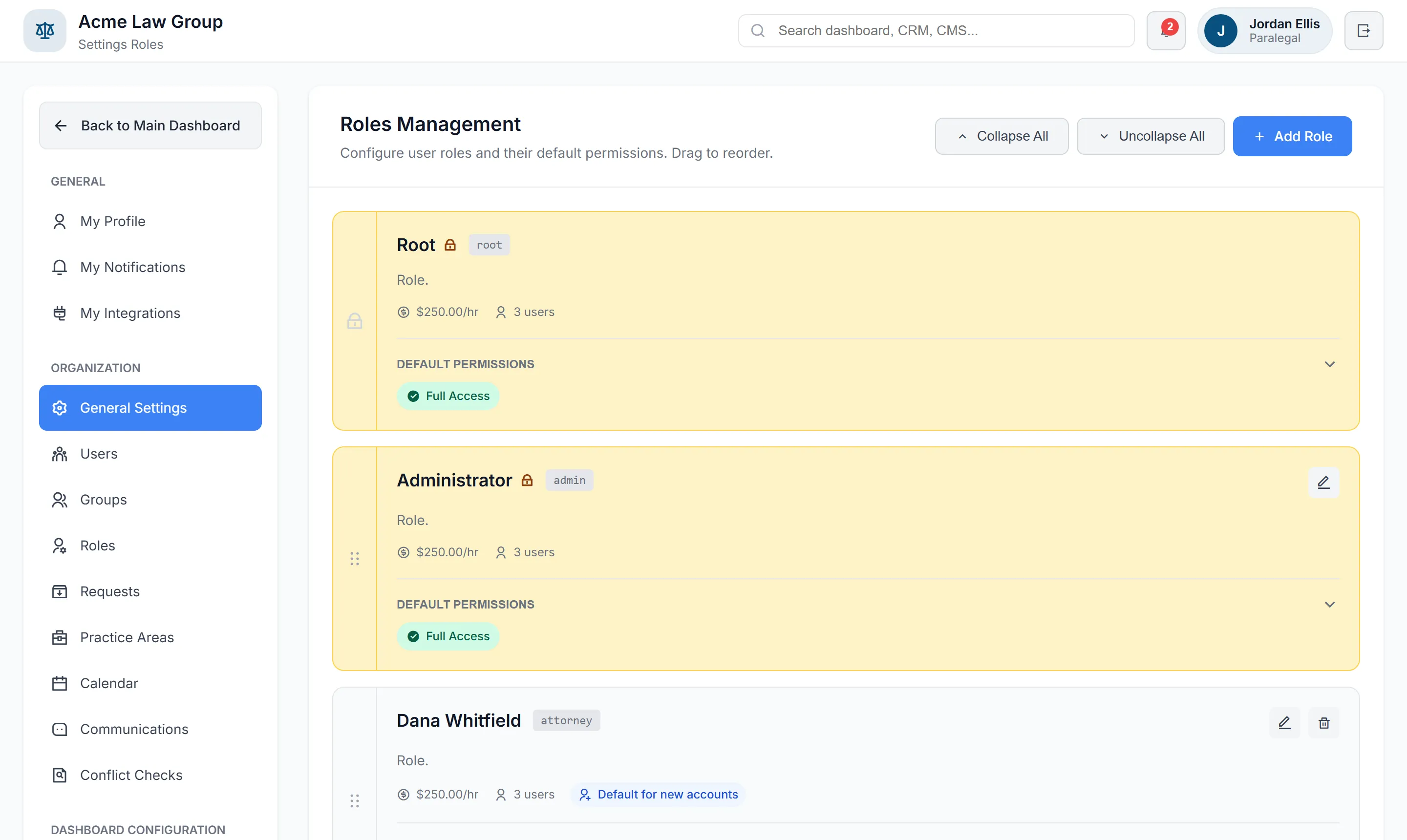
Start from a close match
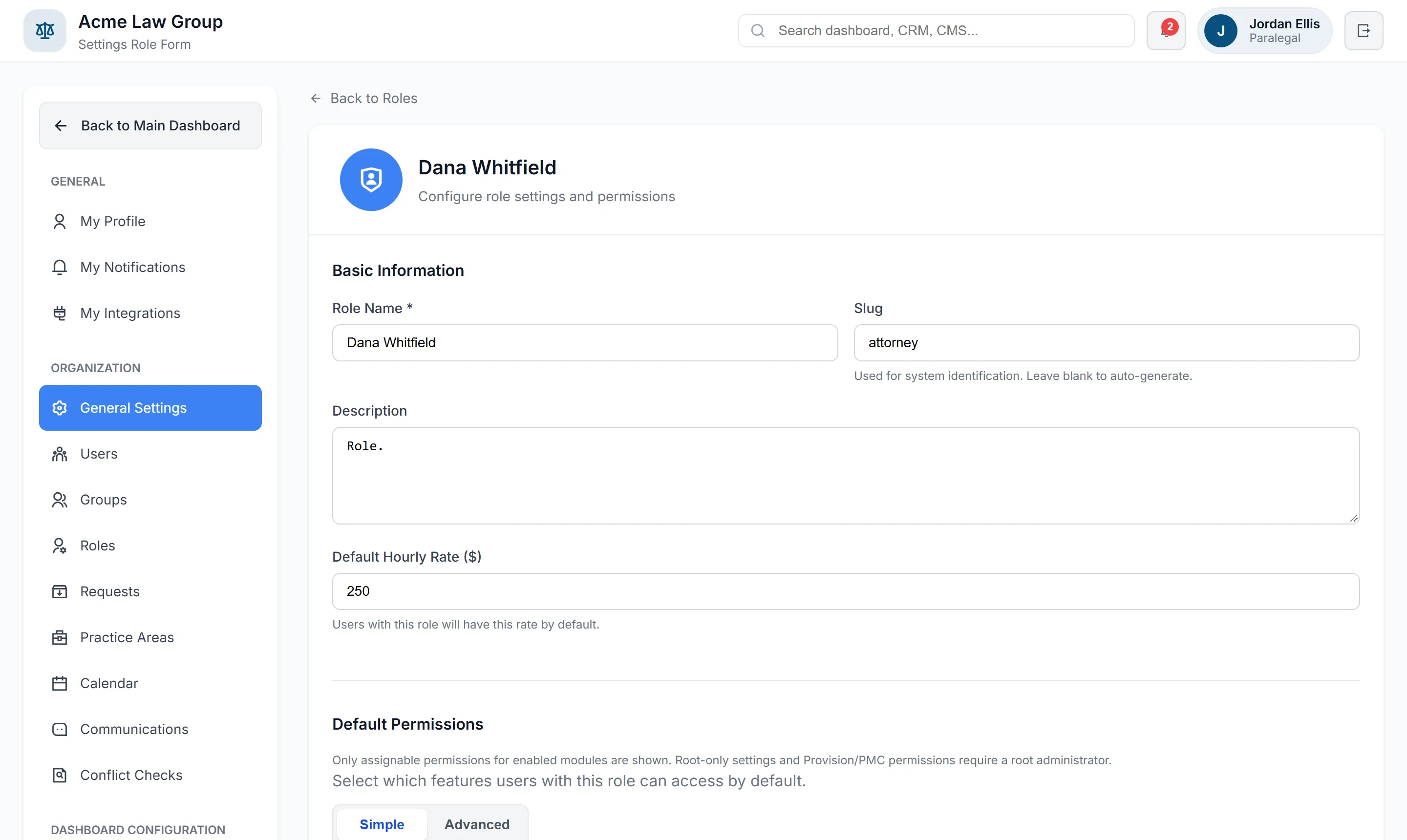
Open a role that's close to what you need (Attorney, Paralegal, Intake, Billing) and adjust it. Under Basic Information, set the Role Name, a Description and the Default Hourly Rate ($). Users with this role get that rate by default on their time entries.
Choose permissions
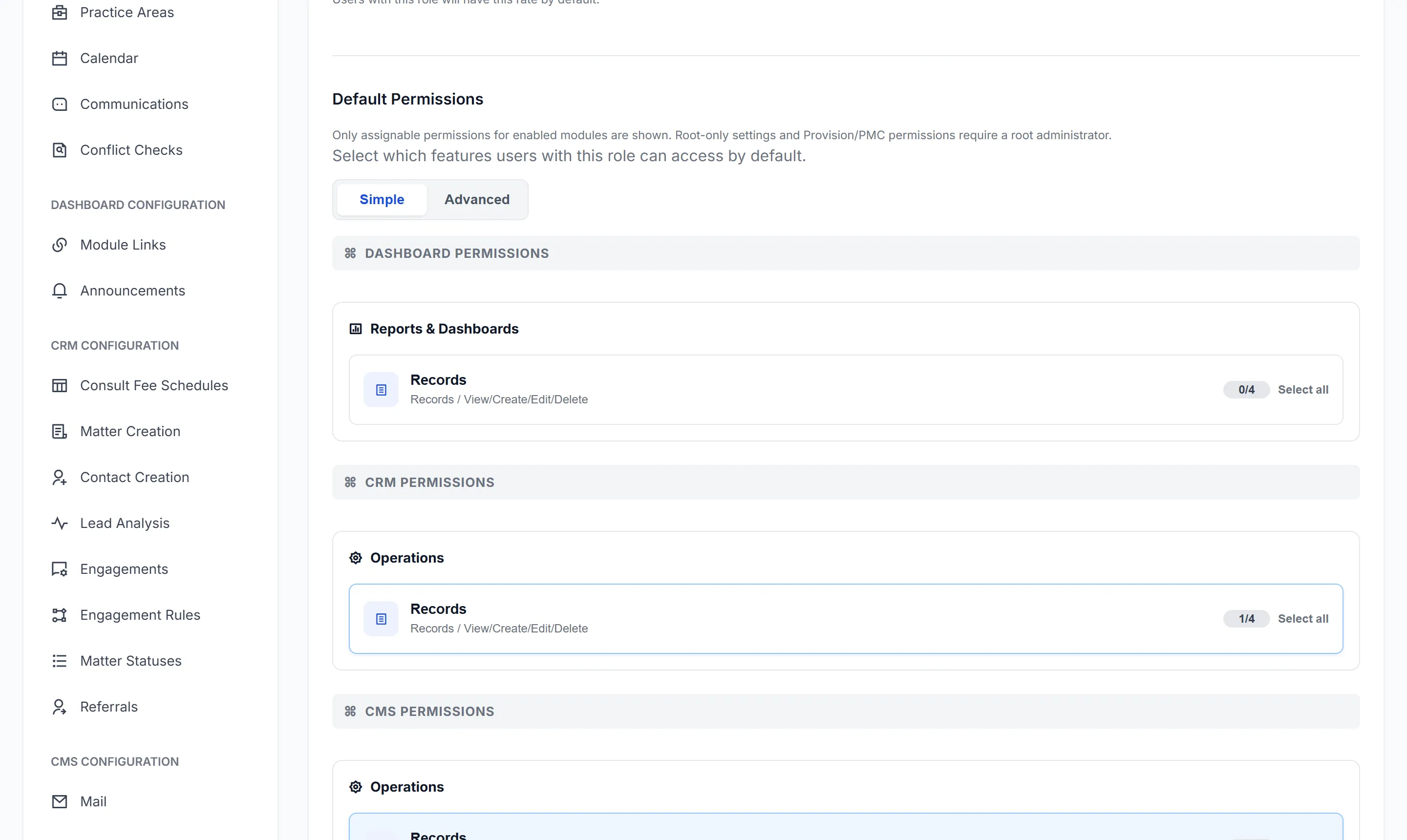
Under Default Permissions, pick a mode:
- Simple: grouped by module and area, such as "CMS Permissions: Operations". Select all or Clear all a group, and the counter (for example 1/4) shows how much is on.
- Advanced: every individual permission, for fine control, such as allowing someone to view invoices but not finalize them.
Only permissions for modules your firm uses are shown.
Give the least access that lets someone do their job. Billing finalization, trust, user management and integrations deserve the most care.
Use groups for teams
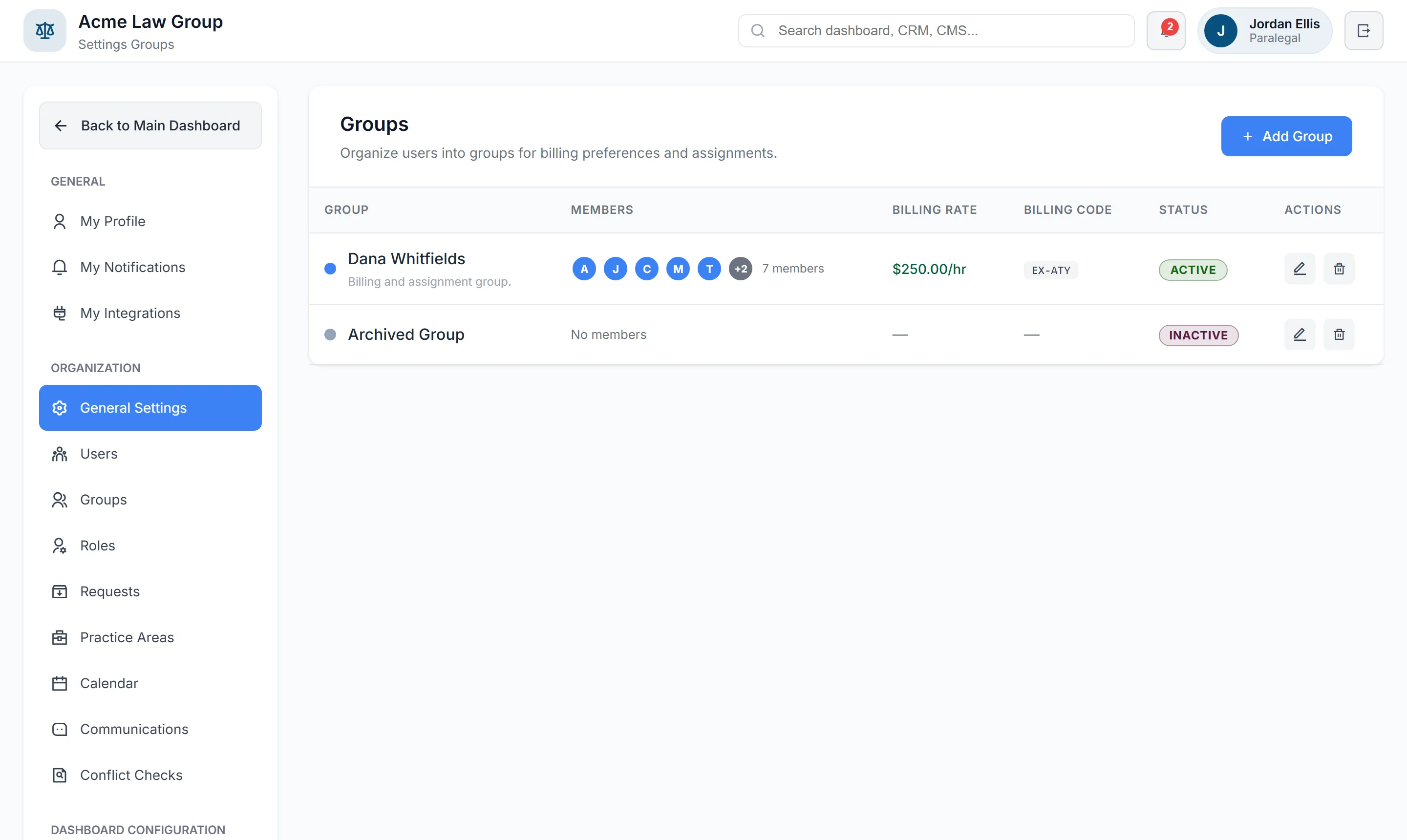
Groups (also under Organization) collect people, such as "Immigration team", with a billing rate and code. Use them as audiences for training, announcements and favorites.
Handle access requests
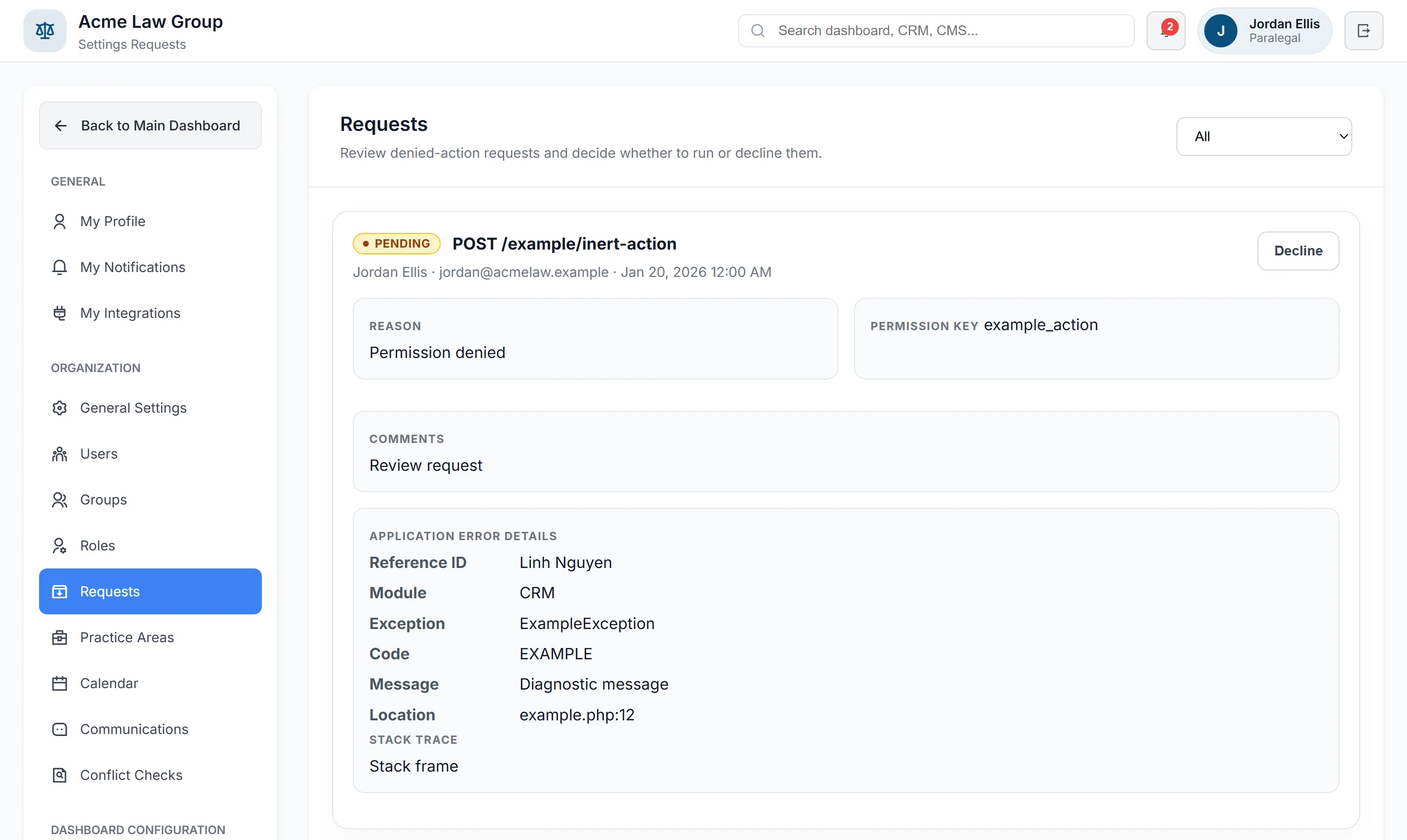
When someone opens a page they can't access, they can request it. Requests lists these with the person, the page and any error details. Approve or decline each one. If several people in the same role ask for the same thing, change the role instead.
Check the result
Ask the person to sign out and back in, then try the page. Sidebars only show what permissions allow, and the server checks permissions too, so hiding a link is never the only protection.
Frequently asked questions
Can someone have more than one role?
Yes. A user has a Primary Role plus Additional roles. Their access is everything those roles allow, plus any custom permissions. See Add and manage users.
Last reviewed 2026-11-25