

Open Announcements
Open Settings and choose Announcements under Dashboard Configuration. Under Announcement Settings, make sure Show announcements on the dashboard is on, and choose the Maximum announcements to show.
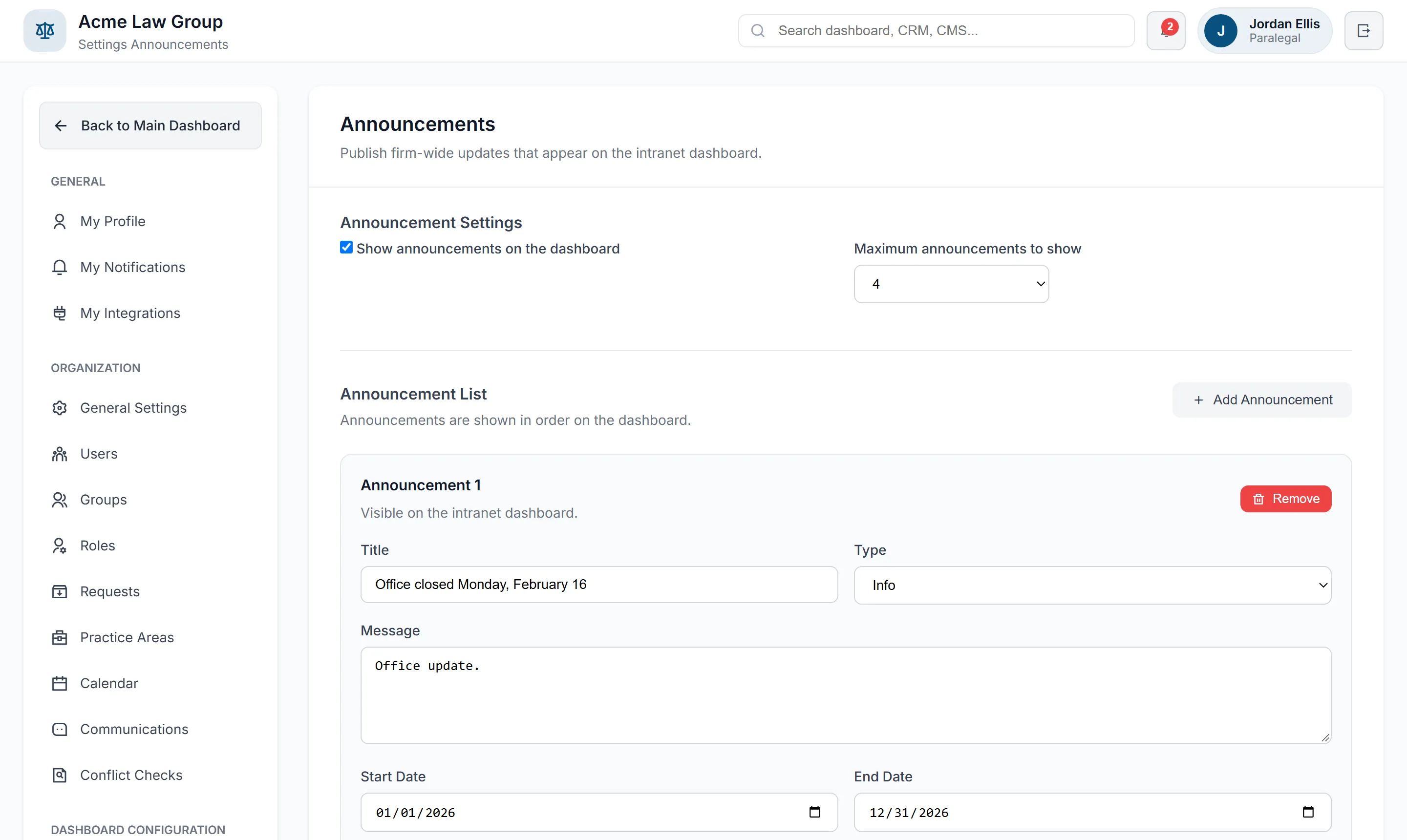
Add an announcement
Select Add Announcement and fill in:
- Title, for example "Office closed Friday"
- Type: Info, Success, Warning or Urgent. This sets its color.
- Message
- Start Date and End Date: it appears and disappears on its own
- Link Text and Link URL (optional), for example "View the holiday schedule"
- Active
Notify people (optional)
Under Notification Delivery, tick Notify when saved and choose Email, In-App or both. Pick the recipients: Entire firm, Selected users or Selected groups.
Order and save
Announcements show on Intranet Home in list order. Remove old ones with Remove, then select Save Announcements.
Use Urgent sparingly. If everything is urgent, nothing is.
Last reviewed 2026-11-25