

Start a campaign
In CRM → Marketing, open Campaigns and create one. If Google Ads is connected, synced campaigns can load on their own. Create manual campaigns for everything else, such as events or referral programs.
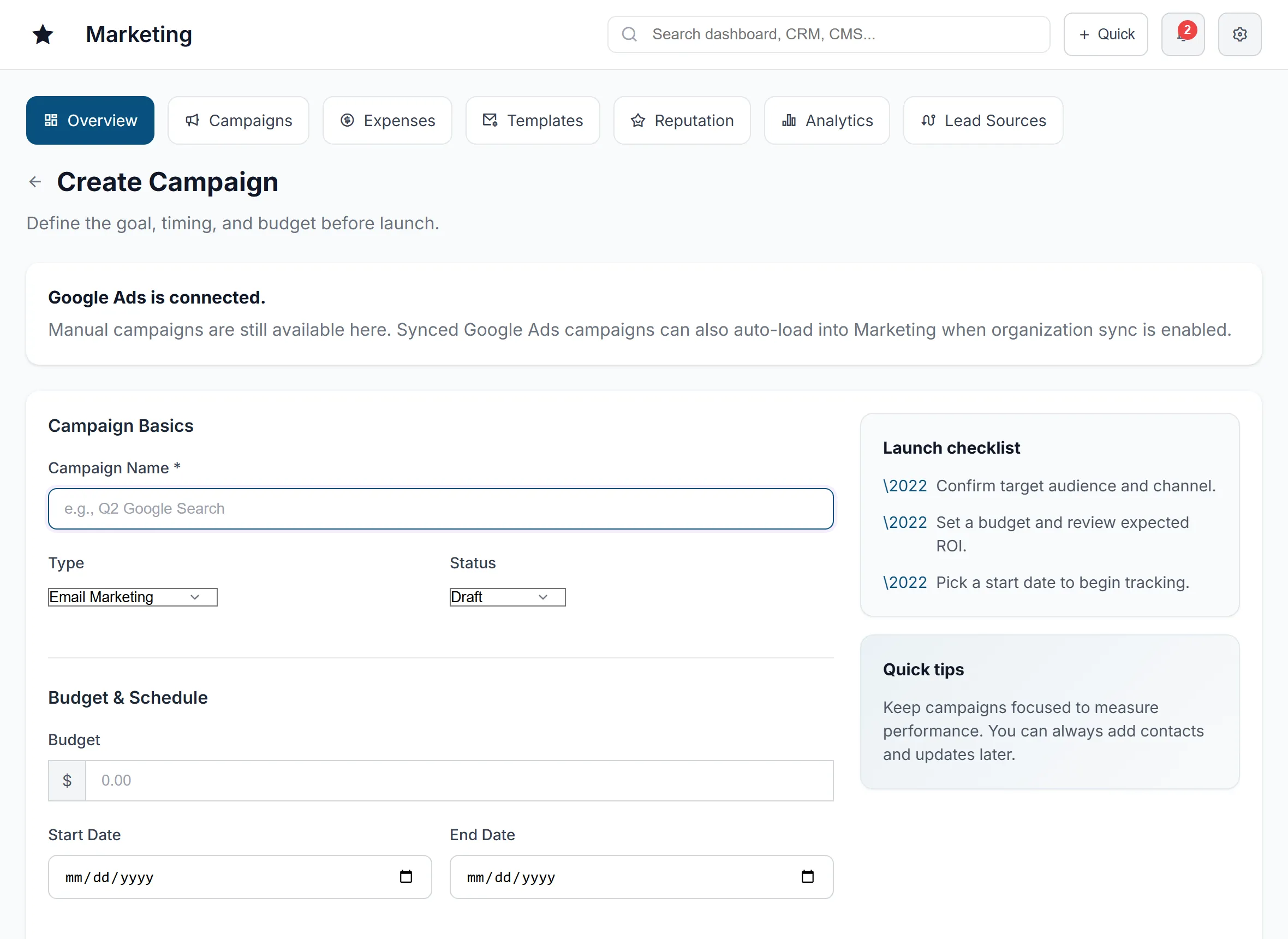
Fill in the basics
- Campaign Name, for example "Q2 Google Search"
- Type: Email Marketing, Social Media, PPC Advertising, Referral Program, Events & Webinars or Other
- Status: Draft, Active, Paused or Completed
Set budget and schedule
Enter the Budget, Start Date and End Date, a Description, and Notes about the channel, audience or creative.
Add tracking numbers
Under Zoom Tracking Numbers, add one phone number per line, optionally with a label after a |, for example +13125550111 | Main intake. Calls to these numbers are credited to this campaign in the Zoom call reports.
Give each campaign its own tracking number. It's the only reliable way to tell which ad made the phone ring.
Watch the results
Back on Campaigns, each campaign shows spend, clicks, inquiries, accepted leads and matters, plus Cost / accepted lead. Pause campaigns that cost too much per hire.
Last reviewed 2026-11-25