

Create a review
In HRM → Performance, select Create Review.
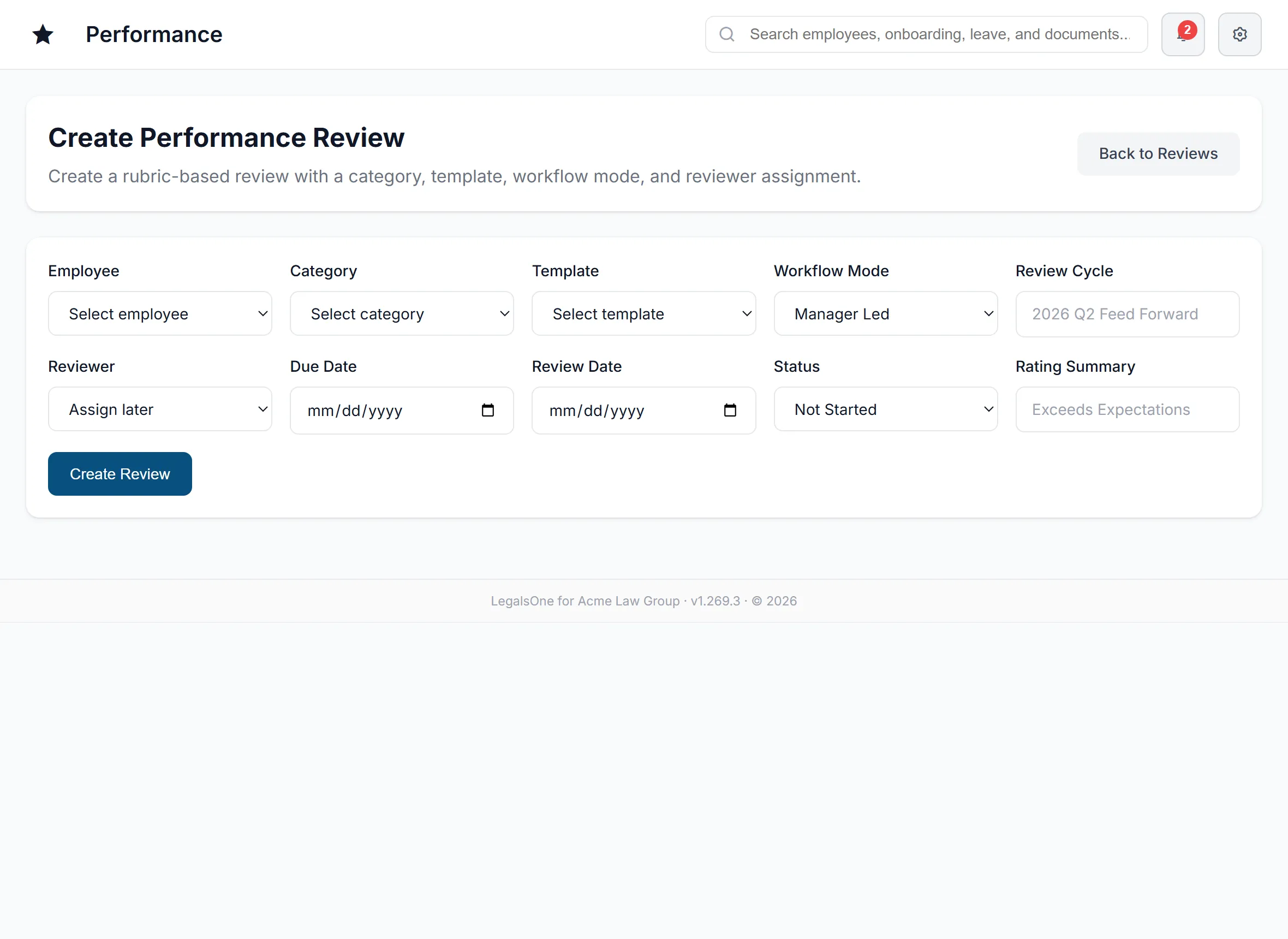
Choose the employee and template
Pick the Employee, the Category (for example professional development) and the Template. The template holds the rubric: the sections, items and rating levels.
Choose the workflow
- Manager Led: only the manager completes the review.
- Self Then Manager: the employee rates themselves first, then the manager reviews.
Name the Review Cycle (for example "2026 Q2") so reports group the cycle together.
Assign and schedule
Choose the Reviewer, or Assign later, then set the Due Date, Review Date and starting Status (usually Not Started). Select Create Review.
Track to closed
Reviews move through Not Started, In Progress, Submitted and Reviewed to Closed. The Performance list shows where every review stands, with self, manager and final scores.
Create the whole cycle in one sitting and give everyone the same due date. Then send employees Complete a performance review.
Last reviewed 2026-11-25