

Open Reports
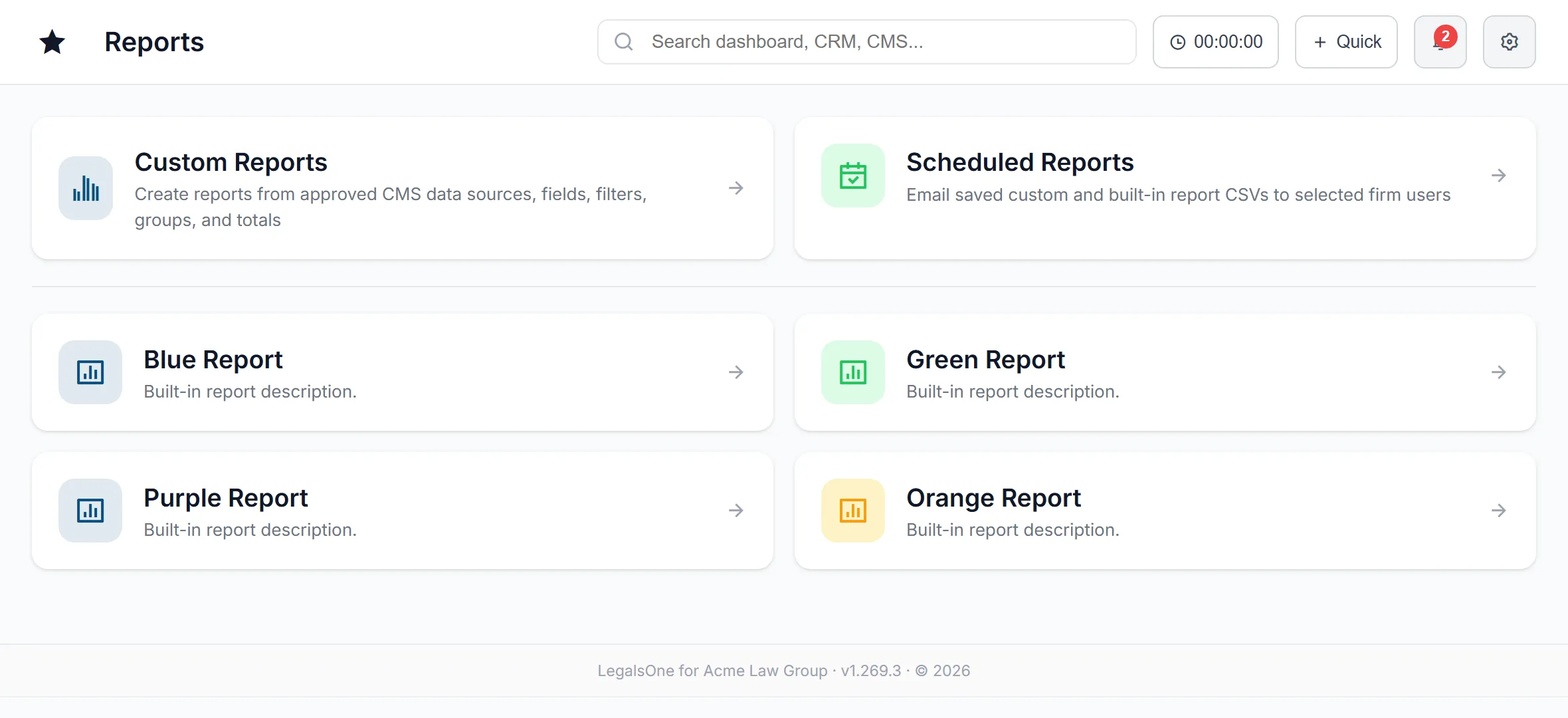
In CMS, select Reports. You'll see Custom Reports, Scheduled Reports and the built-in reports your role can open: billing, trust ledger, revenue, billable hours, A/R, collections, payments, WIP, task productivity, staff productivity, communications activity and more.
Run a built-in report
Open a report, set the date range and filters, and read it on screen. Most reports export to Excel, CSV or PDF.
Build a custom report
Select Custom Reports to build your own from approved Nexus data: choose the fields, filters, grouping and totals, then save it. Shared custom reports appear for colleagues too.
Schedule it
Open Scheduled Reports and create a schedule. On Edit Report Schedule:
- Schedule Name and Report Type: a Custom report or a Built-in report
- Date Preset: for example Month to date or Last month. The range is recalculated each time it runs.
- Report Filters: add filters such as Status equals Open
- Recurrence: Daily, Weekly, Monthly or Yearly, the day or pattern (such as the first Monday), the Send Time and Timezone
- Recipients: the firm users who should get it
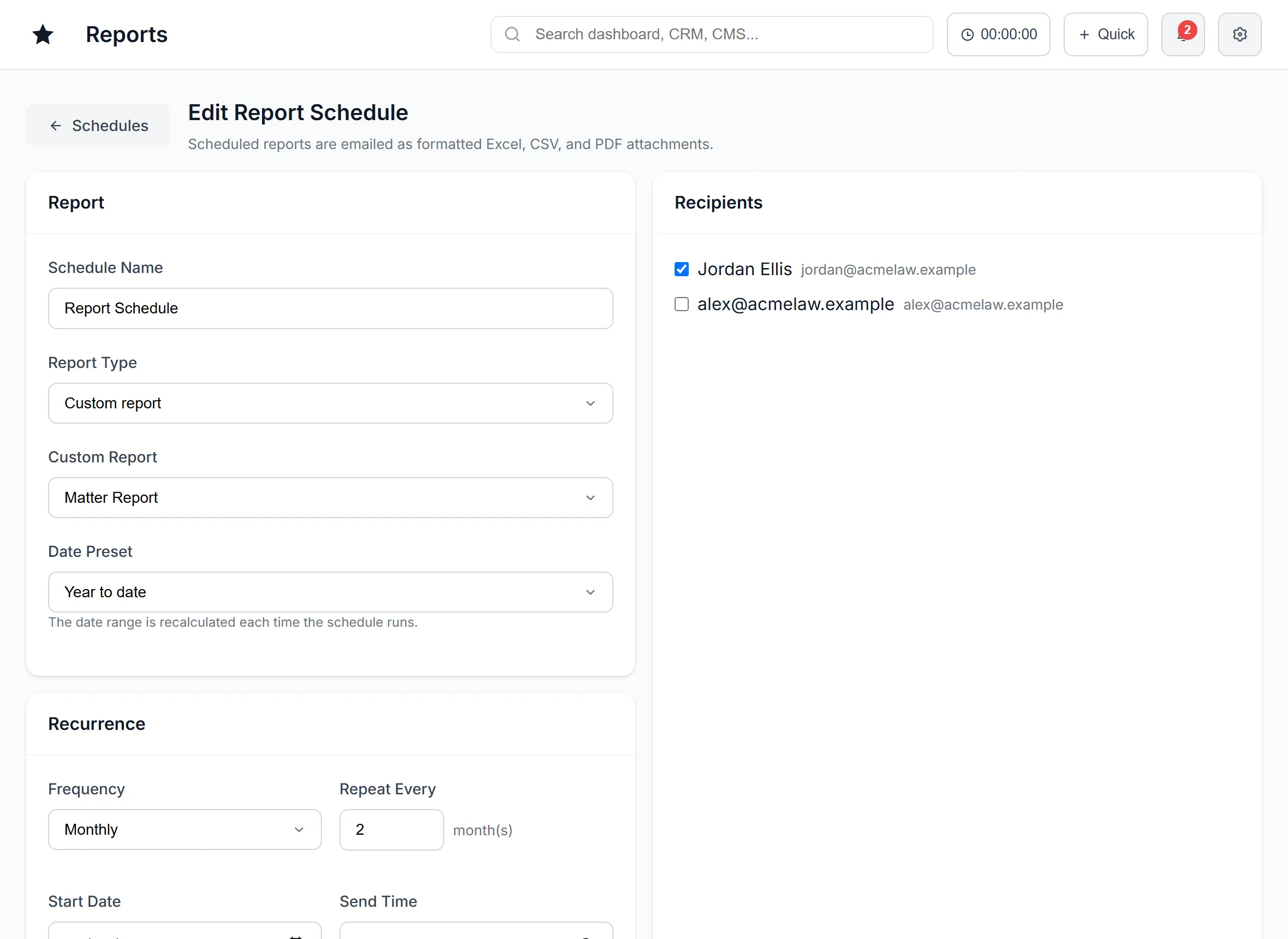
Scheduled reports arrive by email as formatted Excel, CSV and PDF attachments.
Good schedules to start with: A/R to the managing attorney every Monday, WIP to billing on the 25th of each month, and billable hours to each attorney on Friday afternoons.
Frequently asked questions
I see "Access Restricted".
Your role doesn't include reports. Ask your admin.
Last reviewed 2026-11-25