

Start at Intranet Home
Intranet Home is where you land after signing in. It greets you, shows the date and firm Announcements, and has a card for every module your role can open: Prospects, Nexus, Dockets, People, Academy, Ledger and Admin. Your firm may add its own custom modules too.
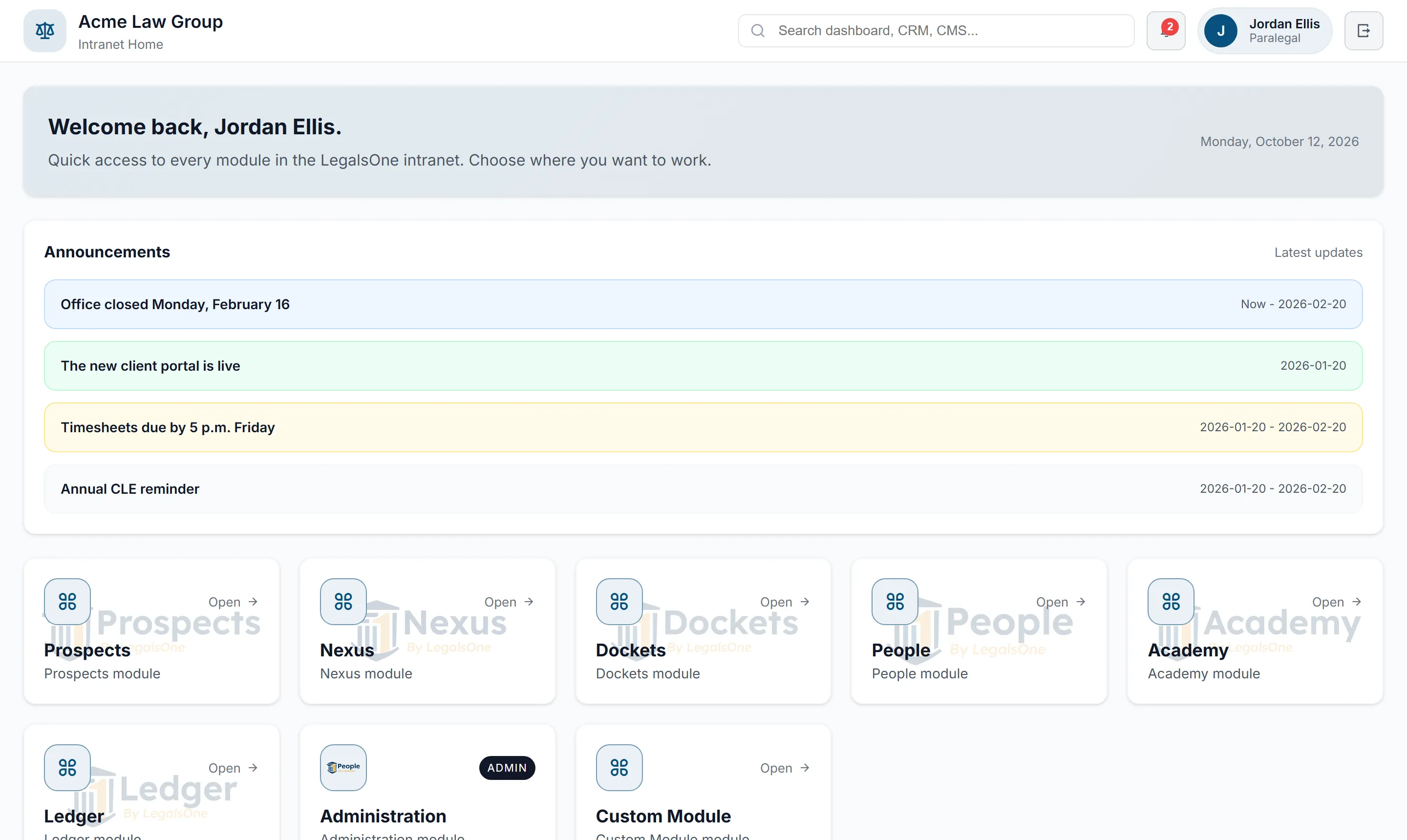
Further down, admins may also see an Organization Snapshot (matter, contact and staff counts) and Active Users: who is online and who is on a phone call.
Open a module
Select a module card. Each module has the same layout:
- Sidebar on the left: the module's logo, Intranet Home, the module's main pages, then your favorites. Your name is at the bottom.
- Header across the top: the page title with its favorite star, search, the Quick menu, notifications and settings.
- Page in the middle.
You only see the pages your role allows, so your sidebar may be shorter than a colleague's.
| Module | Sidebar pages |
|---|---|
| CRM (Prospects) | Dashboard, Calendar, Triage, Pipeline, Engagements, Contacts, Matters, Billing, Documents, Reports, Marketing, Communications |
| CMS (Nexus) | Dashboard, Calendar, Tasks, Contacts, Matters, Billing, Reports, Communications |
| DMS (Dockets) | Dashboard, Matters, Drafts, Templates, Questionnaires, Immigration Forms, Packets |
| LMS (Academy) | Dashboard, My Learning, Library, Content, Assignments, Reports |
| HRM (People) | Dashboard, Forms, Directory, My Profile, Profiles, Onboarding, Time Off, Reimbursements, Documents, Performance |
| ARM (Ledger) | Dashboard, Accounts, Income, Expenses, Payroll, Annual Summary, KPIs |
Use the Quick menu
The Quick button in the header creates a record without leaving the page you are on. Its options depend on the module and your permissions:
- CMS: Time entry, Expense entry, Task, Matter, Contact, Event, Note
- CRM: Matter, Contact, Event, Invoice
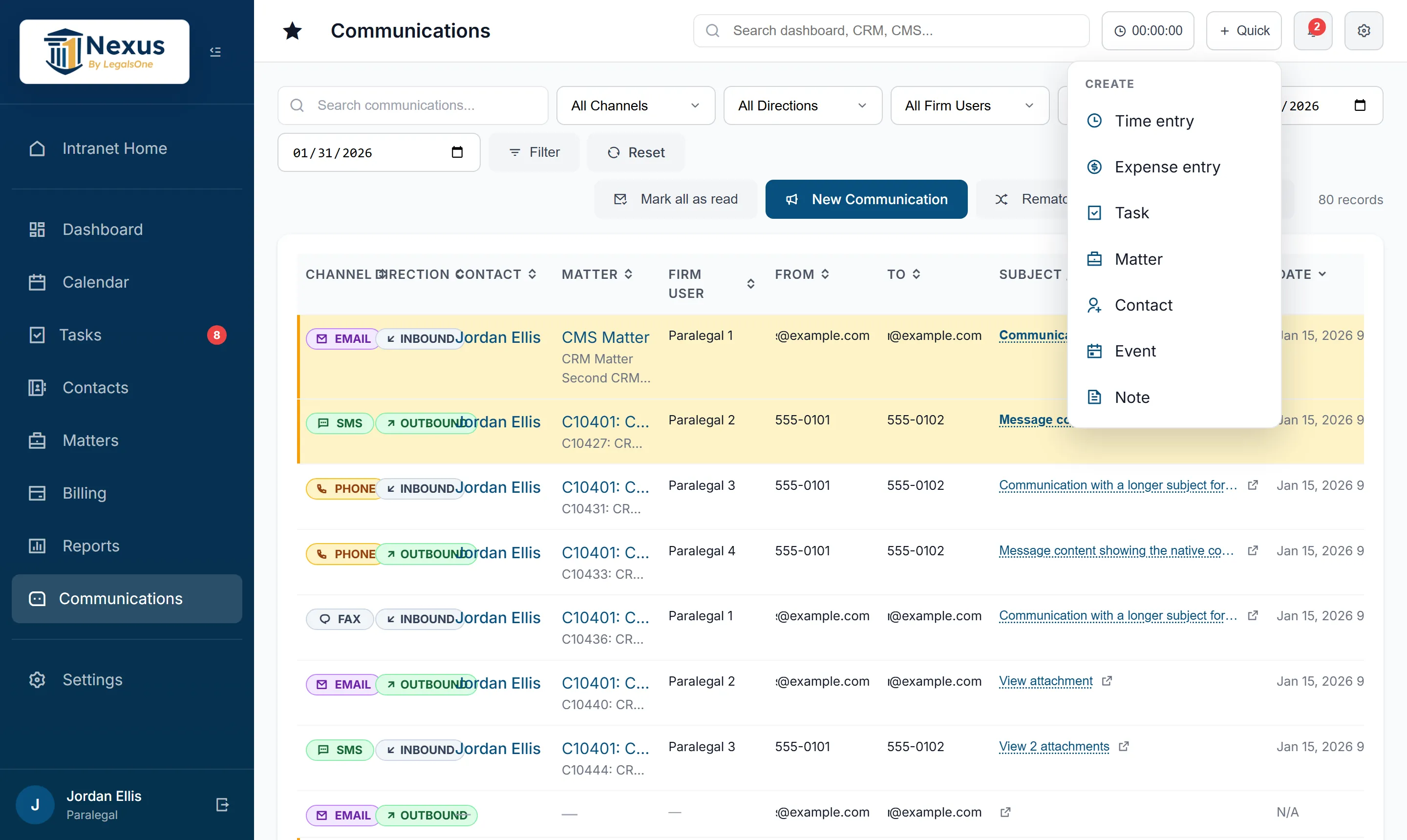
Log a time entry from Quick the moment you hang up a call. It is faster than opening the matter, and you remember the details better.
Watch the badges and notifications
Numbers in the sidebar mean someone is waiting. In CRM, Triage counts new leads and Engagements counts follow-ups due. The bell in the header shows your notifications. Select it to see what's new and jump to the record.
Move between modules
The first sidebar link is always Intranet Home. Use it to switch modules. You stay signed in across all of them.
Find settings
Select your name, or the gear in the header, to open settings. The menu is grouped:
- General: My Profile, My Notifications and My Integrations. These are yours.
- Organization: firm-wide settings such as users, roles, practice areas and calendars, if your role allows.
- Module configuration: settings for each module, for admins.
Frequently asked questions
A phone banner appeared at the top of the page.
If your firm uses Zoom Phone or RingCentral, a banner shows your call in progress and links to the matching contact. Dismiss it with the close button.
The sidebar is too wide on my laptop.
Use the collapse arrow next to the module logo to shrink the sidebar to icons.
Last reviewed 2026-11-25