

Search from the header
Type in the search box at the top of any module (it reads "Search dashboard, CRM, CMS…"). Results appear as you type, grouped by type: matters, contacts, communications, documents and more. You only see records you are allowed to open.
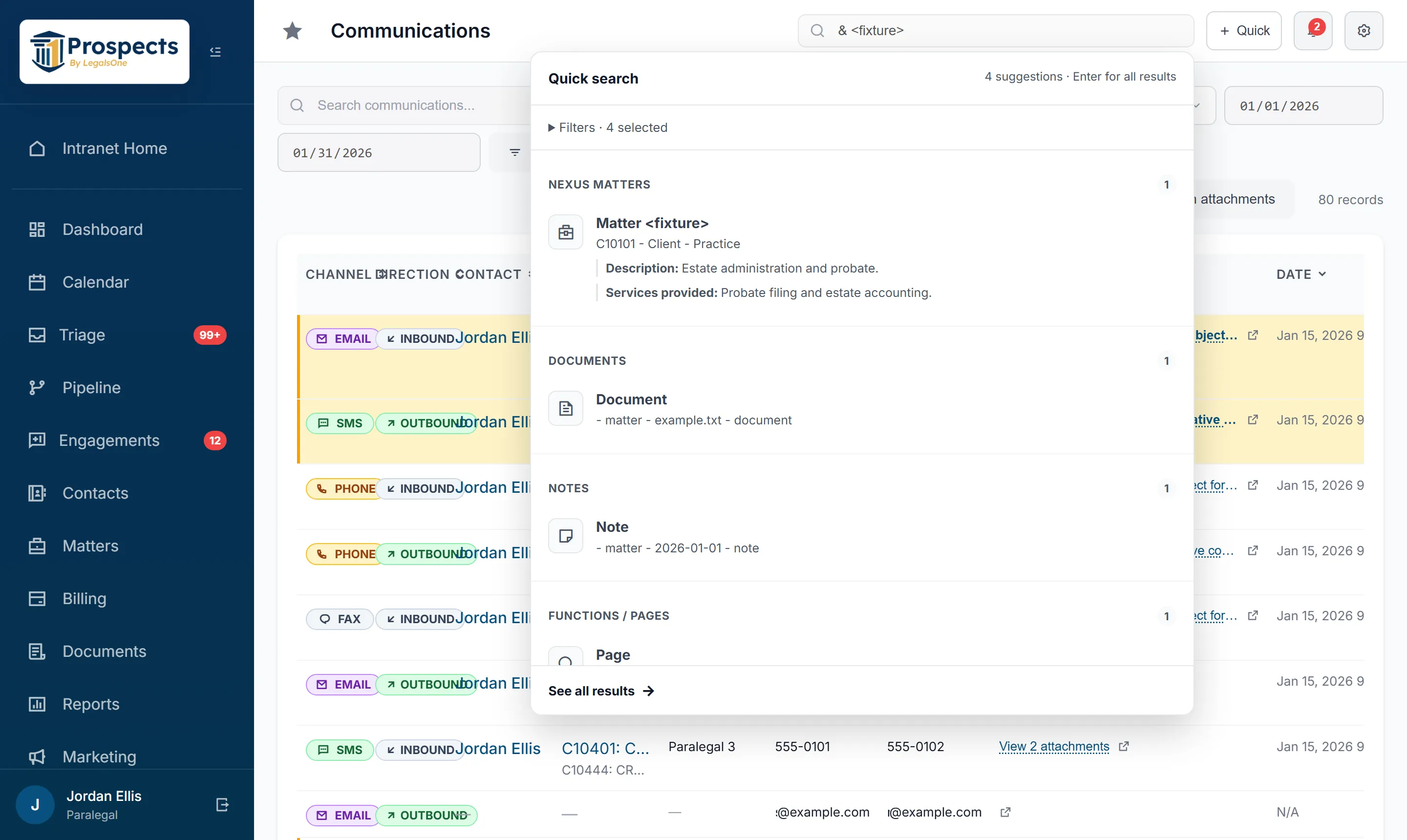
Search the way you remember things
Search matches all the words you type, in any order and across fields:
- "garcia asylum" finds the Garcia asylum matter even if the words are in different fields.
- The start of a word works: "garc" finds "Garcia".
- Phone and case numbers match however they're formatted: "(402) 555-0100" and "4025550100" find the same contact.
- Exact identifiers rank first, then names and titles, then other fields.
Widen a search
If you only know the middle of a word, turn on Include broader matches. Broader results are labeled and listed after the precise ones.
Save searches you repeat
On the full results page you can save a search in that module. Saved searches are yours alone.
If part of a search fails, the page says which section is missing and offers a retry. An incomplete search is never shown as "No matches".
Star a page
Many pages have a star before the page title in the header, such as a specific matter, a filtered task list or a report. Select it and the page appears under your favorites in that module's sidebar straight away.
- You can keep five personal favorites per module. Admins have no limit.
- Standard sidebar pages and settings can't be starred because they are already in the menu.
Tidy your favorites
Select a filled star again to remove a favorite. You can also manage them from Settings → My Profile → Left Nav Favorites, one module at a time.
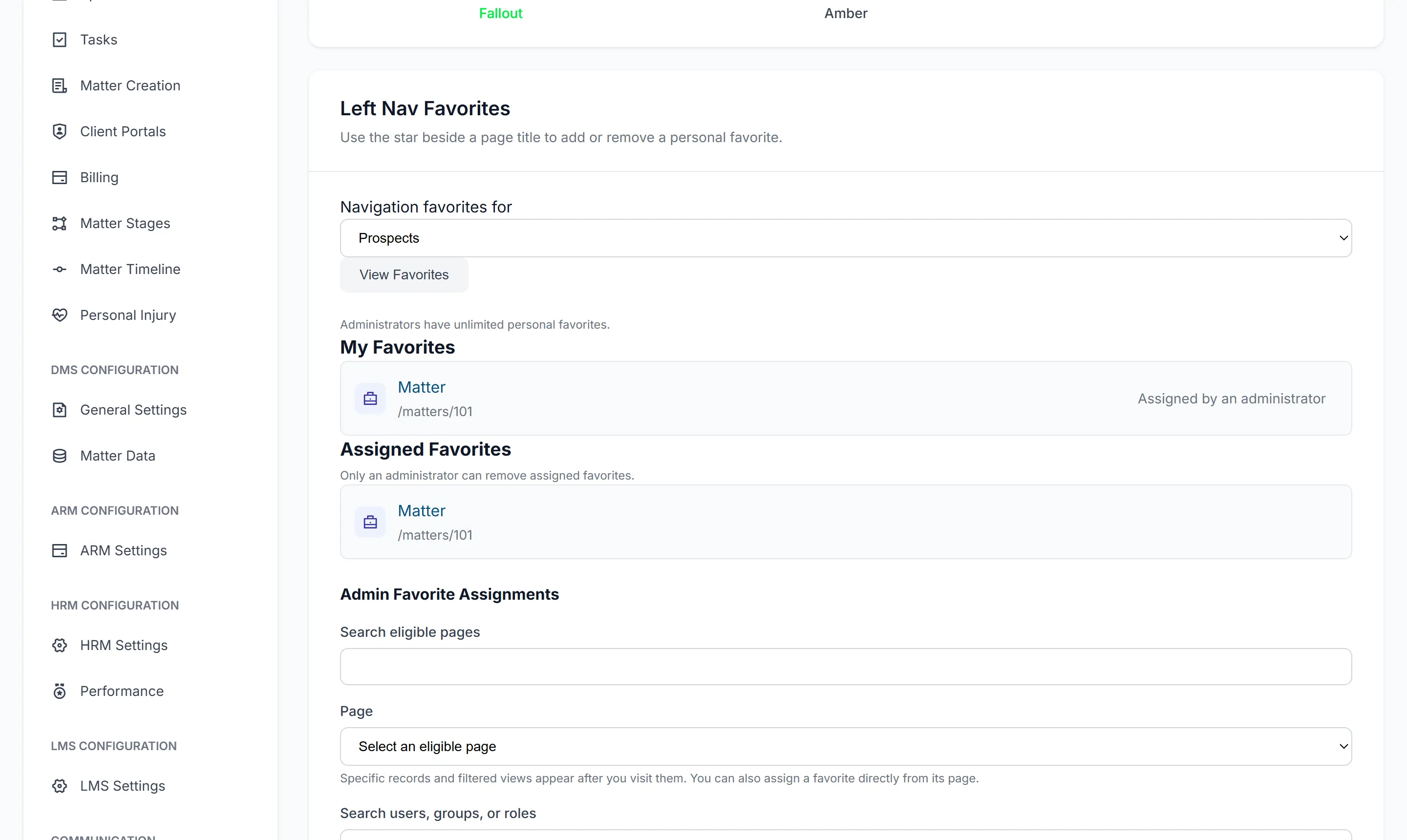
Favorites with a locked, filled star were assigned by your admin. They don't count toward your five and can't be removed.
Frequently asked questions
Search doesn't find text inside a PDF.
Document search looks at a document's details, such as its name and matter, not the text inside the file.
The star is missing on a page.
That page is already in the sidebar, is a settings page, or can't be a favorite. Open a specific record or a filtered view and look again.
Last reviewed 2026-11-25