

Start at My matters
After you sign in, you land on My matters. It shows each of your cases with its current status, timeline, messages and shared documents.
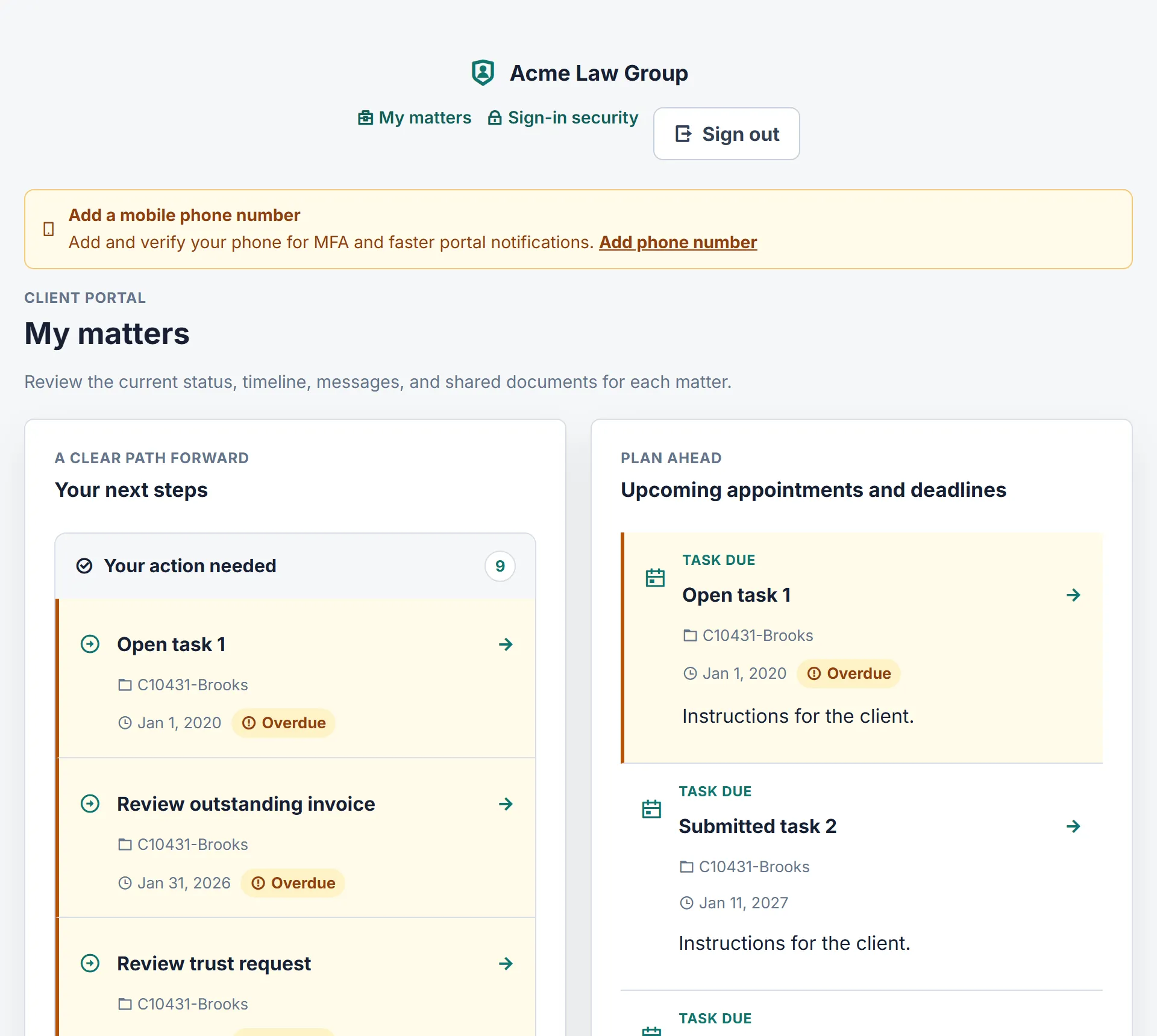
Look at Your next steps
The top of the page is your to-do list:
- Your action needed: things only you can do, such as a form to complete, a document to upload, an invoice to review or a message to read. Anything past its due date is marked Overdue.
- Waiting on our team: things you have finished that your legal team is now reviewing.
- Upcoming appointments and deadlines: dates to plan around.
Select any item to go straight to it.
Open your case
Select a case to see where it stands: its status, the timeline of steps so far, and anything shared with you.
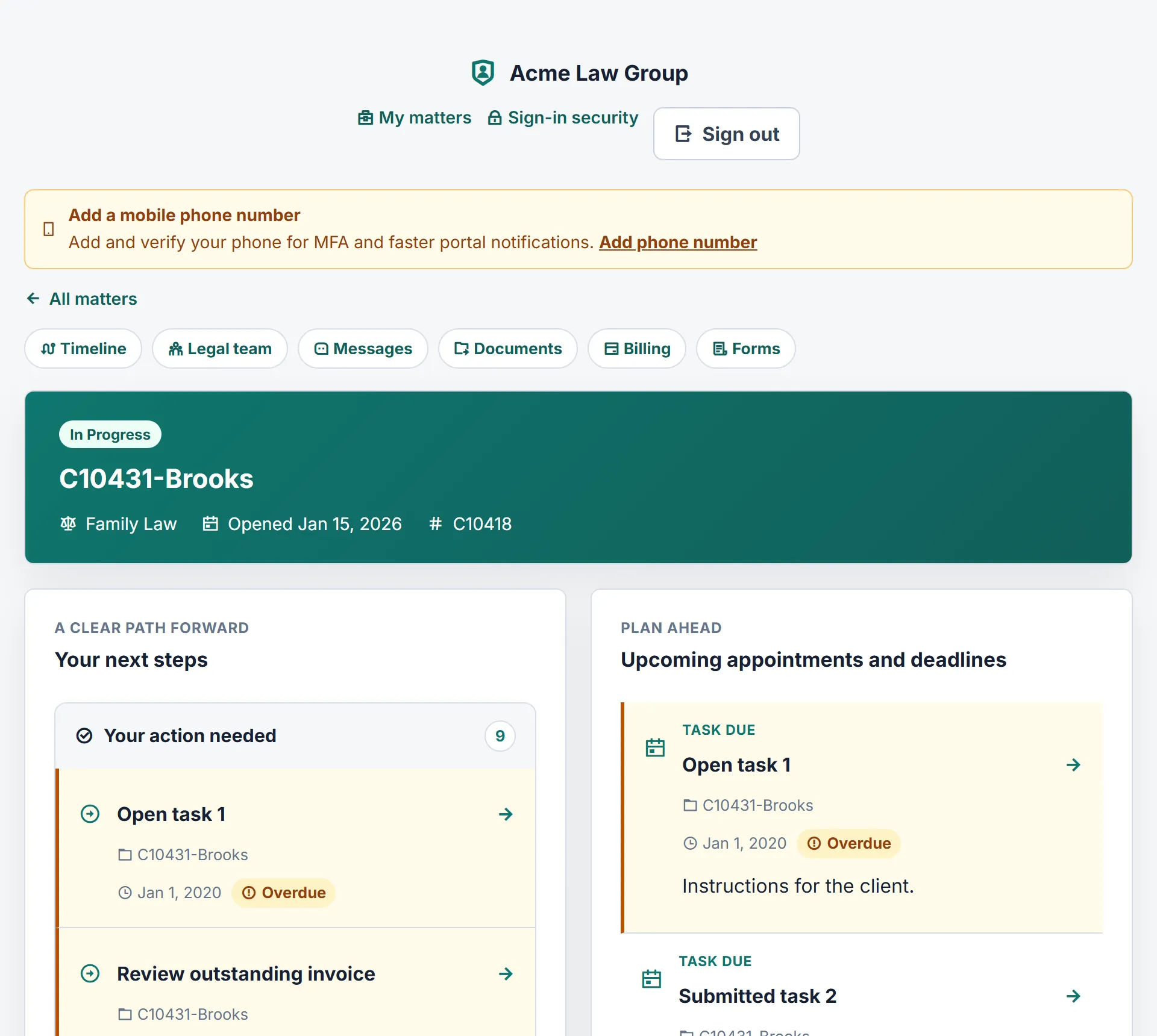
Read and send messages
Messages from your legal team appear on your case, and unread ones show up in Your next steps. Reply in the portal instead of by regular email. Portal messages stay with your file and are more secure.
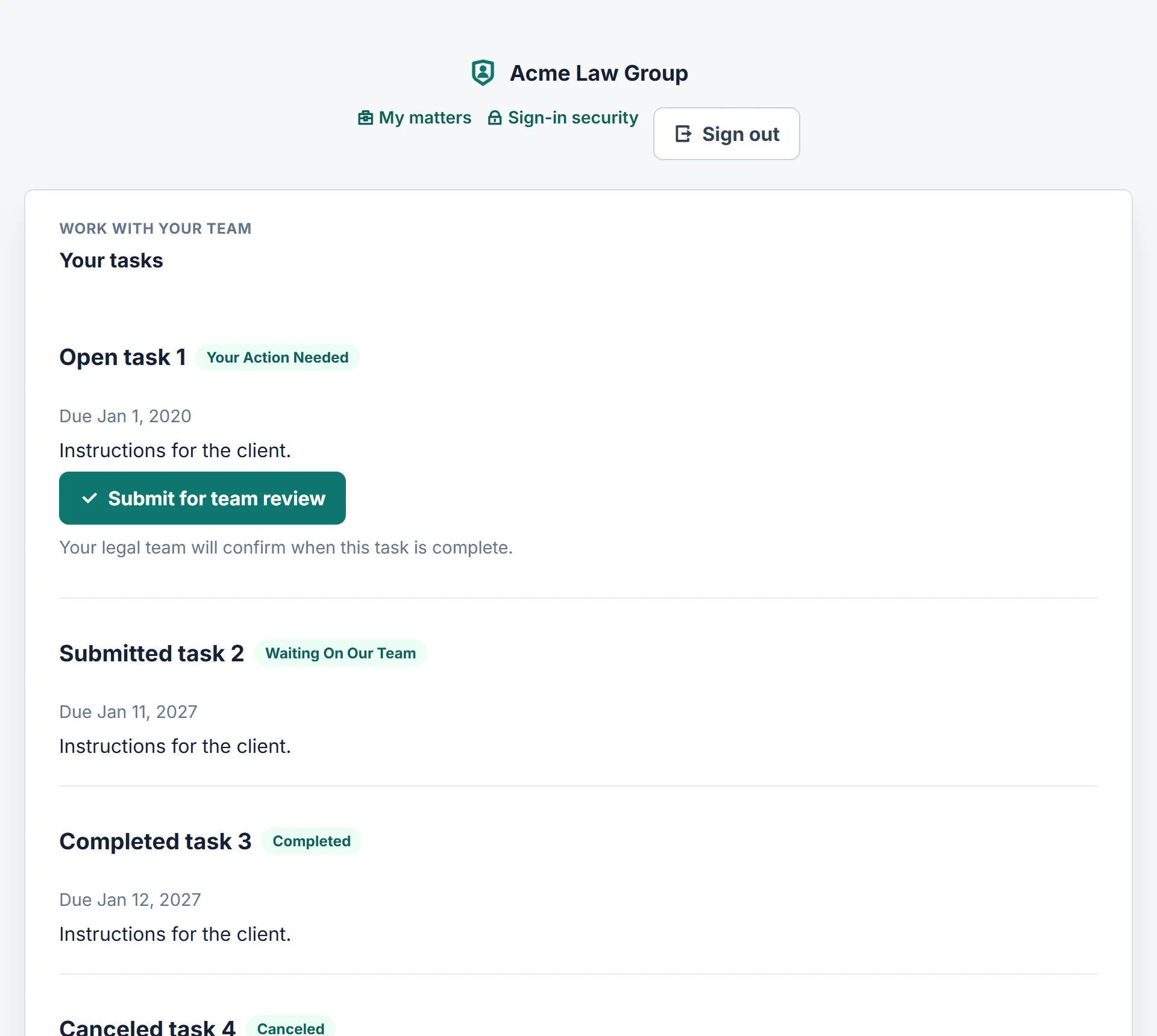
Complete your tasks
Open Your tasks to see everything your team has asked you to do, with due dates and instructions. When you have done one, select Submit for team review. It moves to Waiting on our team until your legal team confirms it is complete.
Sign out
Select Sign out when you are done, especially on a shared or public computer.
Frequently asked questions
A task says Overdue, but I already sent it.
If you sent it by email or dropped it off, let your legal team know so they can mark it complete. Next time, upload it in the portal so it is tracked automatically.
I don't see one of my cases.
Contact your legal team. They control which cases appear in your portal.
Last reviewed 2026-11-25