

Open the Library
In LMS, select Library. Curated Libraries (such as the staff handbook or the immigration procedures library) are at the top. All published content you can see is below.
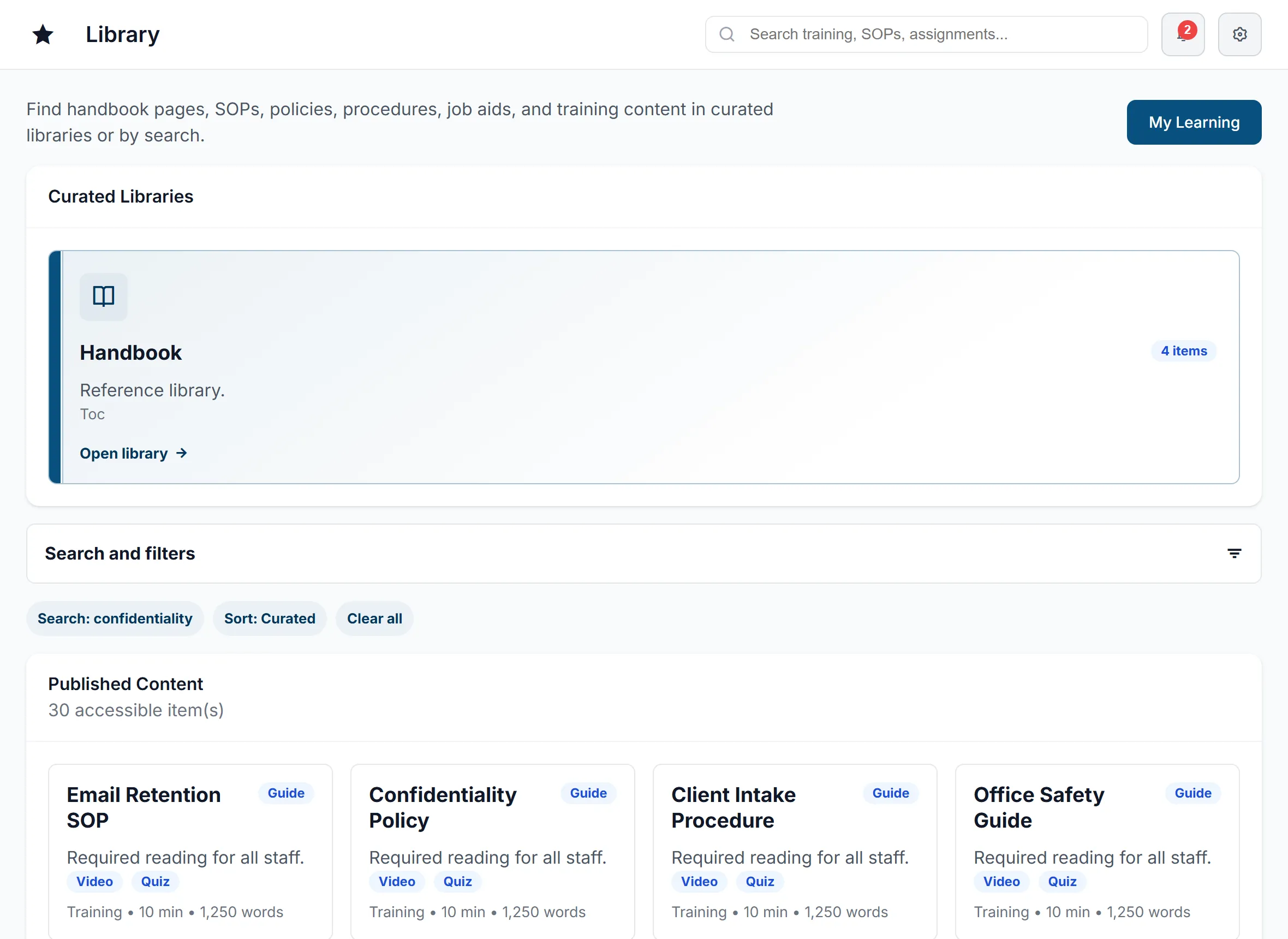
Open a curated library
Select a library to see its Items and Chapters. The Table Of Contents lists chapters and pages in the order your firm set, like a handbook.
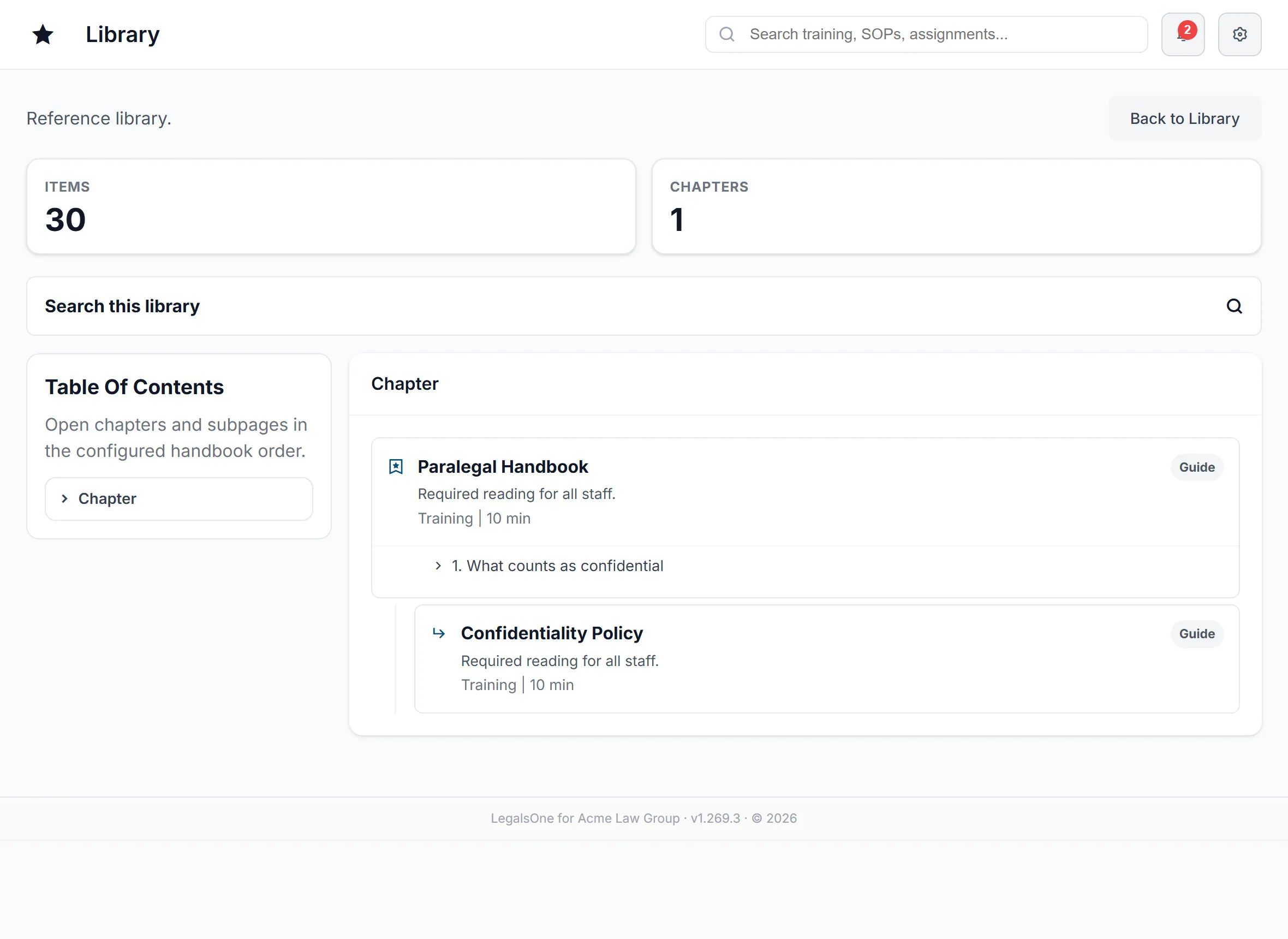
Search inside it
Use Search this library to search titles, summaries and the text of every page. Sort by Curated order, Relevance, A–Z, Recently published or Shortest first.
Read and come back
Open any page to read it. Your reading position is saved, so Continue Reading on My Learning brings you back. Reading on your own doesn't complete an assignment. Assigned items still need their acknowledgement or quiz.
Star a library page you use often (the star is next to the page title) and it stays in your Academy sidebar.
Last reviewed 2026-11-25