

Ledger is for planning and tracking the firm's finances. It doesn't replace your accounting system, and it never touches client trust funds, which live in Nexus.
Read the dashboard
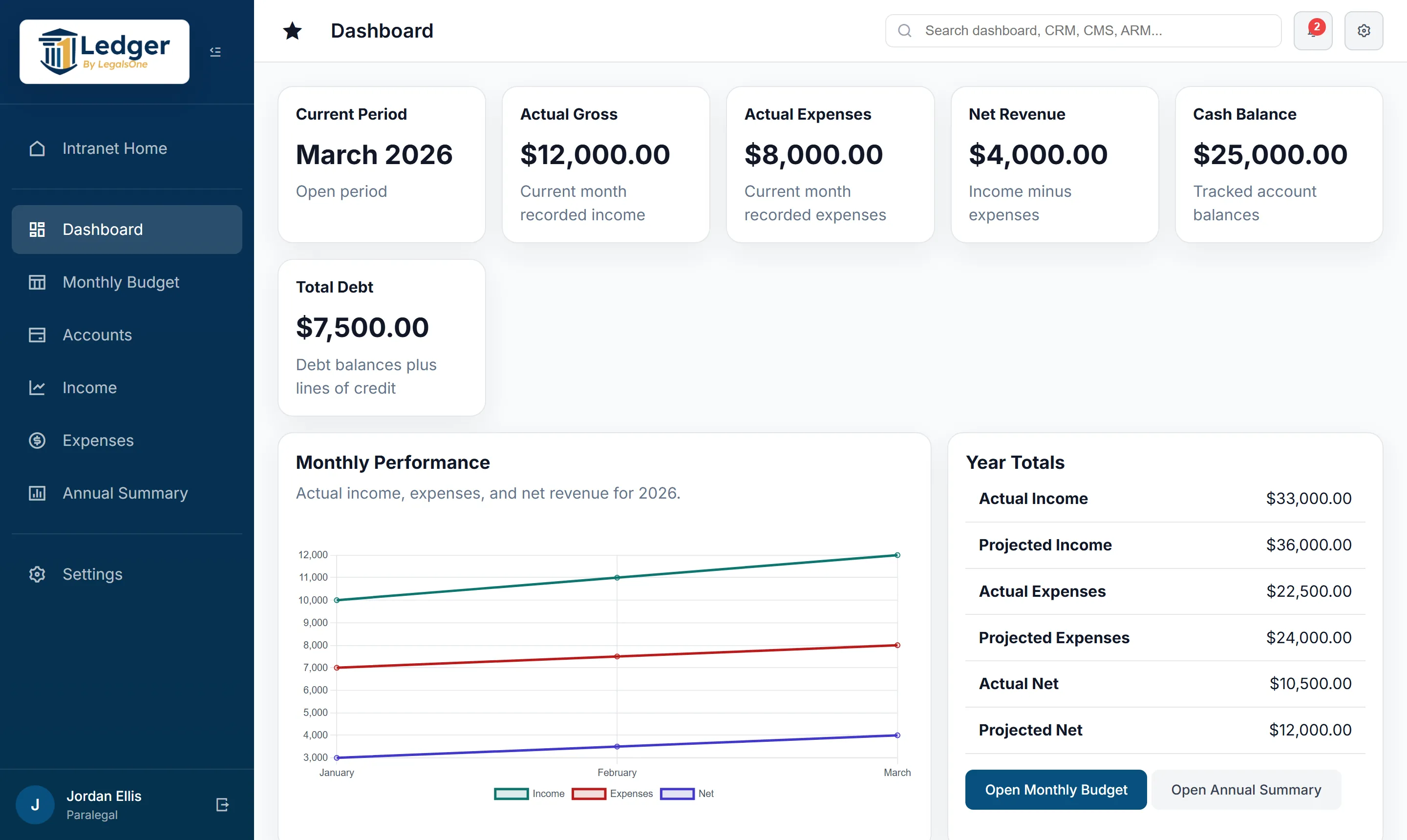
ARM → Dashboard shows the Current Period with Actual Gross, Actual Expenses, Net Revenue, Cash Balance and Total Debt. Monthly Performance charts income, expenses and net for the year, and Year Totals compares actual and projected figures. Open Monthly Budget and Open Annual Summary jump to the detail.
Record income
Open ARM → Income and pick the Year and Month (select Apply). The cards show Actual Gross, Projected Gross, Recurring Baseline and Manual Adjustments, plus actual against projected for each practice area. Income By Category breaks it down further.
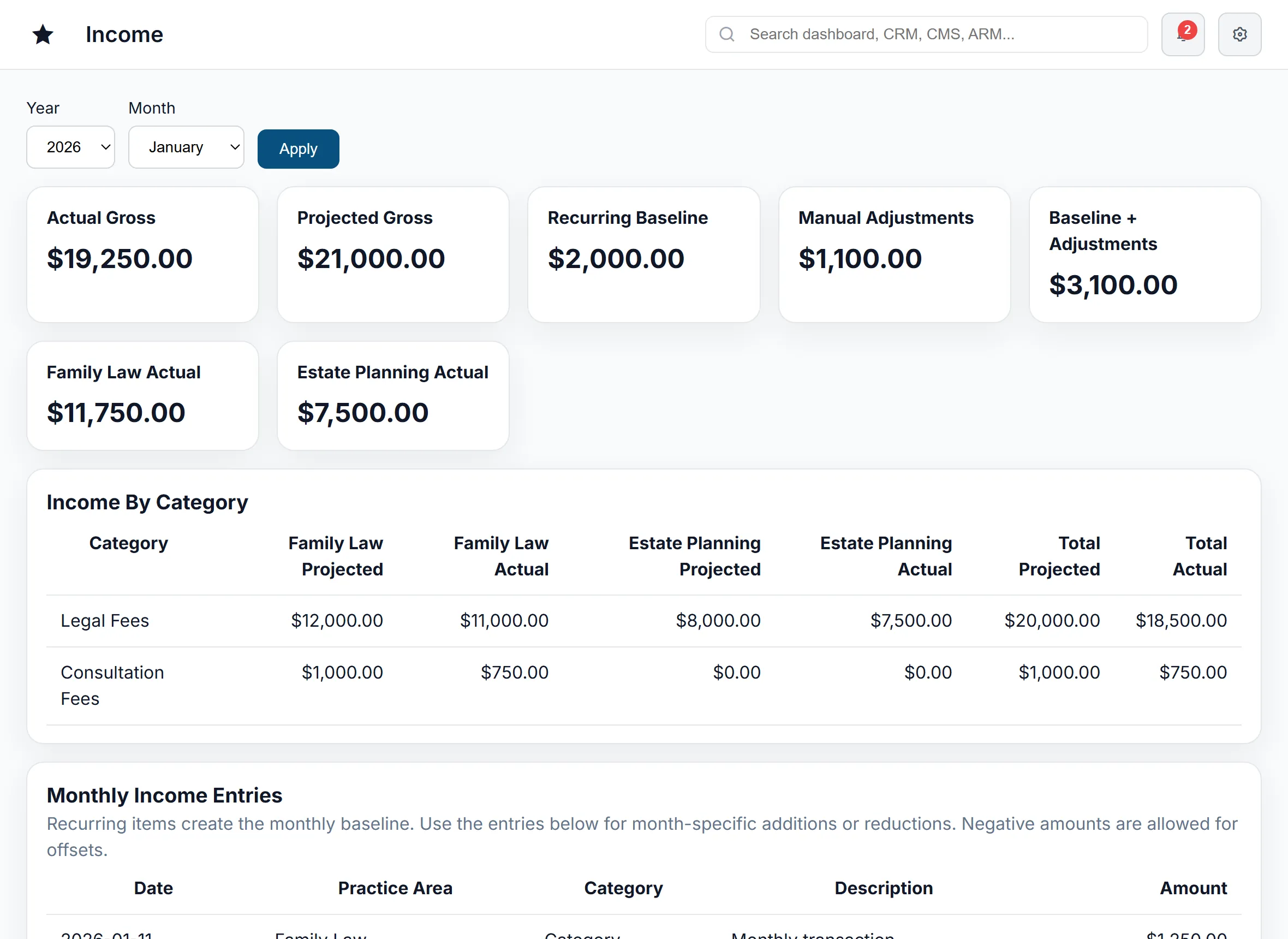
Under Monthly Income Entries, add each item with its practice area, category, description and amount.
Use recurring items
Amounts that repeat every month, such as a retainer client or rent, are recurring. They form the Recurring Baseline automatically. Add entries only for that month's changes (the manual adjustments).
Record expenses
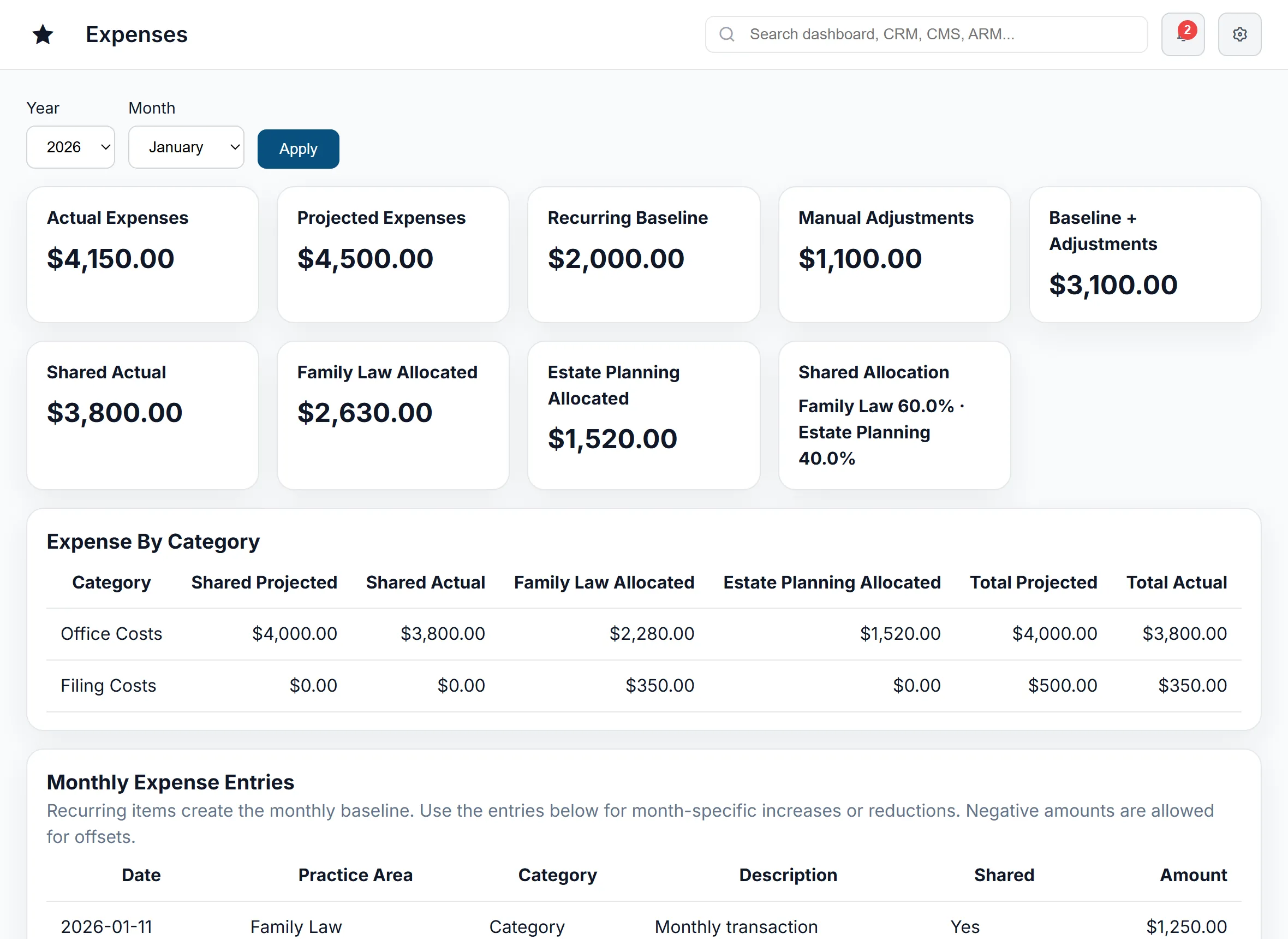
ARM → Expenses works the same way: Actual Expenses, Projected Expenses, recurring baseline and adjustments. Shared Allocation splits shared costs across practice areas (for example 60% family law, 40% estate planning) based on the prior month's revenue.
Review the year
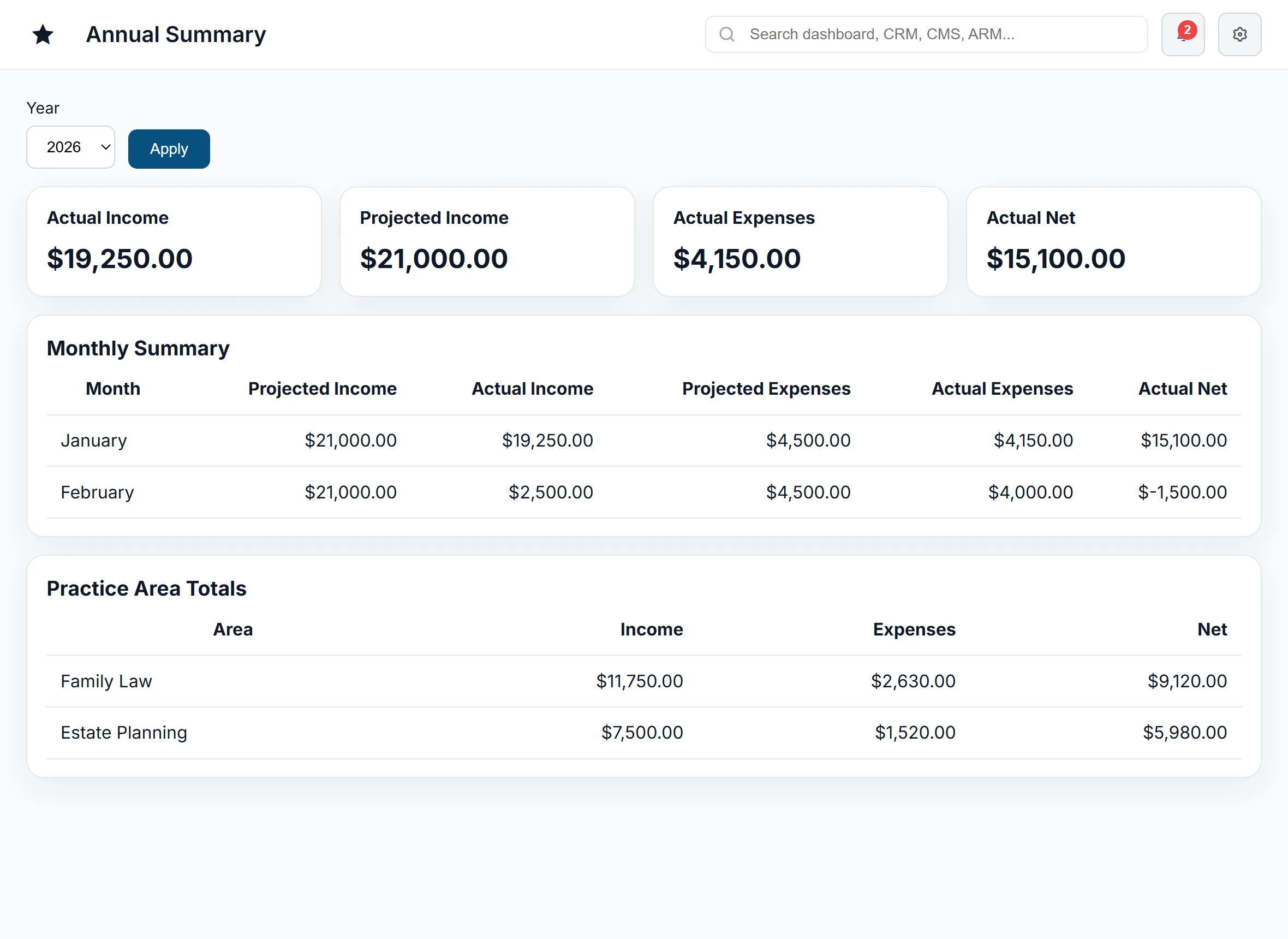
ARM → Annual Summary puts the months side by side, with projected against actual income, expenses and net, plus Practice Area Totals.
Frequently asked questions
A month is locked and I can't edit it.
Locked periods protect finished numbers. People with the period-lock permission can unlock a month when a change is approved. See Plan a monthly budget.
I see "ARM setup required".
An admin needs to add your practice areas in ARM settings. Ledger then creates the year and its months automatically.
Last reviewed 2026-11-25