

Open the month
In ARM, select Monthly Budget. Choose the Year and Month and Apply, or step through with Previous and Next. The header says whether this is an Open budget period or a locked one.
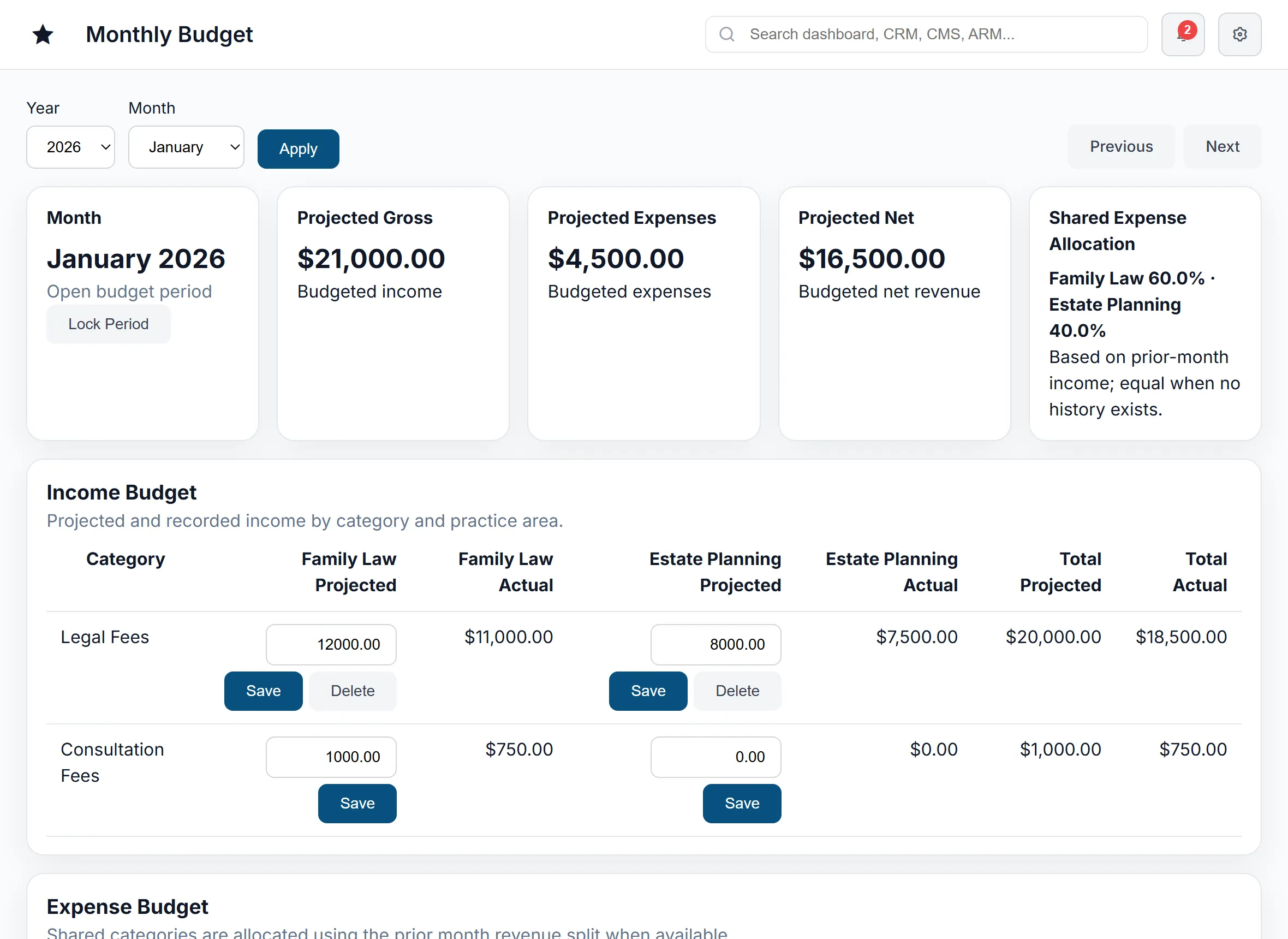
Read the summary
- Projected Gross: budgeted income
- Projected Expenses: budgeted expenses
- Projected Net: budgeted net revenue
- Shared Expense Allocation: how shared costs split across practice areas. The split is based on the prior month's income, or equal if there's no history yet.
Set the income budget
Under Income Budget, each category has a Projected and an Actual column for every practice area, plus totals. Enter projections and Save each row. Actuals fill in from recorded income.
Set the expense budget
Under Expense Budget, do the same for costs. Put shared costs (rent, software, insurance) in shared categories so they're allocated automatically.
Check actuals during the month
Come back mid-month and compare Total Actual with Total Projected for each category. A big gap early on is your cue to adjust spending or chase collections.
Lock the period
When the month is final, select Lock Period. Locked months can't be edited, which protects reports. Users with the period-lock permission can unlock a month if an approved correction is needed.
Lock each month after your bookkeeper closes it in your accounting system. Then Ledger and the books always agree.
Frequently asked questions
Can I copy last month's budget?
Recurring income and expenses carry forward automatically. Adjust only what changes.
Last reviewed 2026-11-25