

Open Accounts
In ARM, select Accounts and pick the Year and Month. The cards show Cash Balance, LOC Balance (what you've drawn), LOC Available and Debt Balance.
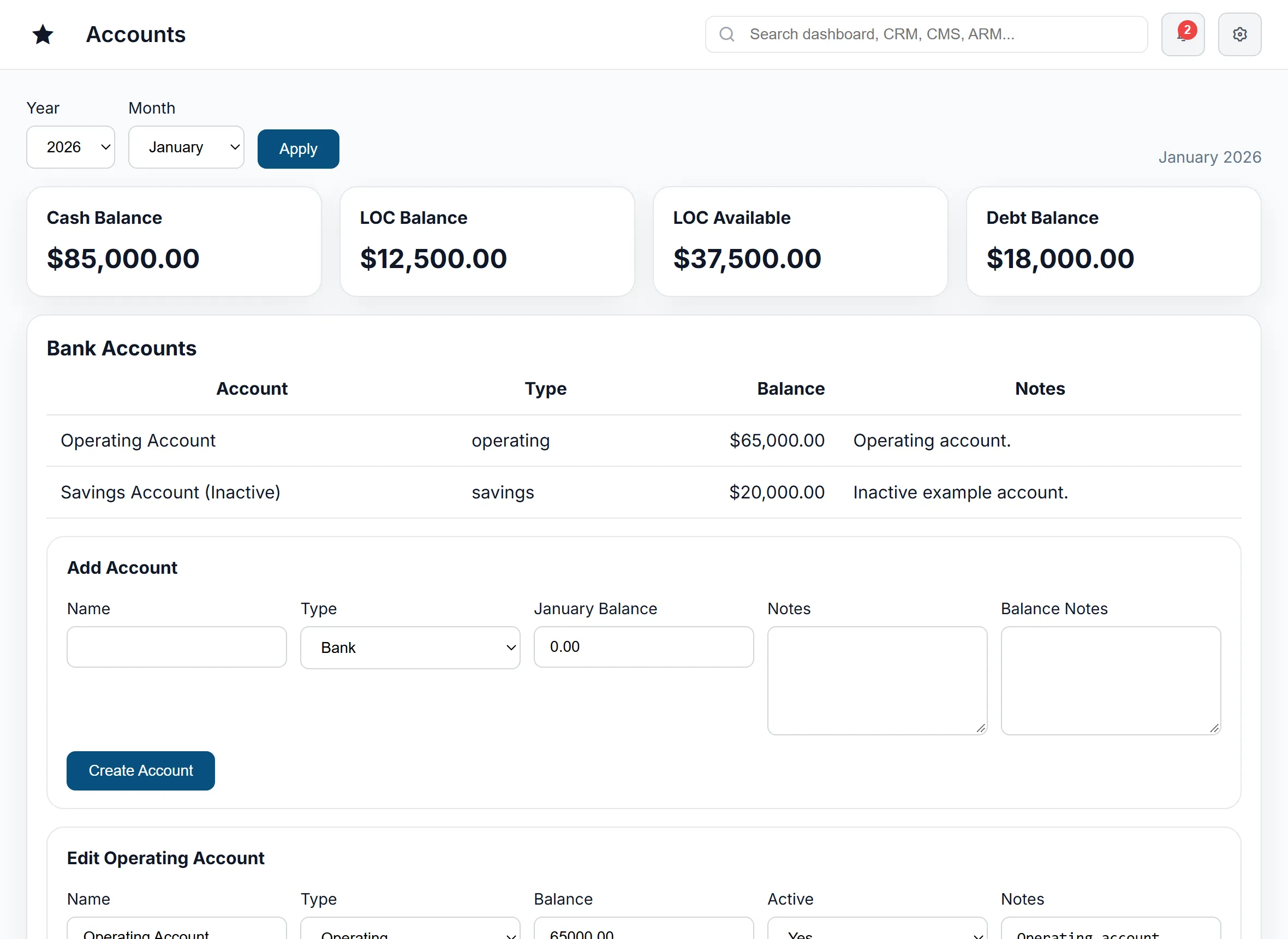
Add a bank account
Under Add Account, enter the Name, choose the type (Checking, Savings, Operating, Trust or Other), the month's opening balance and any Balance Notes. Select Create Account.
A trust account added here is for the firm's planning picture only. Client trust ledgers and reconciliation stay in Nexus.
Update balances each month
For each account, enter the month's balance and a note, such as "reconciled to statement", then Save. Set an account to inactive with Active: No when it closes. Delete / Archive removes accounts created by mistake.
Track lines of credit
Under Lines Of Credit, add each line with its Limit and current balance. Available is worked out for you. Mark closed lines inactive.
Track debts
Add loans and other debts with their balances, and update them monthly so Total Debt on the dashboard is right.
Frequently asked questions
Does Ledger connect to my bank?
No. Balances are entered by hand each month, usually after reconciling.
Last reviewed 2026-11-25